How to Play
Everything you need to know.
New here? These are the basics.
Your item chest
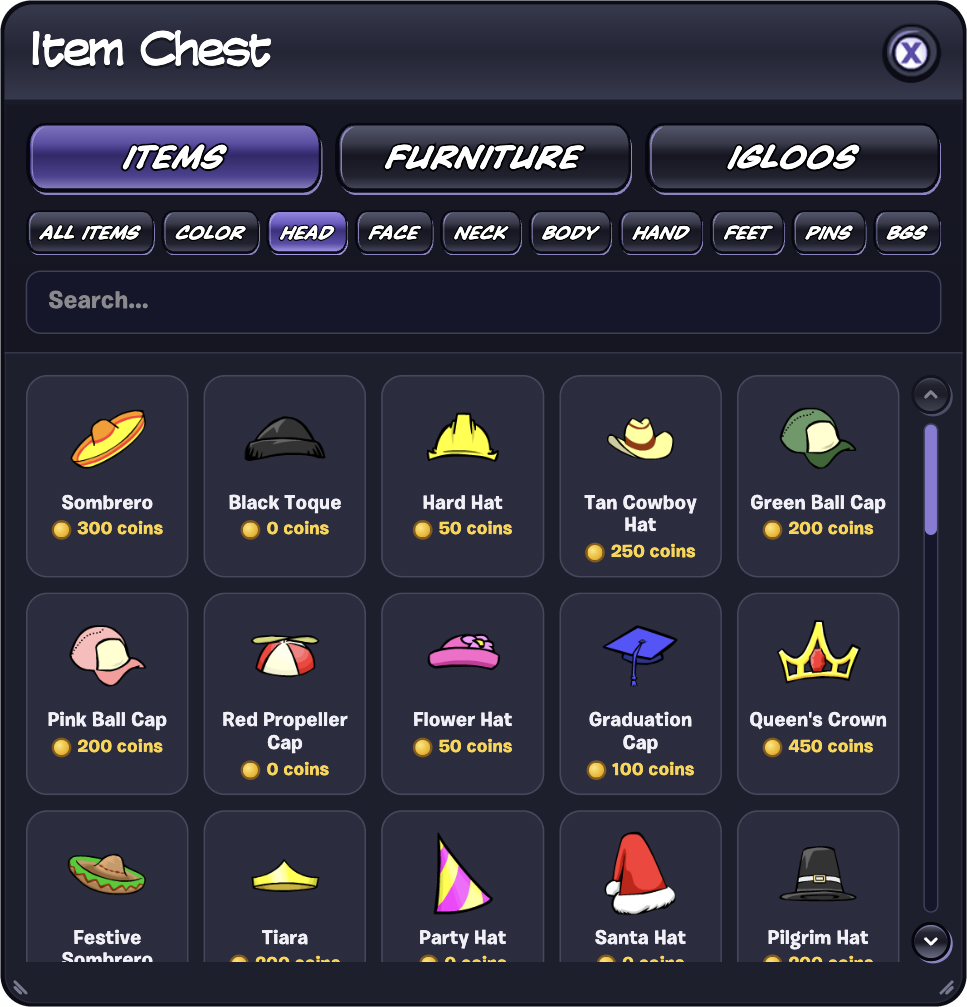
Click the chest  on your chat bar to open your item chest. It's the second button from the left. From there you can add any item, furniture, igloo or igloo floor.
- Pick Items, Furniture or Igloos at the top.
- Use the buttons under them to pick a type, like Head or Pins. You can even search by name or item ID.
- Click anything to add it. If you need more coins, you can add them in your customization menu (see step 3).

Settings
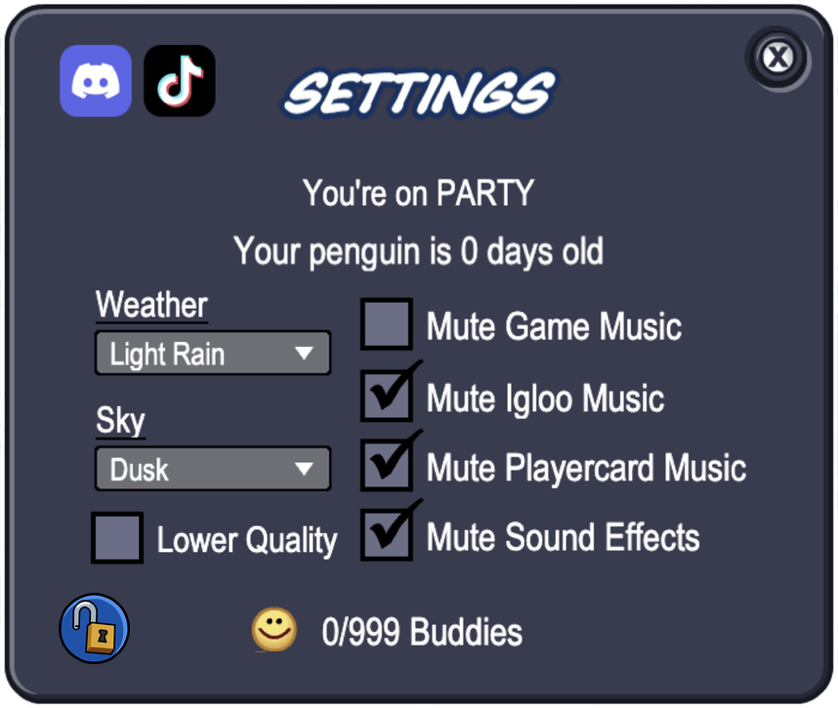
Click  Settings on the right end of the chat bar to open it. There you can change how the game looks and sounds for you.
- Weather and Sky: change the weather and the sky in outdoor rooms.
- Lower Quality: for slower computers and phones. Other penguins' glows are hidden in rooms, gradients stand still, the weather turns off and animated playercard backgrounds stop moving. Only you see the difference.
- Mute Game Music: mutes the music in rooms and the jukebox.
- Mute Igloo Music: mutes the music in every igloo.
- Mute Playercard Music: mutes the songs players put on their playercards.
- Mute Sound Effects: mutes the sounds items and emotes make.
- Redeem a code: click the unlock icon at the bottom left, type a code and click Redeem to get its credits and items.
Settings also shows how old your penguin is and how many buddies you have.
Your customization menu
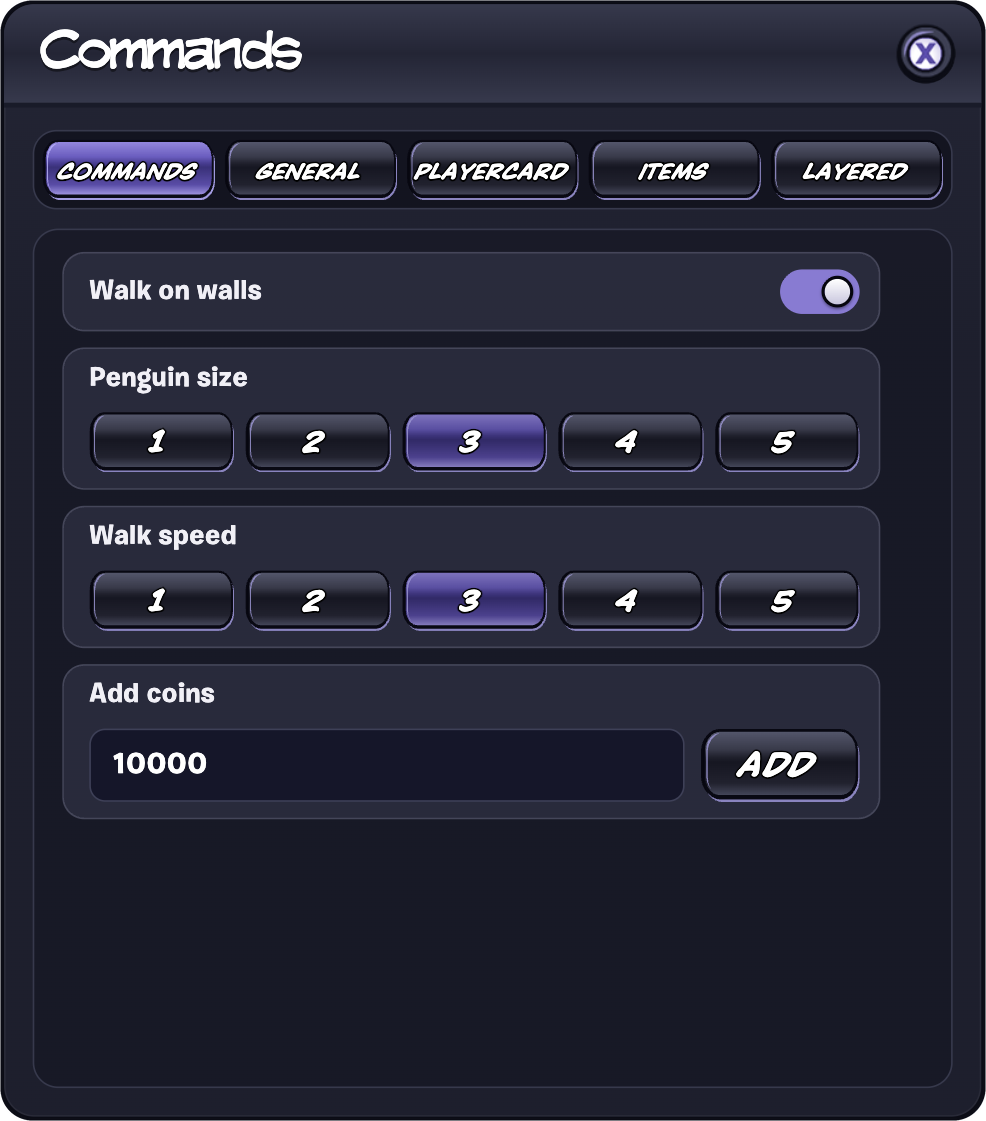
Click the party hat  in the top left corner of the game to open your customization menu. This is where you set your commands, your colors and more.
- Walk on walls: turn walking on walls on or off.
- Penguin size: make your penguin smaller or bigger, from 1 to 5.
- Walk speed: make your penguin walk slower or faster, from 1 to 5.
- Add coins: type how many coins you want and press Add. You can add as many as you want, so you'll always have enough for items.
Want every game command and room ID? They're all on the Commands page.
How the color rows work
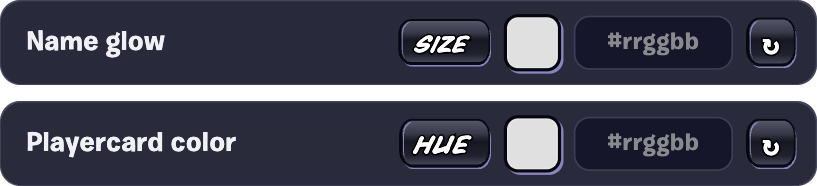
The General, Playercard, Items and Layered tabs are all rows of colors, and every row works the same way.
- The square: click it to pick a color.
- The code box: type a color code instead, like #ff66cc.
- The arrow: puts that color back to normal.
- HUE: only the main color changes and the other colors stay. Click it to switch to HSL, which turns the whole thing that color but keeps its light and dark parts.
HUE and HSL
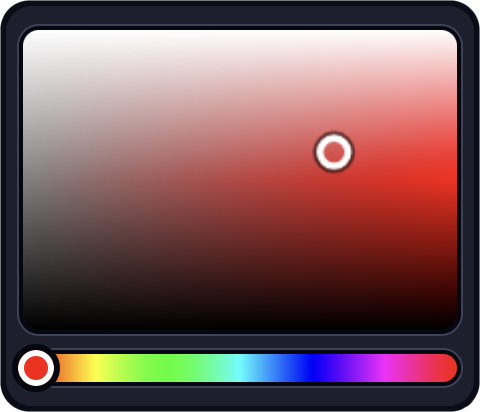
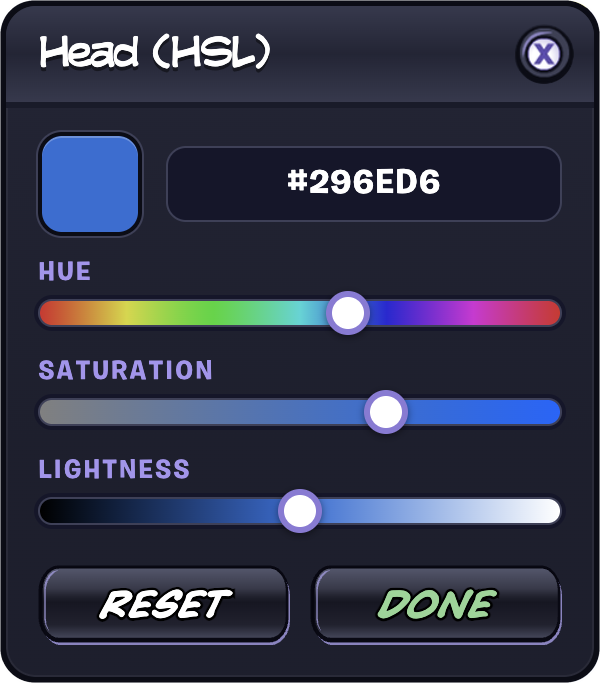
Your items, layered items, playercard color and chat bar color have a HUE button. Click it to switch to HSL.
- HUE: only the main color changes, and the other colors stay the same. You pick from a color square and a rainbow bar.
- HSL: Changes your item's entire color but keeps its light and dark parts. Hue picks the color, Saturation picks how strong it is, and Lightness picks how light or dark it is. Reset puts it back and Done saves it.
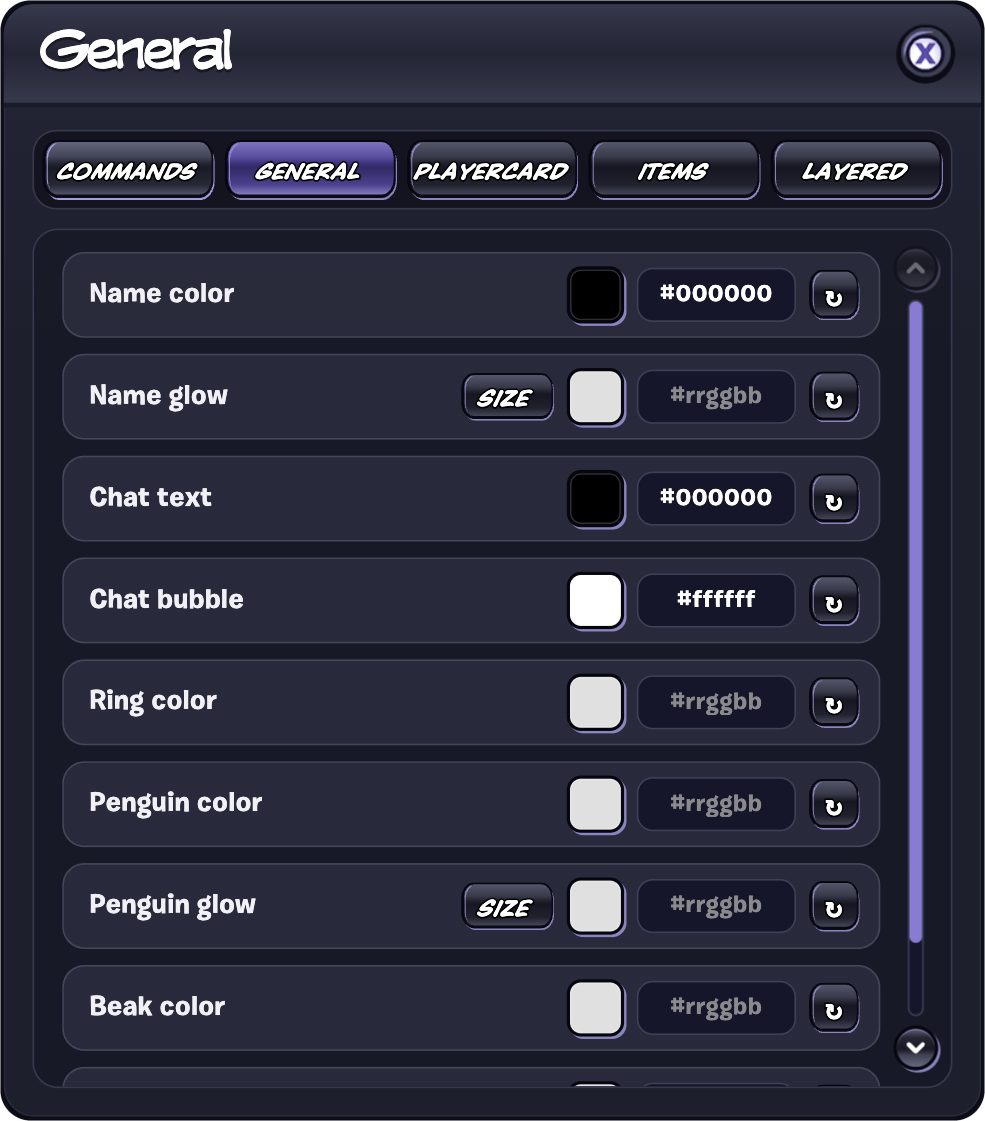
General
Colors for your penguin, your name and your chat.
- Name color: the color of your name under your penguin.
- Name glow: a glow around your name. SIZE makes the glow bigger or smaller.
- Chat text: the color of the words in your chat bubbles.
- Chat bubble: the color of your chat bubbles.
- Ring color: the color of your penguin's ring. Leave it empty to have no ring under your penguin.
- Penguin color: your penguin's color. You can pick any color, not just the regular ones.
- Penguin glow: a glow around your whole penguin. Pick its size and opacity from 1 to 5, and turn on Show on my playercard to have it on your playercard too.
- Beak color: your penguin's beak and feet color.
- Belly color: your penguin's belly color. It keeps the belly's shading.
- Snowball color: the color of the snowballs you throw.
- Chat bar color: the color of your chat bar. Your friends list, settings and chat log change color with it too.
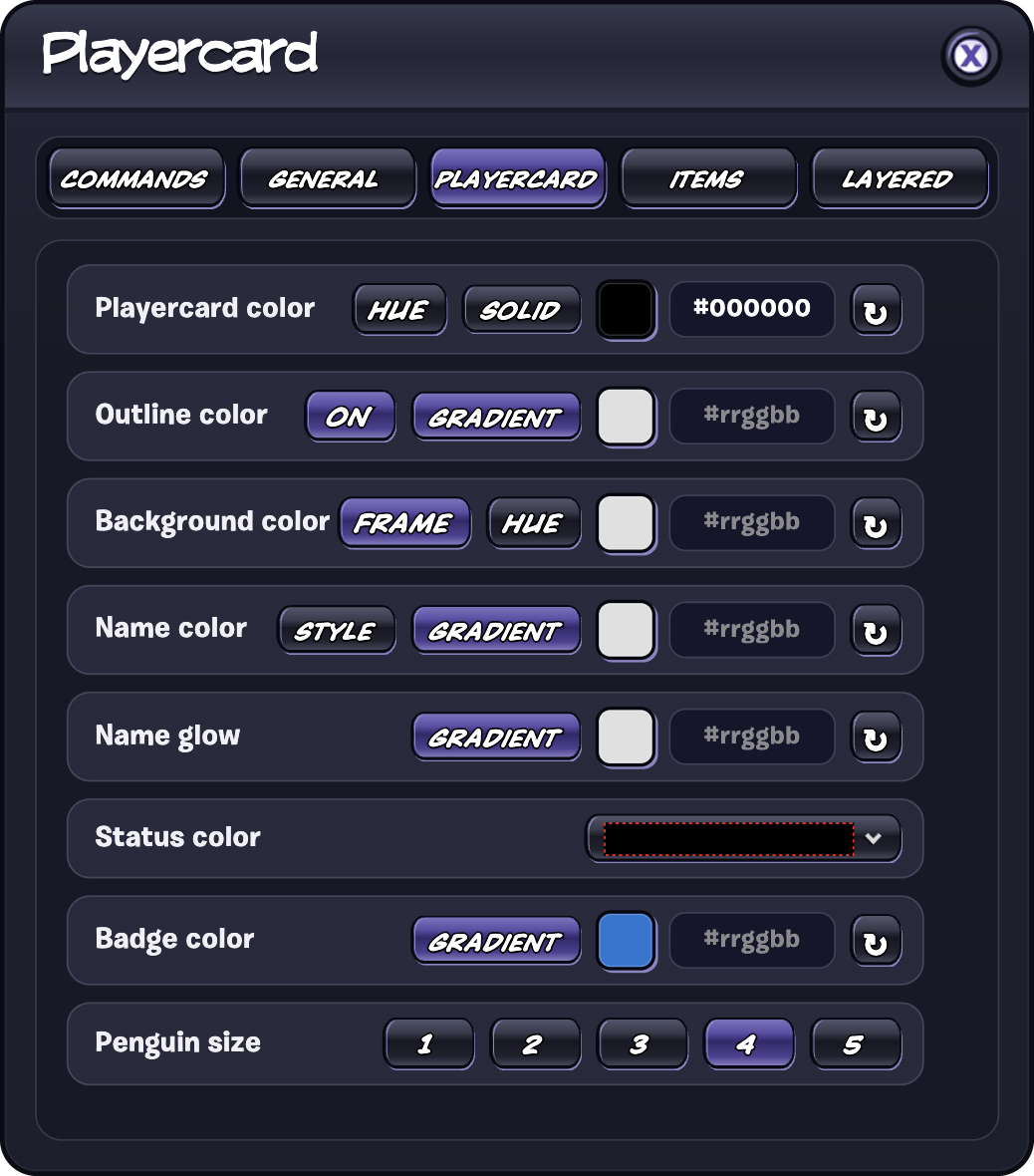
Playercard
Colors for your playercard and your chat bar.
- Playercard color: the color of your playercard.
- Outline color: the outline around your playercard. Click the button next to it to turn it on or off and pick how thick it is.
- Background color: the color of the background on your playercard. The Frame button next to it shows or hides the frame around the background.
- Name color: the color of your name on your playercard.
- Name glow: a glow around your name on your playercard.
- Status color: the color of your status on your playercard.
- Status glow: a glow around your status. You can change both the size and opacity of your name glow and status glow.
- Your status: click it on your own playercard to type a new one.
- Penguin size: how big your penguin is on your playercard.
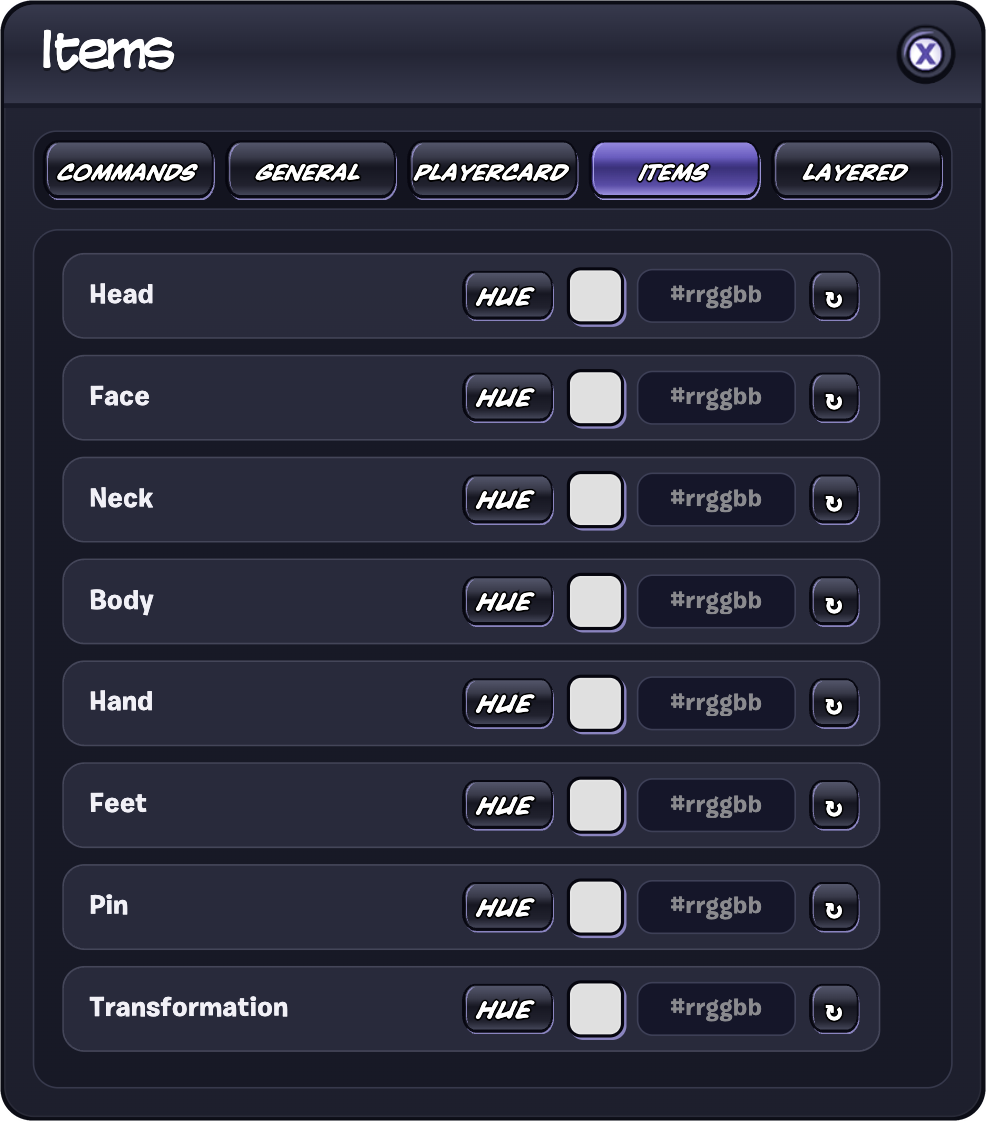
Items
Color the items you're wearing.
- Head, Face, Neck, Body, Hand, Feet and Pin: each one colors the item you're wearing there.
- Transformation: colors your transformation.
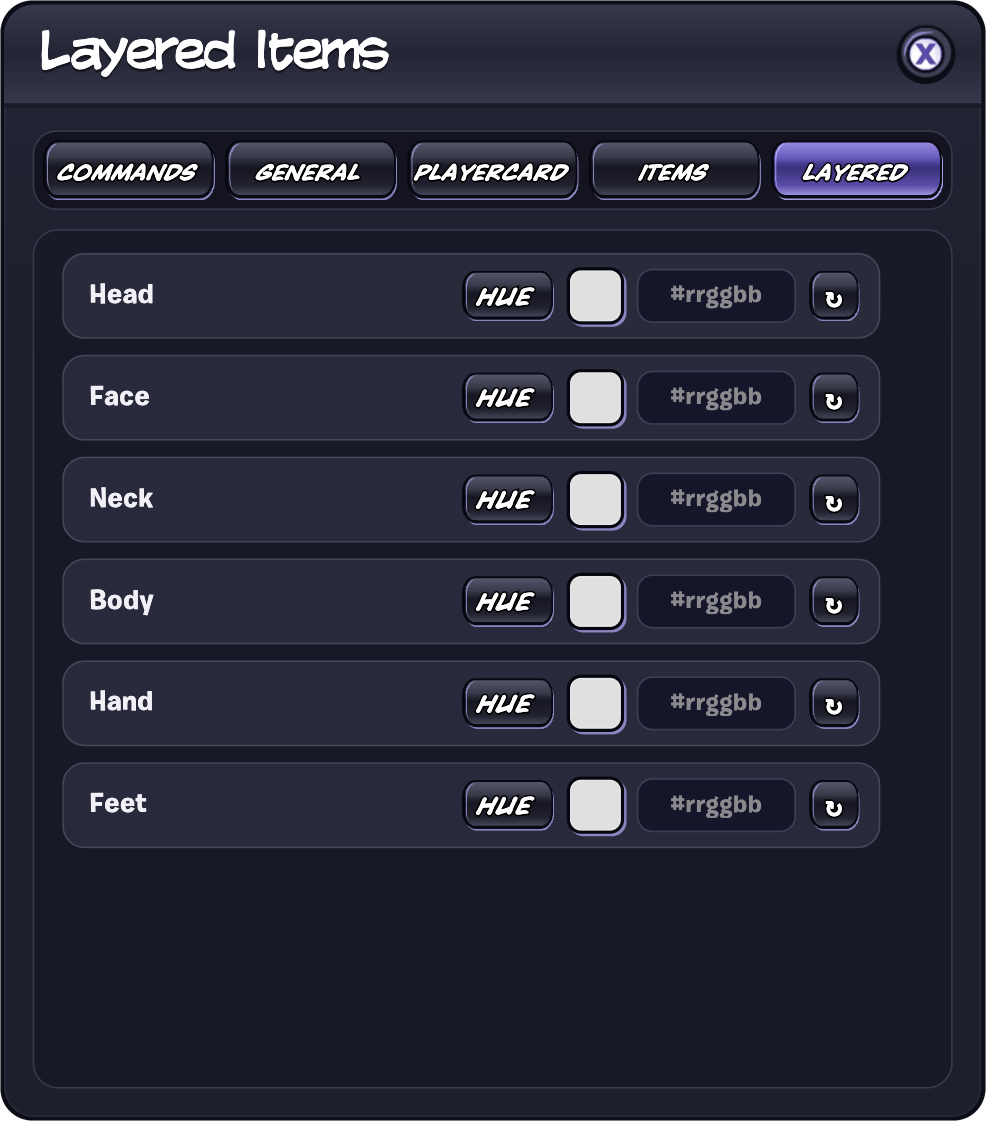
Layered Items
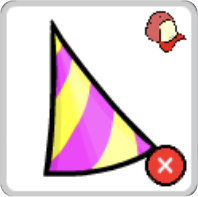
To layer your items, click the little red cap on it in your inventory.
- This tab works just like Items, but it colors your layered items.
Playercard music
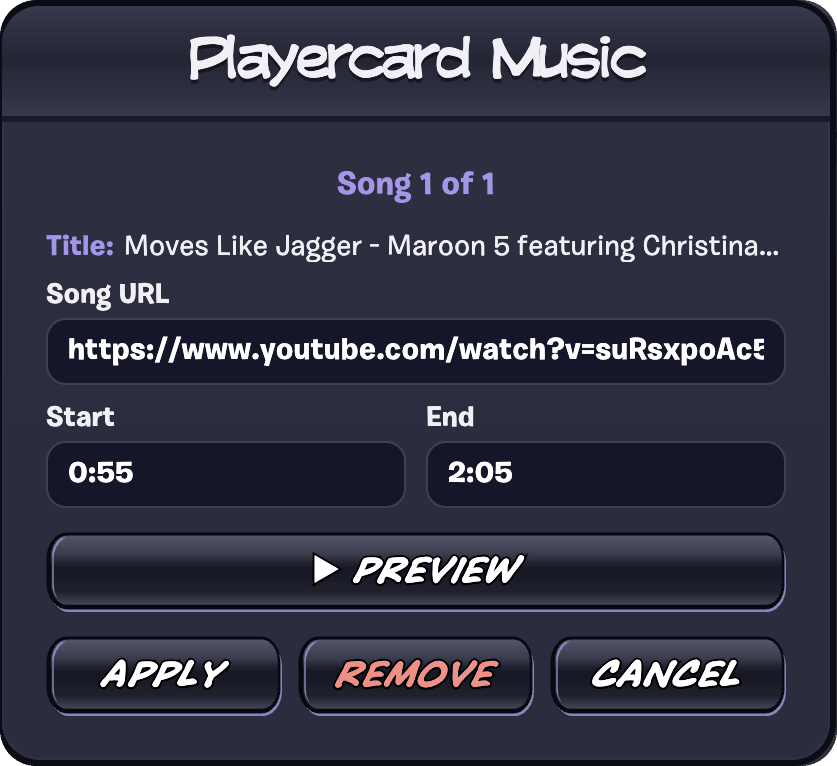
Add songs that play when someone opens your playercard. On your own playercard, click the music button.
- Paste a YouTube or SoundCloud link, set Start and End, press Preview to hear it, then Apply.
- Your first song is free. Buy more slots in the credit store, up to 10.
- Buy Custom Music Titles in the credit store to give your song its own name on your playercard,you will see a button with a pencil icon appear next to the title when purchased.
- On someone else's playercard, use the arrows to hear all of their songs, if you leave a playercard open, it will automatically play all their songs on loop.
- Press the thumbs up to like their playercard. You can replace the thumbs up icon on your own playercard with an emote by purchasing Like Button Icon in the Credit Store and clicking on your own thumbs up to select any emote you own.
Don't want to hear other players' songs? Turn on Mute Playercard Music in Settings.

Friends list moods
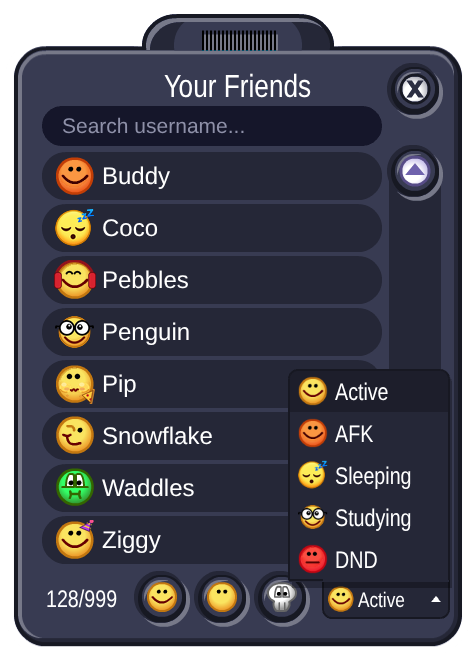
Open your friends list and use the box at the bottom right to pick your mood. Your friends see it as the smiley next to your name while you're online.
- Everyone has Active, AFK, Sleeping, Studying and DND.
- Want more? Buy Friends List Moods in the credit store (press Preview on it to see them all).
Postcard dates
When you open your postcards, the date and time each one was sent shows under the card.
Credits are what you spend in the credit store. Here's every way to earn them.
Daily reward
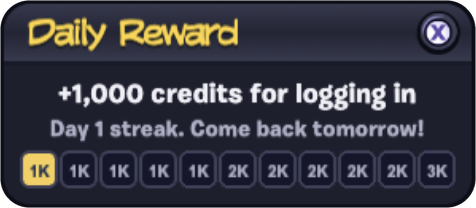
Log in every day to get your daily reward. The longer your streak, the more you get.
- Days 1 to 5: 1,000 credits a day.
- Days 6 to 10: 2,000 credits a day.
- After that: 3,000 credits, as long as you keep logging in every day.
Daily spin
Click the slot machine  in the bottom right corner of the page to open the daily spin.
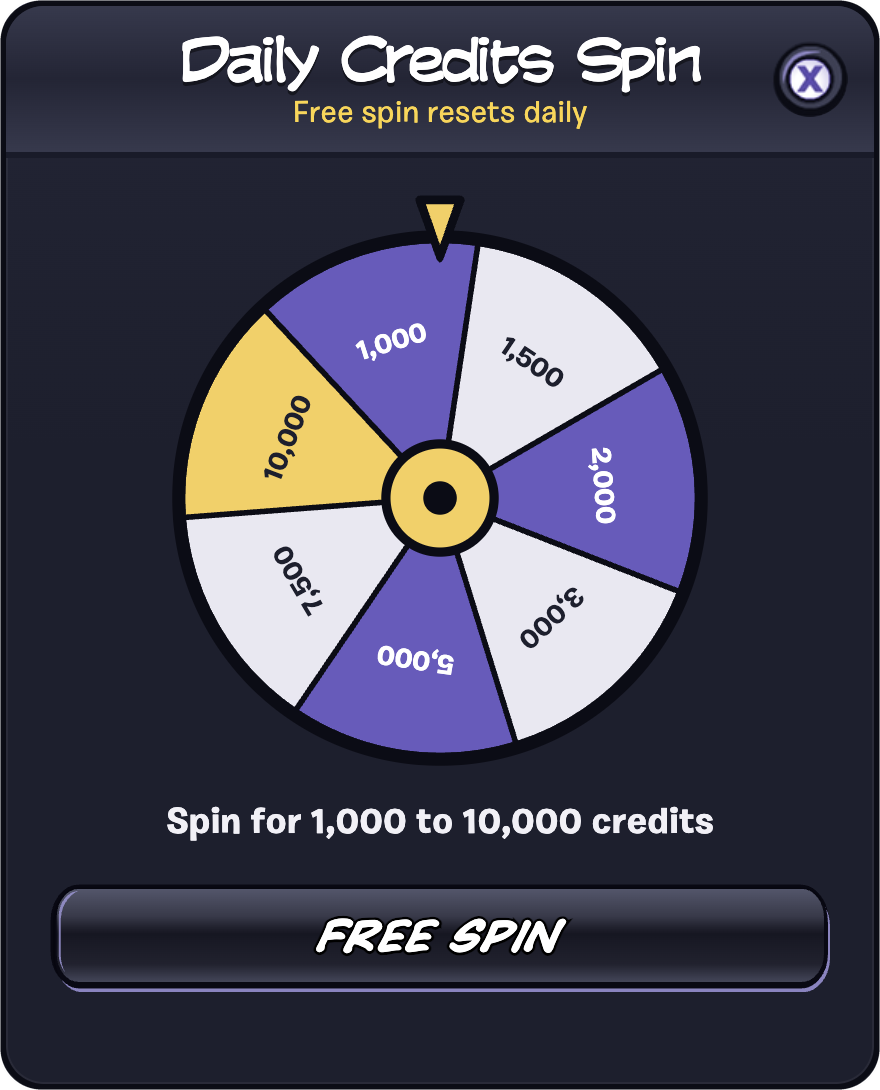
- You get one free spin every day.
- Each spin wins you anywhere from 1,000 to 10,000 credits.
- After your free spin, you can gamble 3,000 credits one time to spin again.
Being online
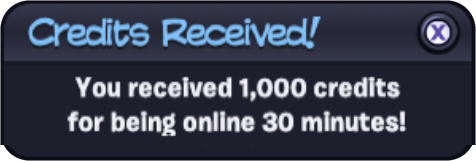
Every 30 minutes you're online, you get 1,000 credits. Just play like normal and they keep coming.
Phone
There are multiple apps in the phone that help you win credits.
- Quests: Complete the 3 daily quests to win up to 2,000 credits.
- Wordle: Complete the daily Wordle to win 1,000 credits.
- Milestones: Complete various milestones by playing games and being active to earn credits. Purchase the Season Pass to earn even more rewards.
Games
Play games in the casino or the original Club Penguin mini games to earn credits. You can also invest in Stocks and place parlays in the Sportsbook.
Codes
Join our Discord server and keep an eye out for limited time codes. You can enter them in the Manager or in-game Settings.
What the things you buy in the credit store do, and how to use them.
Opacity
Opacity makes your penguin see-through. Once you buy it from the credit store, pick 1 to 5 under Opacity in the Commands tab of your customization menu.
- 1 is the most see-through.
- 5 is solid, like normal.
Gradients
A gradient blends two or more colors together. Pick Gradient under any color you bought a gradient for, like your name glow, playercard color, playercard glow, ring color, and status glow.
- Colors: every gradient starts with 2 colors. Buy "+1" in the credit store to add another, up to 6, then use − and + to pick how many you use.
- The squares and code boxes: click a square to pick that color, or type a color code in the box under it.
- Direction: which way the colors run. Pick one of the 8 arrows.
- Animation: Static stays still, Wave makes the colors move across, Spin moves them around in a circle, and Fade switches smoothly from one color to the next.
- Amounts: under each color, − and + change how much of the gradient that color takes up, 5% at a time.
- More gradients: your name color, items, playercard name, status, beak, eye, belly, badge, chat bubble, chat text, snowball, and playercard outline can each get a gradient from the credit store too.
- Cycle speed: how fast Wave, Snake and Fade move.
- Rainbow and Grayscale: Rainbow/Grayscale name glow and penguin color have the same animation controls as Gradients.

Name style
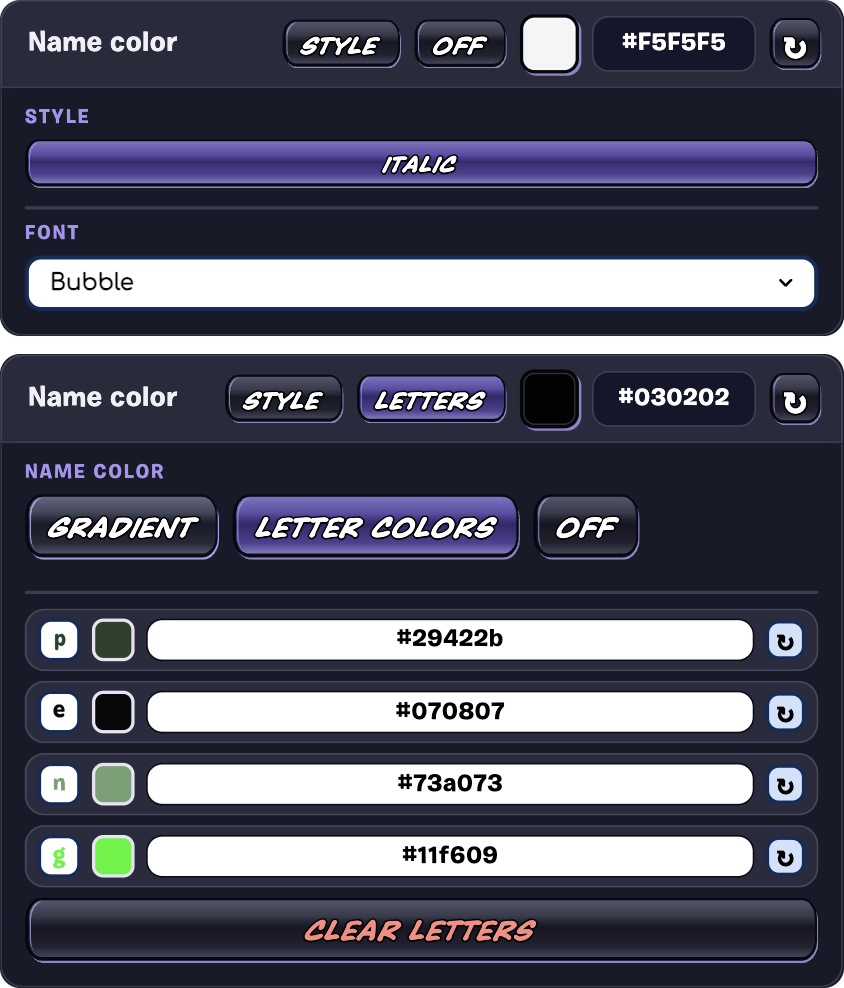
Click STYLE next to your name color for Italic and Font. Letter colors is in the button right next to STYLE (it says OFF, LETTERS or GRADIENT). Your playercard name and your status have the same buttons and work the same way.
- Italic: buy Italic in the credit store to make your name under your penguin or your playercard name italic.
- Font: pick a different font. Font packs from the credit store add more fonts to this list.
- Letter colors: with a color font, every letter can be its own color. Open the button next to STYLE and pick Letter colors, then click a letter's square or type a code. The arrow puts that letter back to your normal color, and Clear Letters resets all of them.
- Letter colors or a gradient: if you also own a gradient for that color, Gradient is in the same menu as Letter colors, so you use one or the other. Your letter colors come back when you pick Letter colors again.
Eye color and snowballs
- Eye color: once you buy it from the credit store, an Eye color row shows up in the General tab. Pick any color for your penguin's eyes.
- Badge color: once you buy it, a Badge color row shows up in the Playercard tab. Pick any color for the badge on your playercard. Gradient Badge lets it be a gradient.
- Snowball packs: owning a snowball pack adds a button next to Snowball color in the General tab. Click it to pick a snowball, and everyone sees the snowballs you throw as that picture.


Playercard
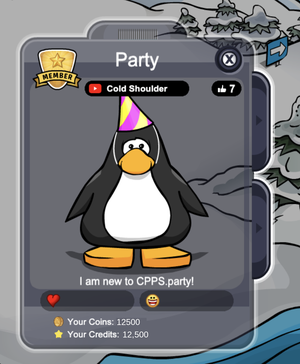
Click the button next to Playercard color in the Playercard tab to change how your playercard looks.
- Pick from Solid and any look you bought in the credit store, like White, Gradient, Camo, Static or a card from a playercard pack.
- A playercard pack has several cards in it. Pick the pack, then the card. Press Preview in the credit store to see them.
- Clear: the CLEAR button on the Playercard color row makes your card see-through, with any look.
- Like button icon: once you buy it, click the like button on your own playercard to pick any emote you own in place of the thumbs up.
- Your playercard look saves and loads with your outfits.
Playercard looks
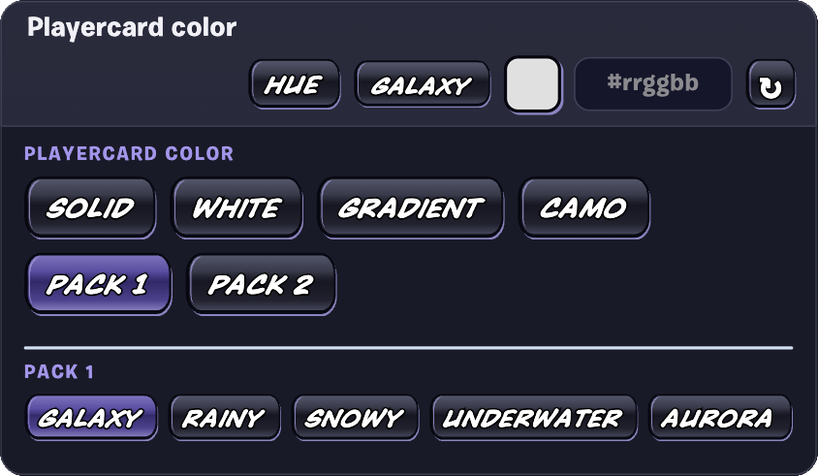
Click the button next to Playercard color to pick how your playercard looks.
- Solid: one plain color.
- Everything else: you can pick from any of the looks and playercard packs you own. A playercard pack comes with several options to choose from.
- Like button icon: once you buy it, click the like button on your own playercard to pick any emote you own and replace the the thumbs up with your selected emote.
Blinkies
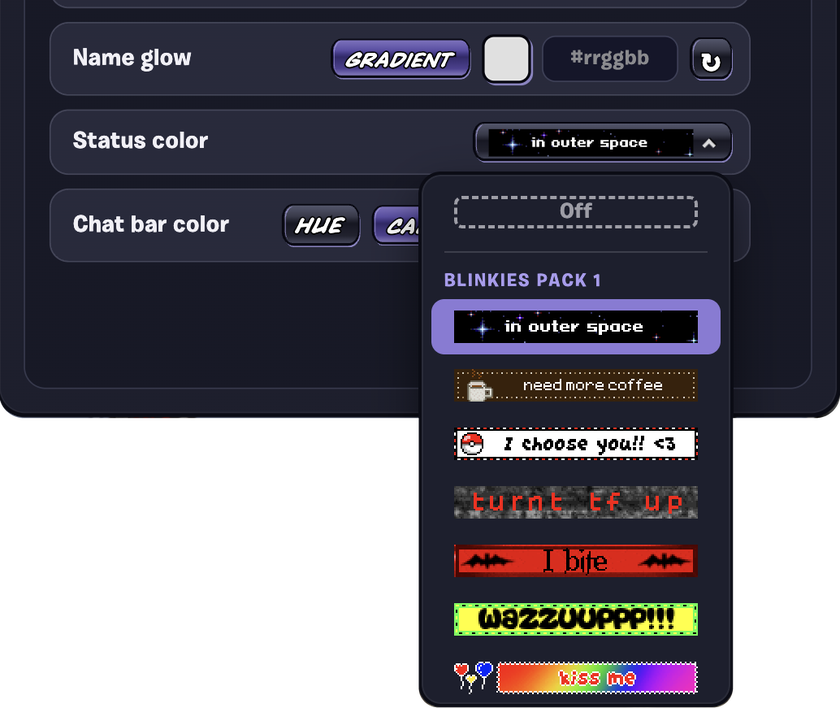
Once you buy a Blinkies Pack from the credit store, a Blinkie button shows up next to Status color in the Playercard tab. Click it to pick a blinkie, and it shows on your playercard where your status goes.
- Off: your regular status that you type. Your old status and its colors come right back.
- Blinkie Packs: pre-made Blinkies that sit where your playercard status is, and the status settings are hidden until you pick Off.
- Purchase Custom Blinkie Packs to set your own status, font and font color.
- Blinkies save and load with your outfits.
Copy someone's look with !clone
Type !clone and someone's name in the chat to copy their outfit, playercard, chat bar and all the colors they picked. It only copies credit store items that you own.
Emote packs and favorites
Buy emote packs and Emote Favorites in the credit store.
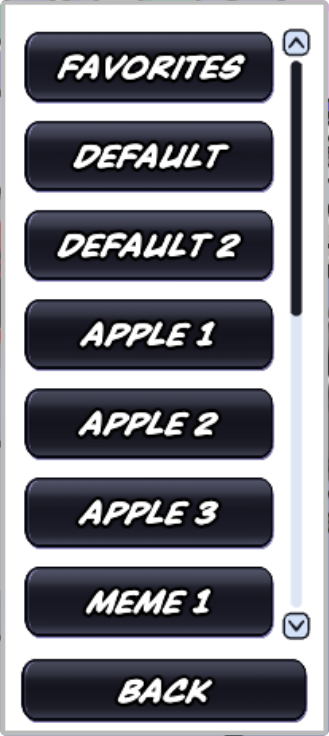
- Open your emotes and press Packs to see every pack you own, like Default, Apple 1 and Meme 1. Press Back to go back.
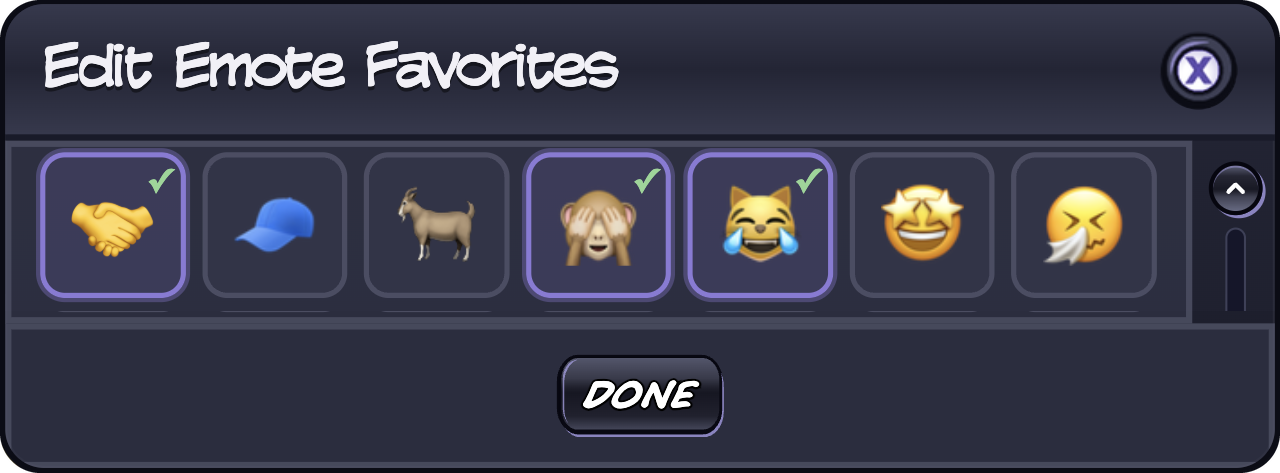
- Press + to open Edit Emote Favorites. Click emotes to select or unselect them, then press Done.
- Your favorites are the first pack in the list, so they're always easy to get to.
Playercard outline and frame
- Outline color: pick any color for the edge of your playercard, or a look you bought for it, like Gradient or Static. Off turns the outline off.
- Outline thickness: 1 to 5.
- Frame: turn your playercard's frame off for a card with no border.
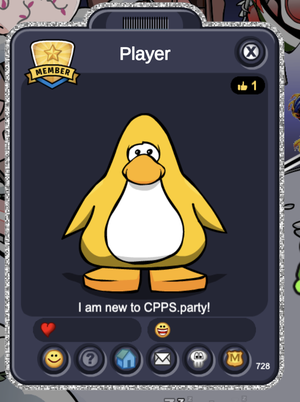
Badge
- Badge color: once you buy it, a Badge color row shows up in the Playercard tab. Pick any color for the badge on your playercard, or buy Gradient Badge to make it a gradient.
- Upside Down Badge: the button with two arrows on the Badge color row turns your badge upside down. If you own Badge color or Gradient Badge, they color it too.
- Chat bar looks come with their own MEMBER badge.
Chat bar
Click the Chat bar button in the Playercard tab to change how your chat bar looks.
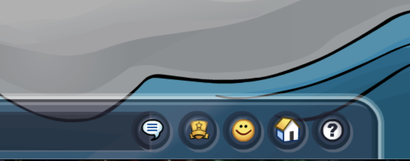
- Pick any look you bought, like Camo, Galaxy, Static or one from a UI pack. It changes your chat bar, its buttons, the chat box, the chat log and your menus.
- Clear: the CLEAR button on the Chat bar color row makes your chat bar, buttons, windows and menus see-through, with any look. Only you see it.
- Your chat bar look saves and loads with your outfits.
Chat
- Chat bubble color and Text color are in the General tab.
- Chat Bubble Pack: click STYLE next to Chat bubble to pick a shape for your chat bubble. Your bubble color still colors it.
- Chat font packs: click STYLE next to Text color to pick the font your chat bubbles use.
Glows
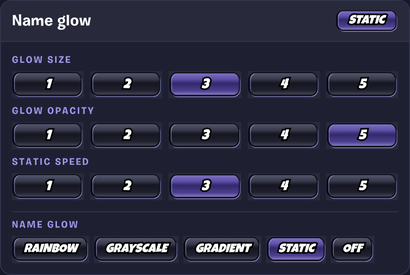
Your name glow, playercard name glow and status glow each have a menu with the looks you own, like Rainbow, Grayscale, Gradient or Static.
- Glow size and Glow opacity work on every glow.
- Only one look is on at a time. Off turns it off.
Moving
Each one is its own credit store item. Once you buy one, its row shows up in the Commands tab of your customization menu.
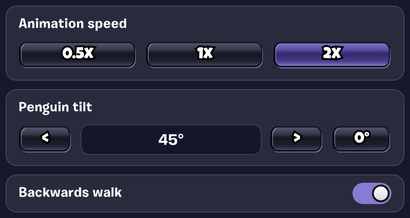
- Animation speed: 0.5x, 1x or 2x. Dancing, waving, throwing snowballs and your other moves play at that speed.
- Penguin tilt: turn your penguin to any angle.
- Backwards walk: your penguin walks backwards.
- Walk Trails Pack: press STYLE on the Walk trail row to leave footprints, paw prints, snowflakes and more behind you as you walk.
Animation speed, tilt and backwards walk
Each one is its own credit store item. Once you buy one, its row shows up in the Commands tab of your customization menu, under Opacity.
- Animation speed: pick 0.5x, 1x or 2x. Dancing, waving, throwing snowballs and your other moves play at that speed. 1x is normal.
- Penguin tilt: turn your penguin to any angle. Hold < or > to turn it, type an angle in the box and press Enter, or press 0° to stand straight. You can still walk, sit, dance and wave while tilted, and your beak always points the way you walk.
- Backwards walk: turn it on and your penguin walks backwards.
Static glows
Static Name Glow, Static Playercard Name Glow and Static Status Glow each add Static next to Gradient in that glow's menu. The glow turns into TV static.
- Glow size and Glow opacity work the same as the other glows.
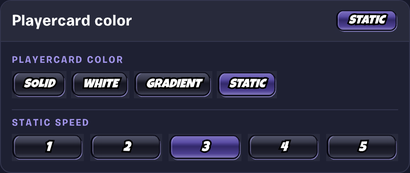
- Static speed: 1 is the slowest and 5 is the fastest.
- Picking Rainbow, Grayscale, Gradient or Off turns Static off.
Static playercard
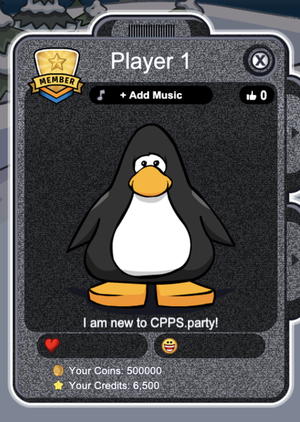
Static Playercard adds Static to the Playercard color list. Your whole card, its top tab and its buttons turn into TV static.
- Static speed: 1 is the slowest and 5 is the fastest.
- With Frame off and no background, the card is one flat static.
- Your crew tag still shows on the tab.
- Picking another playercard color turns Static off.
Static UI
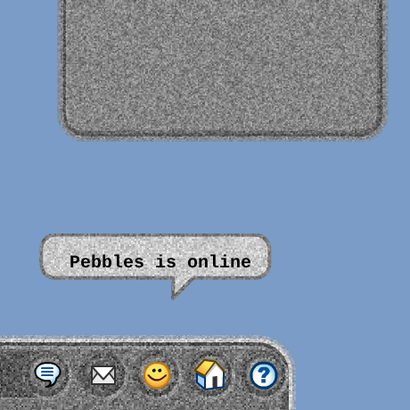
Static UI works like Camo, Galaxy, Honeycomb and Cupid UI. Pick Static on the Chat bar button in the Playercard tab of your customization menu.
- Your chat bar, its buttons (the icons stay the same), the chat box and the chat log tab turn into slow moving gray static.
- Your friends list, item chests, settings, chat log, safe chat, emote and animation menus, snowball aim, the is online popup and the hints over the buttons turn static too.
- Everyone sees the static MEMBER badge on your playercard (unless you have a staff or custom badge, or a badge color on).
- Picking another chat bar turns Static off. It saves and loads with your outfits.
UI Pack 1 and UI Pack 2
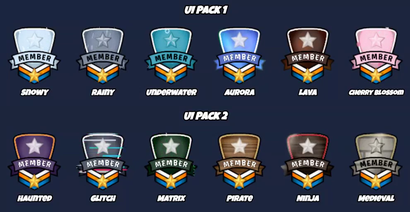
Each pack gives you 6 chat bar looks. Pick one on the Chat bar button in the Playercard tab of your customization menu, with Camo, Galaxy, Honeycomb, Cupid and Static. Press Preview in the credit store to see each pack's badges.
- UI Pack 1: Snowy, Rainy, Underwater, Aurora, Lava and Cherry Blossom.
- UI Pack 2: Haunted, Glitch, Matrix, Pirate, Ninja and Medieval.
- Each one changes your chat bar, its buttons (the icons stay the same), the chat box and the chat log tab. Snow, rain, bubbles, the aurora, lava glow, petals, fog, glitches and falling code move over your chat bar and your friends list. Pirate, Ninja and Medieval put their wood or stone on your friends list and item chest.
- Your item chests, settings, chat log, safe chat, emote and animation menus, snowball aim, the is online popup and the hints over the buttons take its color.
- Everyone sees its MEMBER badge on your playercard (unless you have a staff or custom badge, or a badge color on).
- Picking another chat bar turns it off. It saves and loads with your outfits.
Playercard Opacity and Chat Bar Opacity
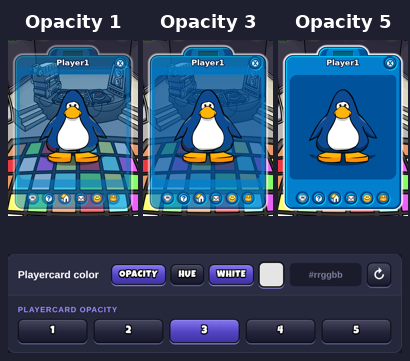
Playercard Opacity makes your playercard see-through, so the room shows behind it. Chat Bar Opacity does the same for your chat bar, its buttons, your windows and your menus. Press OPACITY on the Playercard color row or the Chat bar color row, then pick 1 to 5.
- 1 is the most see-through and 5 is solid.
- It works with any playercard color or chat bar look.
- On your playercard the buttons, the tabs and the inventory go see-through with it. The icons, your penguin and the words stay solid.
- Everyone sees your playercard's opacity. Your chat bar's opacity is only on your screen.
- It saves and loads with your outfits.
Clear UI
Clear UI makes your chat bar, its buttons, your windows and your menus see-through, so the room shows behind them. Pick Clear on the Chat bar button.
- The icons on the buttons and the words in your windows stay solid.
- It saves and loads with your outfits.
Static playercard outline
Static Playercard Outline adds Static to the Outline color menu in the Playercard tab, next to Gradient and Off. Your playercard's outline turns into TV static.
- Static speed: 1 is the slowest and 5 is the fastest.
- Outline thickness works on it the same as on any outline, and turning the outline Off takes it off.
- Picking Gradient or Off turns Static off.
- It saves and loads with your outfits.
Invisible playercard
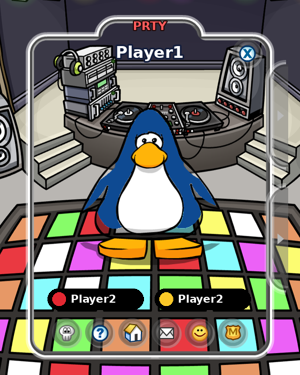
Invisible Playercard adds Invisible to the Playercard color list in the Playercard tab. Your playercard disappears and only a gray outline is left, so the room shows all round your penguin.
- The buttons and tabs go see-through gray. The icons on them stay solid.
- Your marry and BFF names keep a faint pill behind them, and your crew tag stays on the top tab.
- A background color or a background item of your own still shows behind your penguin.
- Picking another playercard color takes Invisible off.
- Everyone sees it, and it saves and loads with your outfits.
Static penguin color, belly and beak
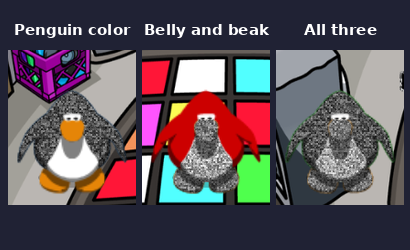
Static Penguin Color, Static Belly and Static Beak add Static to the Penguin color, Belly color and Beak color lists in the General tab, next to Gradient. That part of your penguin turns into moving TV static.
- Static speed: 1 is the slowest and 5 is the fastest.
- Static Beak does your feet too, the same as Beak color.
- Picking another color, Gradient or Off turns Static off.
- Everyone sees it in the room and on your playercard, and it saves and loads with your outfits.
Walk trails
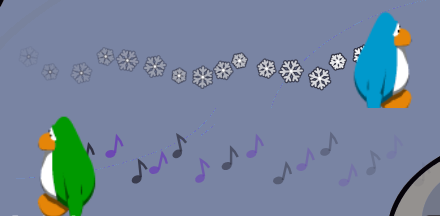
Walk trail packs are in the credit store under Features, Extras. Once you own one, the Walk trail row shows up in the Commands tab of your customization menu.
- Click the button next to Walk trail and pick a trail from the list. Pick Off to stop.
- You leave the trail behind you as you walk, and everyone in the room sees it. It fades out after a moment.
- Each pack has its own trails. Own more than one pack and all their trails are in the same list.
- Your trail saves and loads with your outfits.
Add your friends as BFFs, or marry someone.
Sending a request
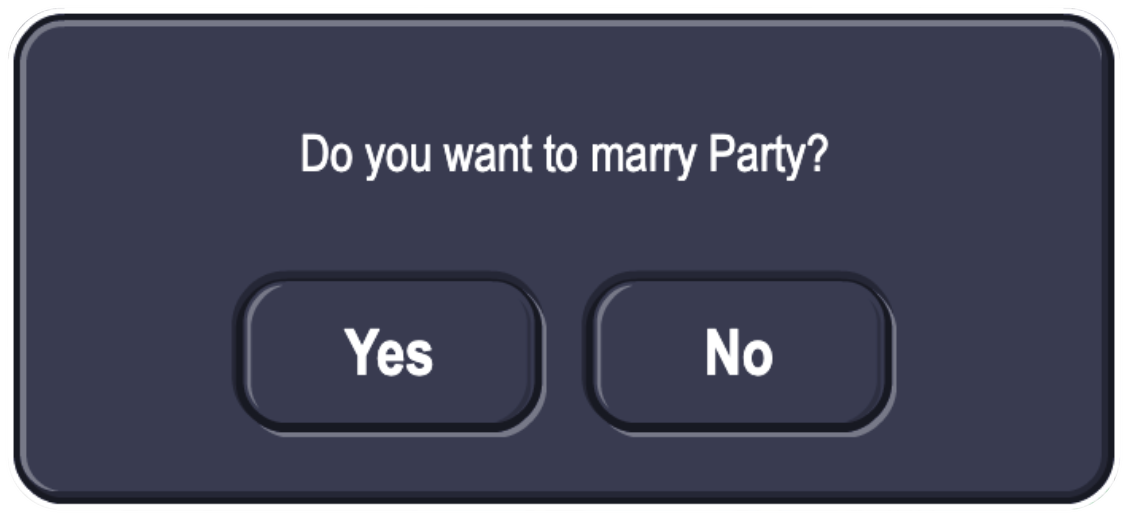
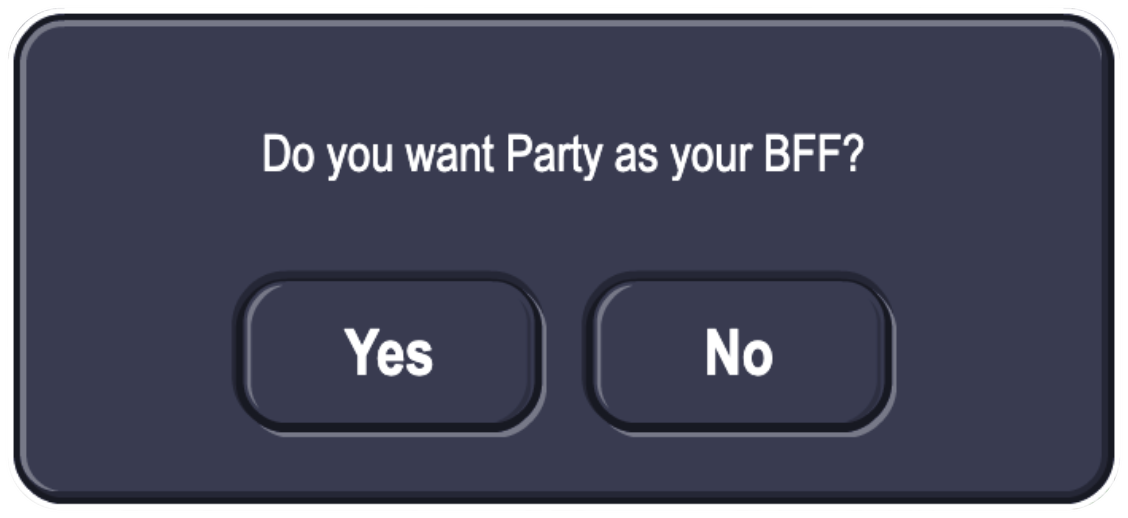
Click a penguin to open their playercard. Near the bottom are two spots: the left one is for marriage and the right one is for BFFs.
- Click one and press Yes to send them a request.
- Once they accept, their name shows on your playercard.
- To divorce or remove a BFF, click their name on your own playercard and press Yes.
- You can turn off the ability to receive Marry/BFF requests in your Phone's Settings app.
More BFFs
You can have up to 4 BFFs. To make room for another one, buy +1 BFF Slot in the credit store.
Your BFF list
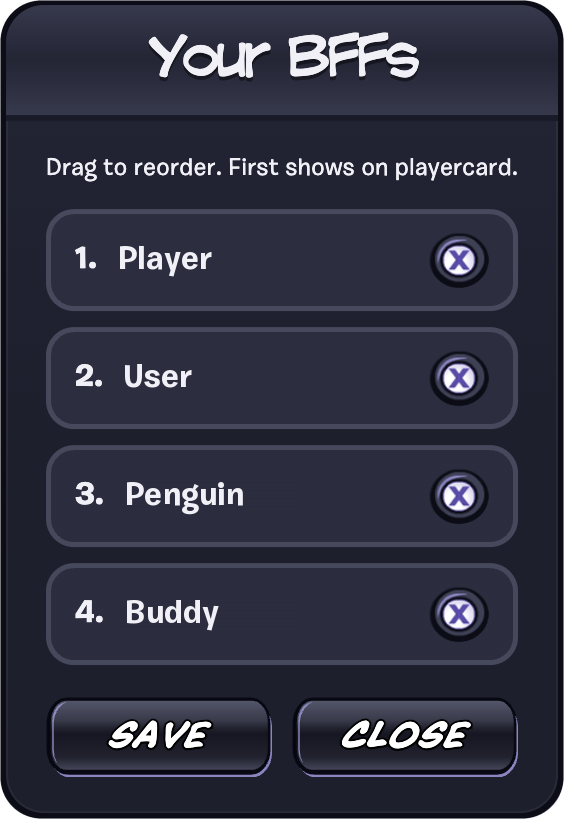
Once you have more than one BFF, click the BFF spot on your own playercard to open your BFF list.
- Drag the names into the order you want. The first one is the one that shows on your playercard.
- Press the X next to a name to remove that BFF.
- Press Save when you're done.
Other players can use the little arrows on your playercard to see all of your BFFs.
Seeing someone's BFFs
If a player has more than one BFF, their BFF spot has little arrows. Click them to flip through all of their BFFs.
- The heart spot next to it shows who they're married to.

Play against the house or against other players for credits.
The casino tables
Click the casino chips  above the map, or type
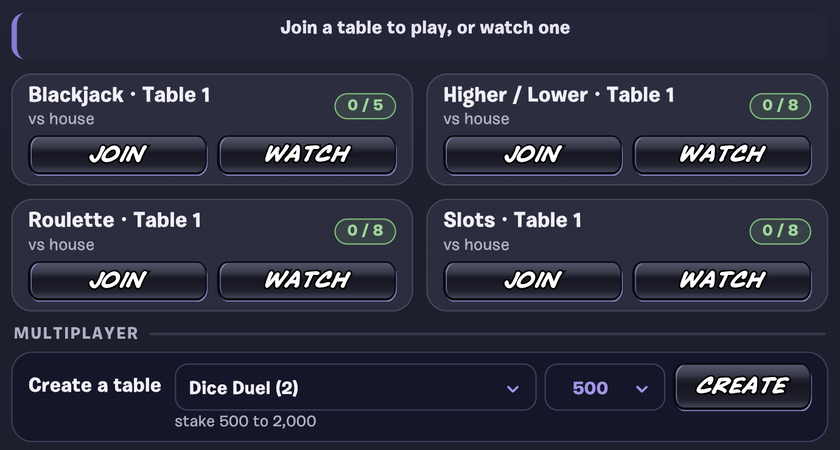
!casino in the chat, to open the casino. The house tables are at the top: Blackjack, Higher / Lower, Roulette and Slots.
- Press Join to sit down and play, or Watch to see someone else play.
- The number in the corner shows how many seats are taken.
- Every table has its own chat on the right side.
Making a multiplayer table
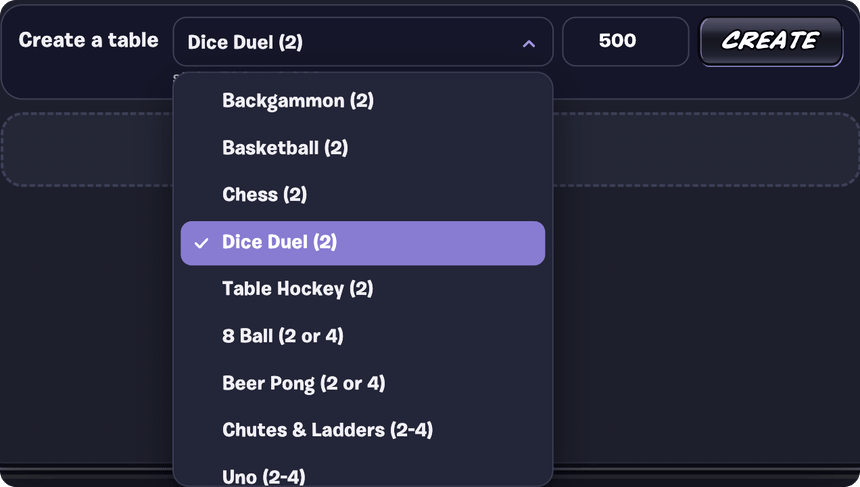
Under Multiplayer, pick a game from the list, type the stake (how many credits each player puts in) and press Create.
- The number next to each game is how many players it needs.
- The stakes you can pick show under the list.
- Other players join your table from the list below. Everyone puts in the same stake and the winner takes the whole pot.
House games
Blackjack
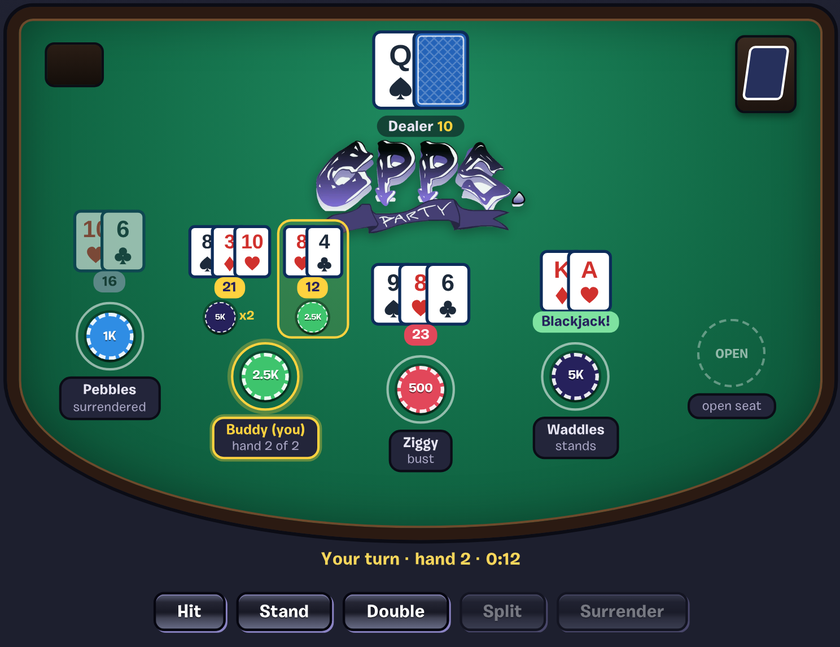
Get closer to 21 than the dealer without going over. Number cards count as their number, face cards are 10 and an Ace is 1 or 11.
- Hit takes another card and Stand keeps your hand.
- Double doubles your bet, gives you one more card and ends your turn.
- Split turns two of the same card into two hands.
- Surrender gives up the hand and gets you half your bet back.
- A blackjack (an Ace and a 10 card as your first two) pays 3 to 2.
The smallest and biggest bet for the table show at the top.
Higher / Lower
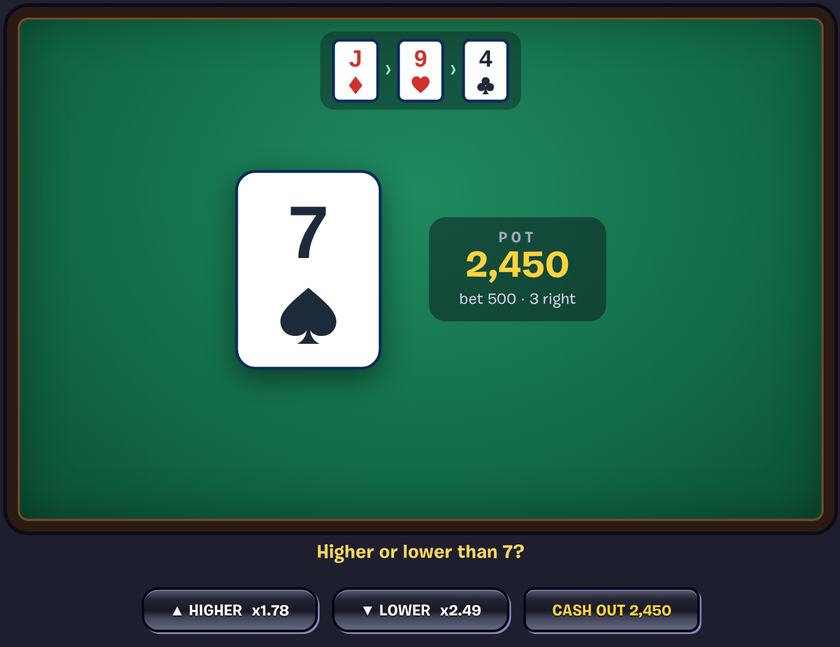
Start a run with your bet, then guess if the next card is higher or lower than the one showing.
- Each button shows how much your pot gets multiplied by if you guess right.
- Keep going to grow the pot, or press Cash out to keep it.
- One wrong guess and the pot is gone.
Roulette
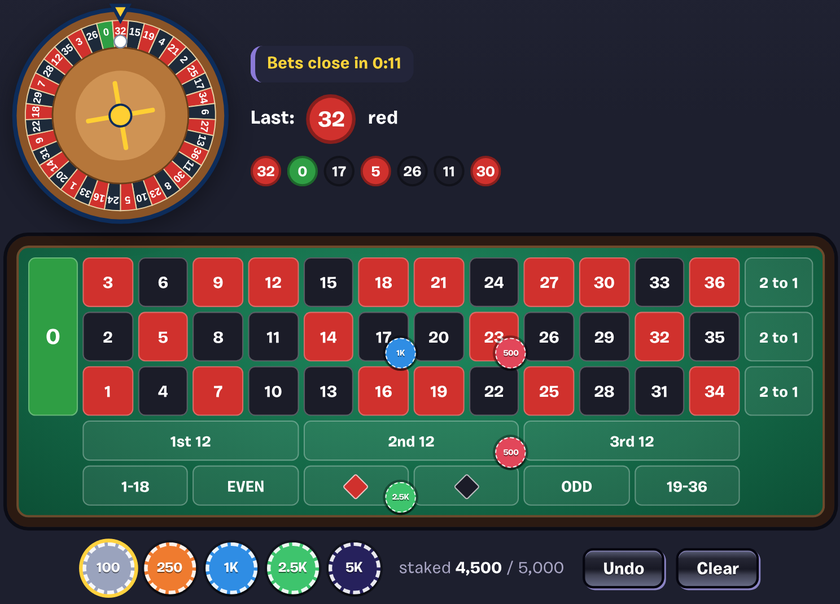
Pick your chip amount, then click numbers or the bets under the board (1st 12, columns, red or black, odd or even, 1-18 or 19-36) to put chips down before the timer runs out.
- You can spread chips around, up to the table max.
- When betting closes the wheel spins and every bet that covers the winning number pays out.
- Clear takes your chips back off the board.
Slots
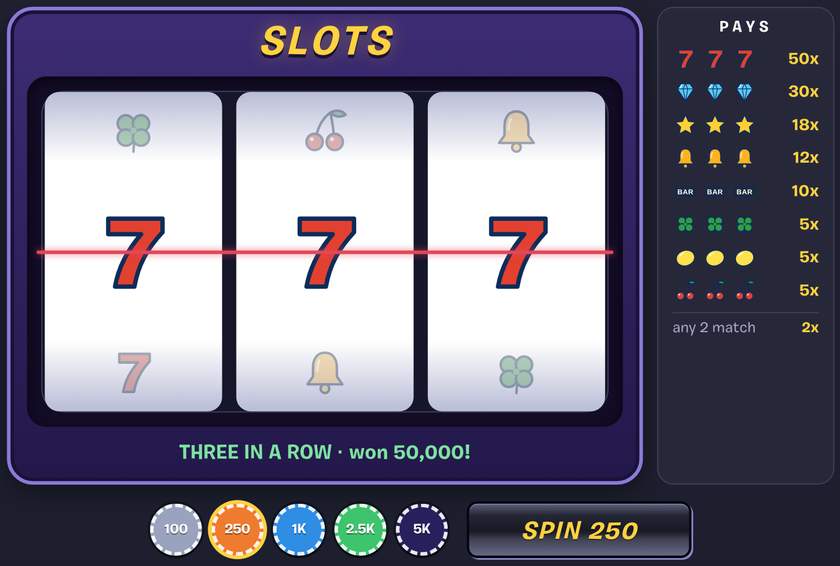
Pick your bet (or use min, mid or max) and press Spin.
- Three of the same symbol pays what the table on the left says, up to 50x for three 7s.
- Any two that match pays 2x.
Multiplayer games
Poker
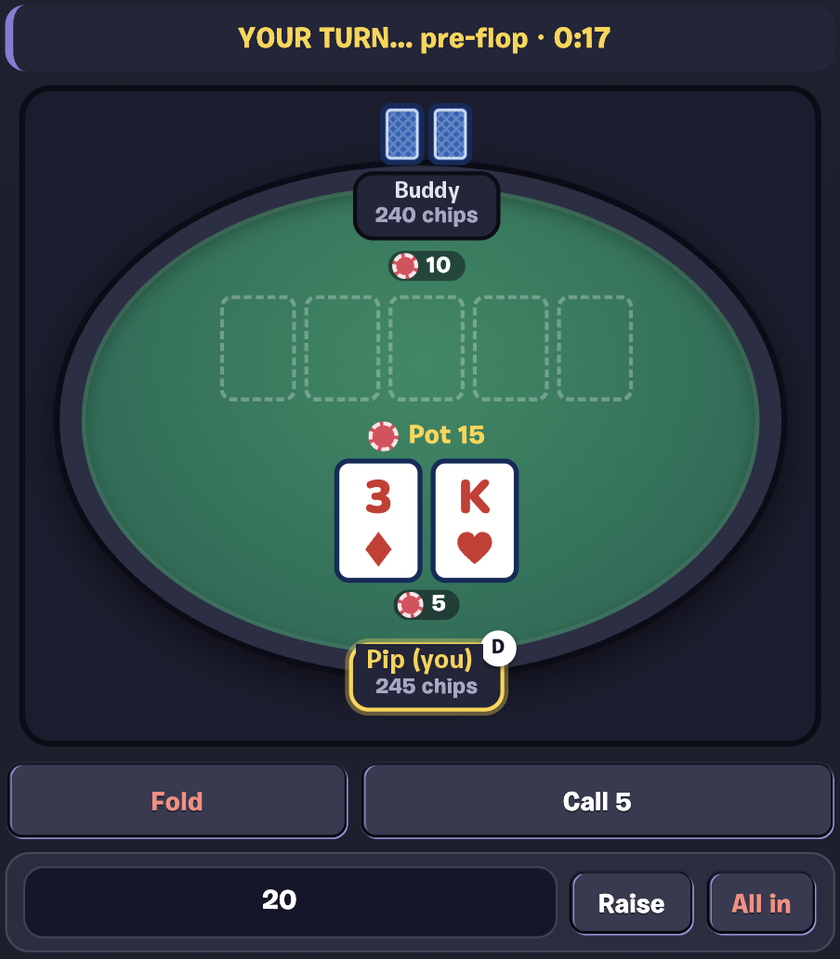
Texas Hold'em. Buy in to take a seat. Everyone gets two cards and five shared cards come out on the board.
- Bet, call, raise or fold each round.
- The best five-card hand at the end wins the pot.
Uno
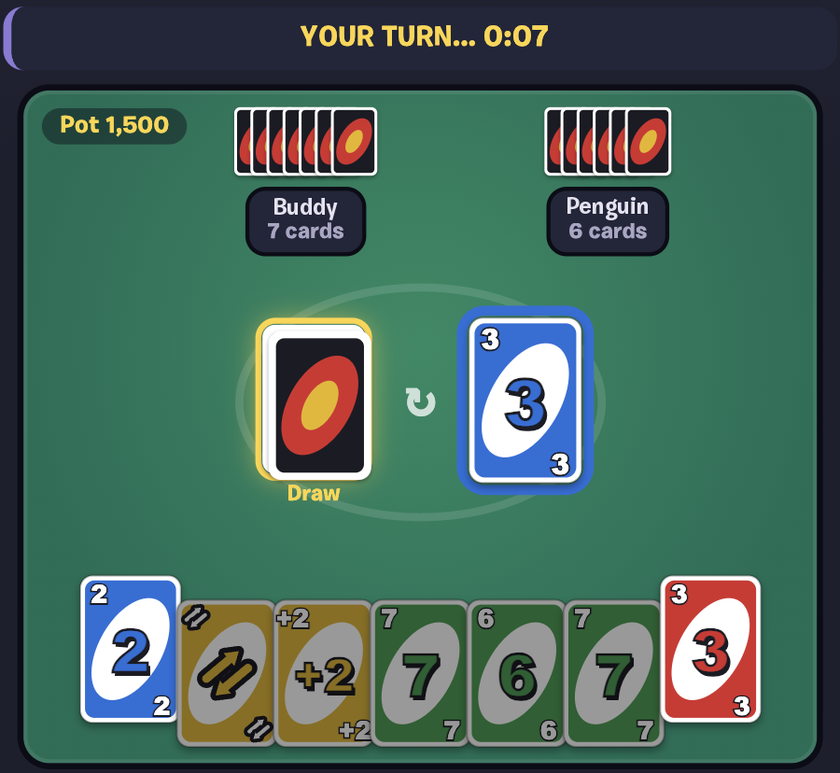
Match the top card by color or by number. Wild cards let you pick the next color.
- The cards you can play stand up in your hand. If you can't play one, click the draw pile.
- Down to one card? Press UNO! If you don't within 2 seconds, anyone can press Catch! on you and you draw 2. Once the next player goes, you're safe.
- The first one out of cards wins the pot.
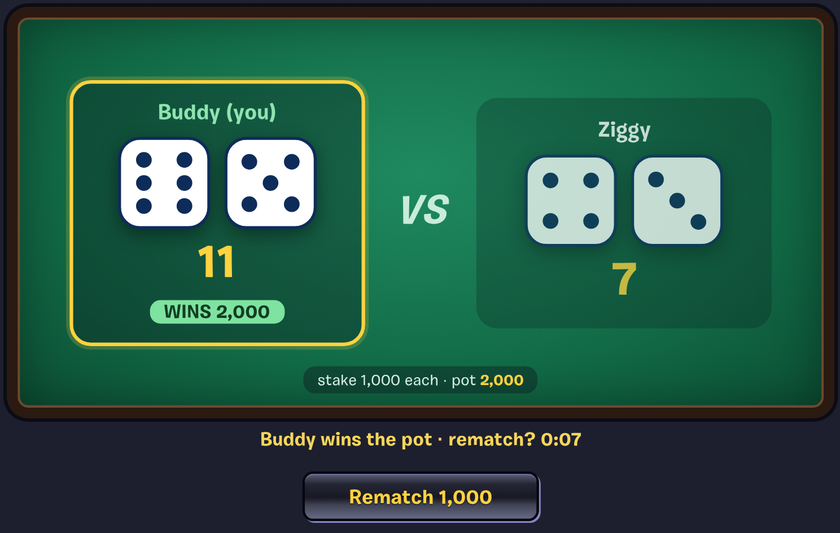
Dice Duel
Both players roll two dice and the higher total wins the pot. Press Rematch to go again.
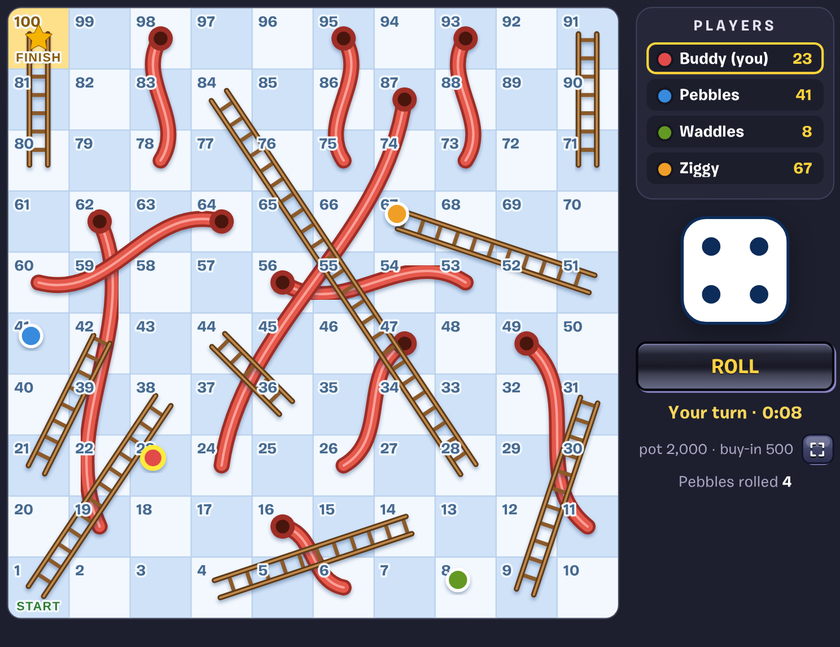
Chutes & Ladders
Take turns rolling. Land at the bottom of a ladder to climb up, land on the top of a chute and you slide down.
The first one to square 100 wins the pot.
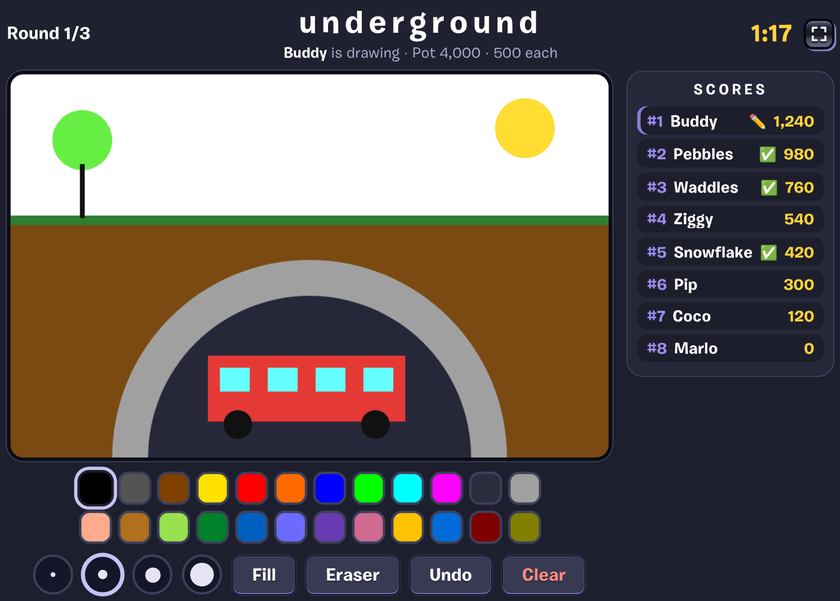
Skribbl
One player gets a word to draw and everyone else types their guesses in the table chat. The faster you guess, the more points you get.
- Everyone takes turns drawing. The most points after the last round wins the pot.
- When it's your turn, pick a color and a pencil size under the canvas. You also select Fill, Eraser, Undo and Clear.
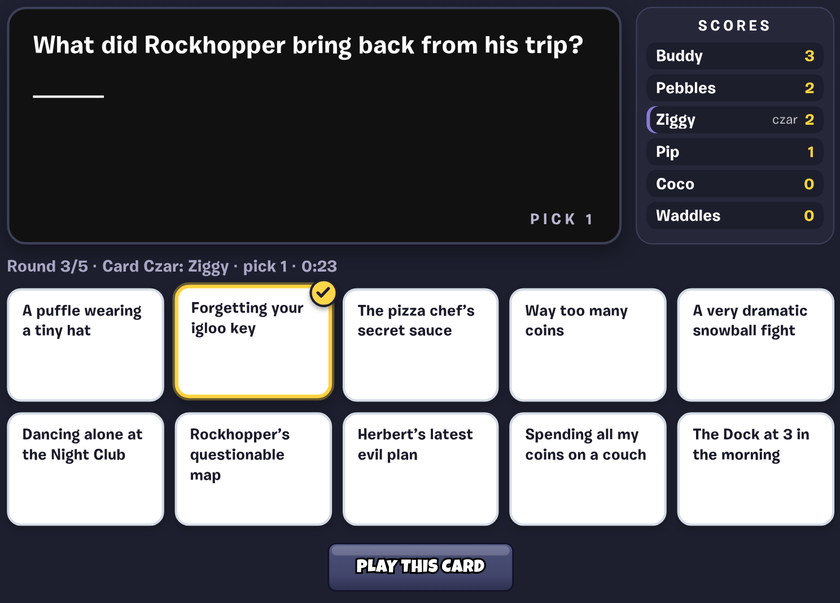
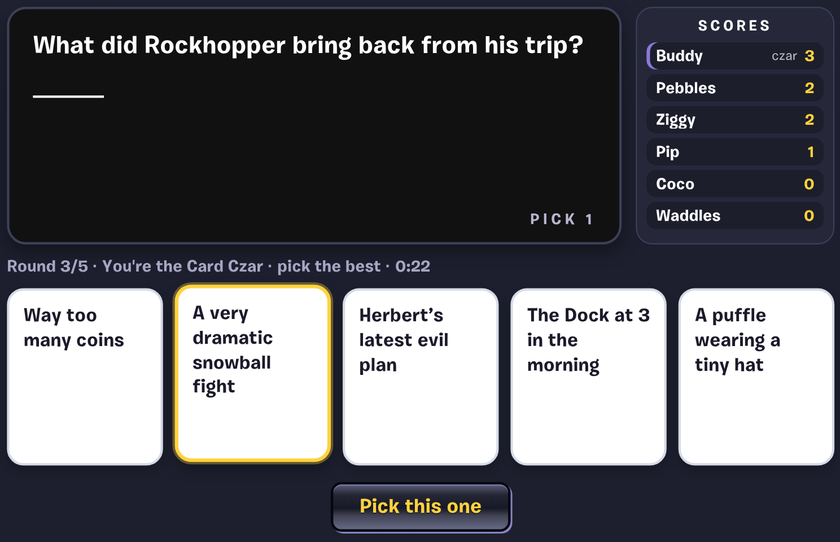
Cards Against Humanity
Each round one player is the Card Czar. Everyone else picks the card from their hand that best fills in the question and presses Submit.
- The Czar taps the funniest answer and whoever played it gets a point.
- The most points after the last round wins the pot.
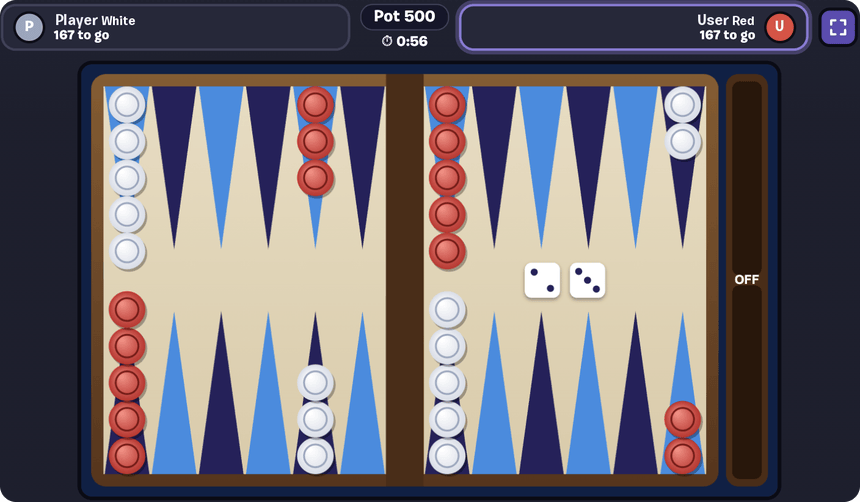
Backgammon
Roll the dice and move your checkers around the board by the numbers you rolled.
- Land on a spot with only one of the other player's checkers to knock it to the middle.
- Once all your checkers are in your home corner, start moving them off the board.
- You have to use as many of your dice as you can. If your turn clock runs out, the game moves for you.
- The first one to get all 15 off wins the pot.
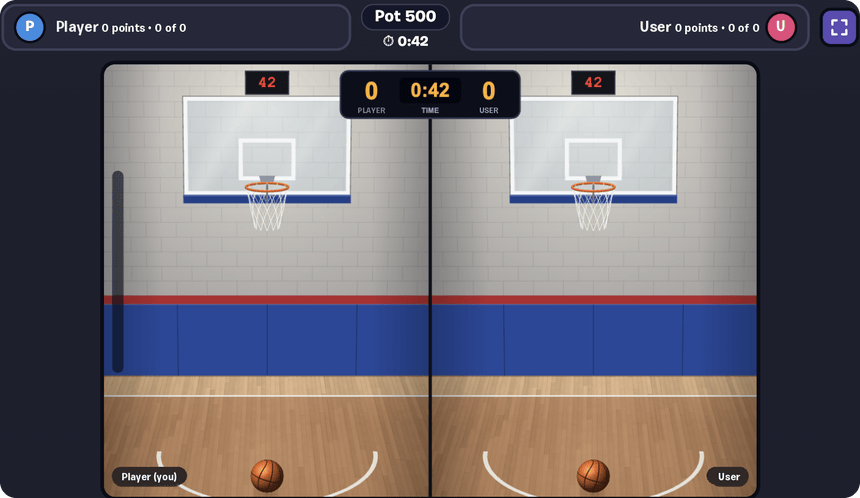
Basketball
Hold your mouse down on your court, pull down and let go to shoot. How far you pull sets how hard you shoot, and pulling left or right aims the other way.
- A basket is 2 points, and 3 in the last 10 seconds.
- After 20 points your hoop starts sliding side to side.
- The most points when time is up wins the pot. A tie goes to overtime.
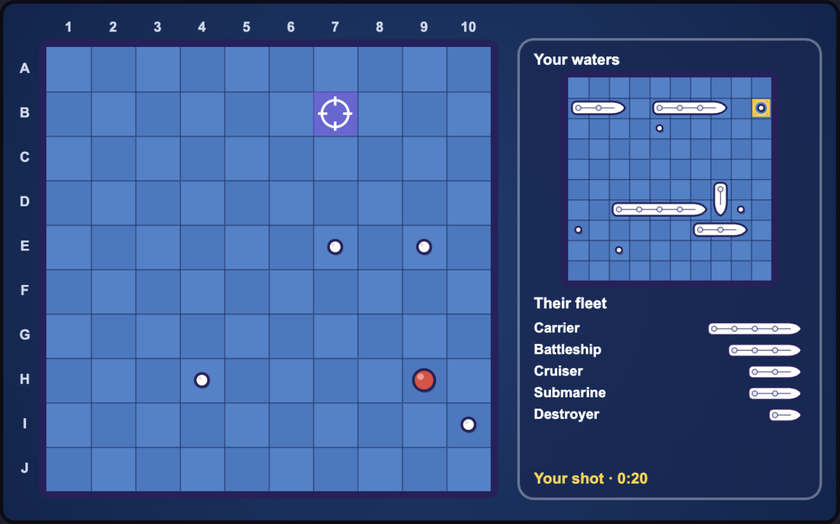
Battleship
Both players place their 5 ships at the same time: the Carrier (5 squares), Battleship (4), Cruiser (3), Submarine (3) and Destroyer (2). Drag a ship to move it, and click it or press R to turn it. Shuffle gives you a new random layout. Press Ready when you're done. You have one minute.
Then take turns clicking a square in their waters to fire. A red peg is a hit and a white peg is a miss. Your own waters show on the right with their shots on them.
- Sink all 5 of their ships first to win the pot.
- Run out of time on your shot and a random one is fired for you.
- Nobody else can see your ships until the game is over.
Chess
Click a piece, then where it goes (the dots show where it can go). White and Black are picked at random, and each player has their own clock.
- Checkmate wins the pot. Run out of time and you lose.
- A draw (you can offer one) gives everyone their buy-in back.
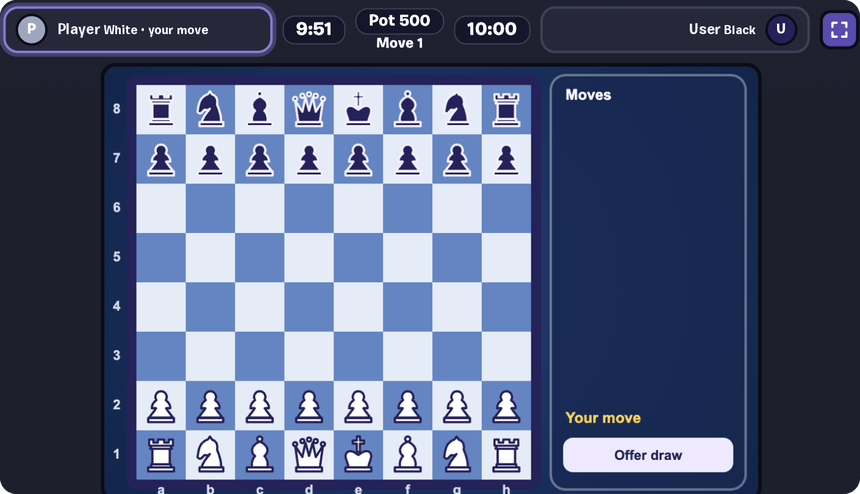
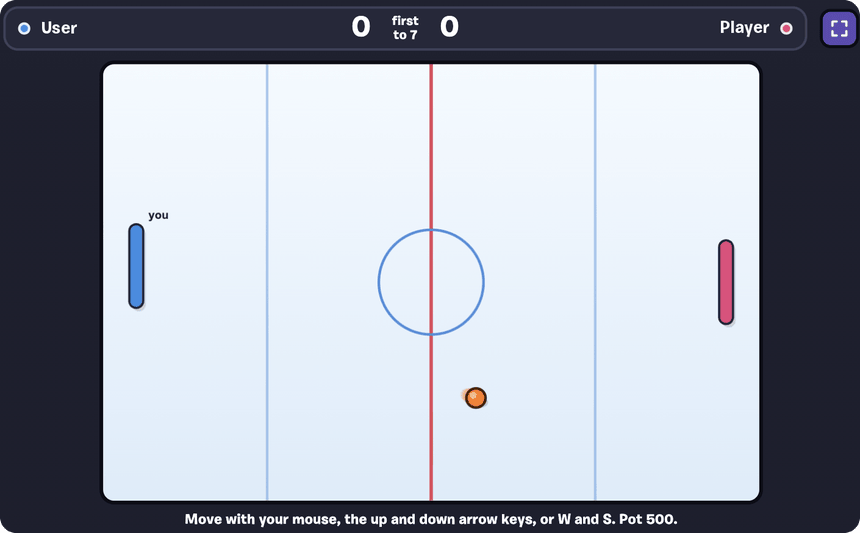
Table Hockey
Move your paddle with your mouse, the up and down arrow keys, or W and S. Knock the puck into the other player's goal.
The first one to 7 wins the pot.
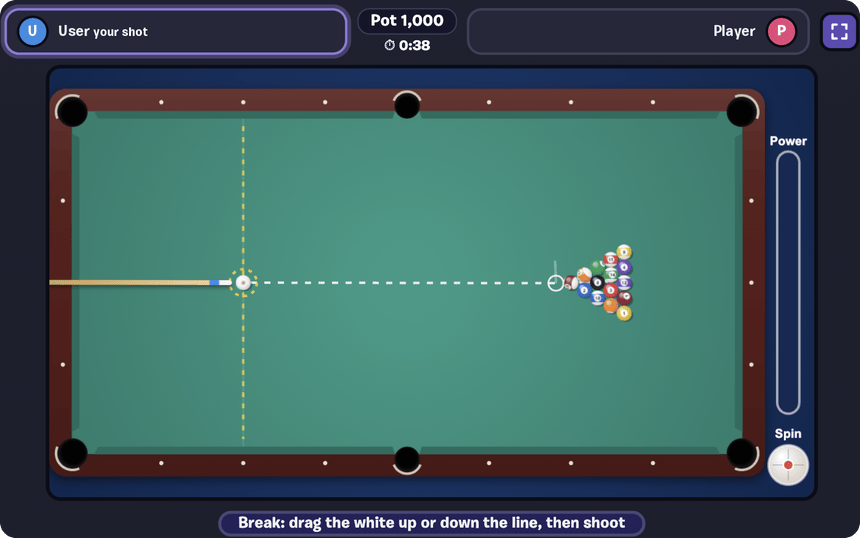
8 Ball
Aim with your mouse, then press and pull back to set the power and let go to shoot. On the break you can slide the white ball up or down the line first. Hold Shift or use the arrow keys to fine-tune your aim, and add spin with the Spin ball.
- The first ball you sink picks your group (solids or stripes). Sink all of yours, then the 8 ball to win the pot.
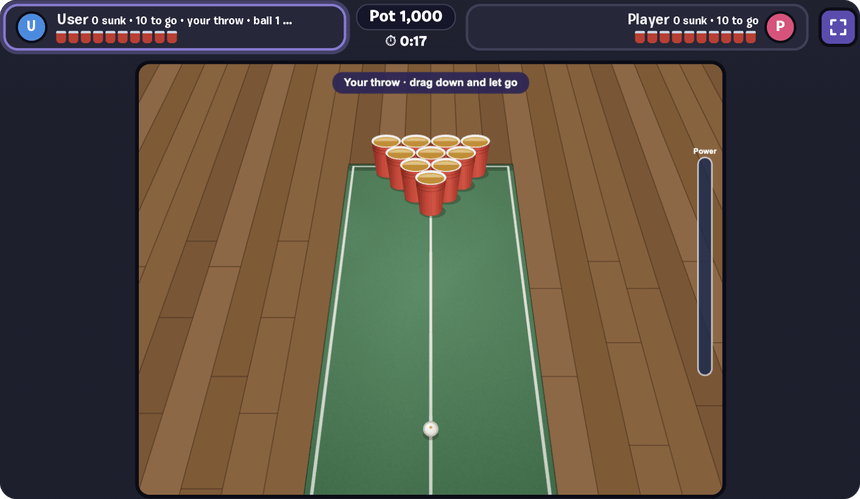
Beer Pong
Press anywhere on the table, drag down and let go to throw. How far you drag sets how far the ball goes, and dragging left or right aims the other way.
- Each turn is two balls. Sink both and you get them back.
- A ball that bounces on the table first and goes in takes out 2 cups (you pick the second one), or just 1 when only 2 are left.
- Clear their 10 cups first to win the pot, but they get one last turn to clear yours.
- At the start of your turn you can re-rack the cups you're throwing at, as many times as the table allows.
- Gentleman's: when you're down to your last 2 cups, you can pull them back together once. It doesn't use up a re-rack, and it can be on even with no re-racks.
- Scramble: instead of the triangle, the cups start in a random shape, the same on both sides. The cups never move after that, and there are no re-racks. Overtime cups get a random shape too.
Slither
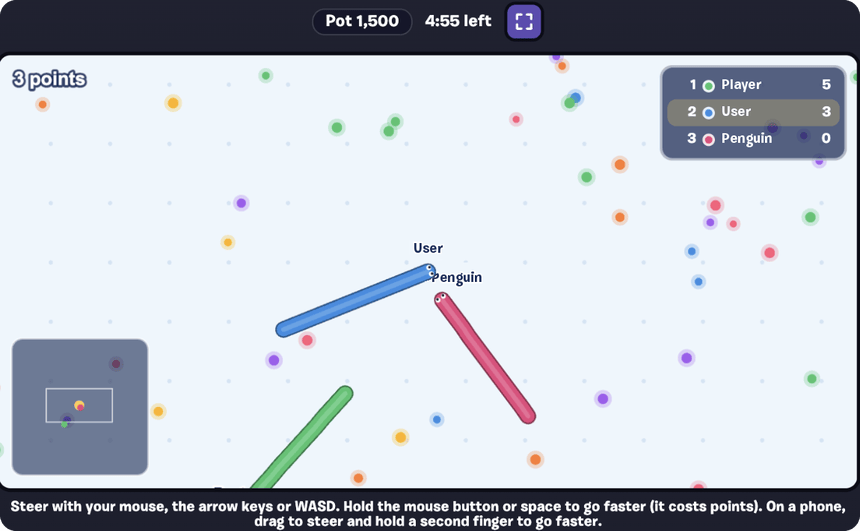
Steer with your mouse, the arrow keys or WASD. Eat the dots to score points and grow.
- Hold the mouse button or space to go faster, but it costs points.
- Bump your head into another snake or the edge and you lose your size (you keep your points, unless the table is set to Back to 0) and come back a few seconds later.
- On a phone, drag to steer and hold a second finger to go faster.
- The most points when time runs out wins the pot.
Trivia
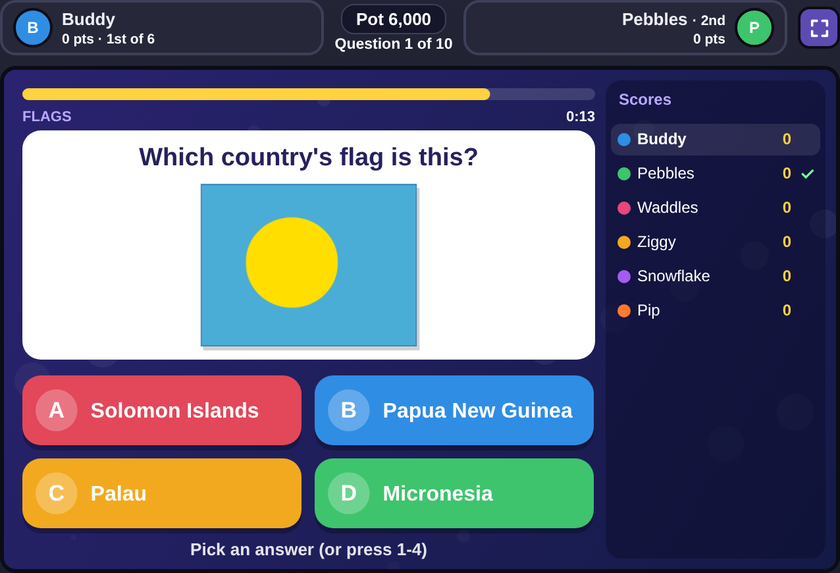
Players get the same question at the same time, with 4 answers to pick from.
- Click an answer or press 1 to 4. Once you pick, it's locked in.
- A right answer scores 500 to 1,000 points. The faster you answer, the more you get. A wrong answer or no answer scores 0.
- When the time is up, the right answer shows, along with who picked what.
- The most points after the last question wins the pot.
Bingo
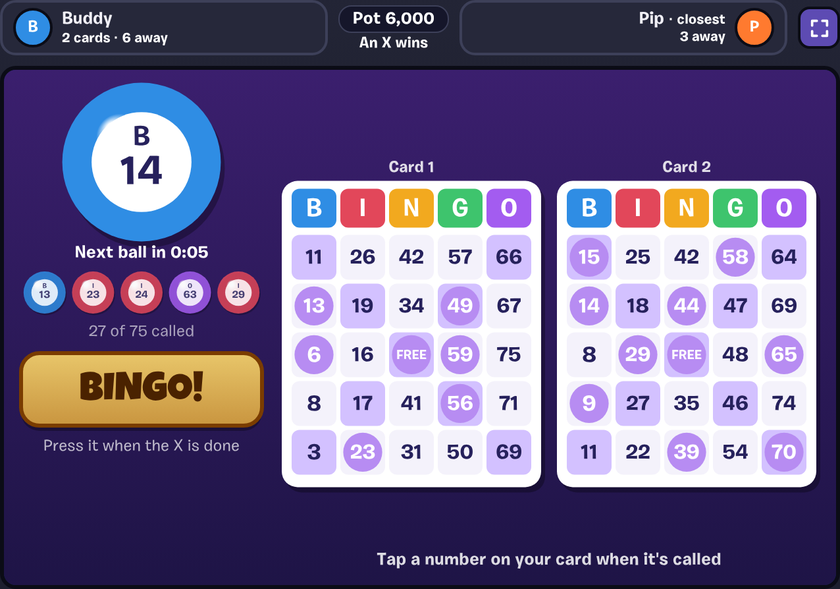
Everyone gets the same number of cards, and a ball is called every few seconds.
- When a number on your card is called, it gets a gold outline. Tap it to mark it. The middle is free.
- Finish the winning pattern with marked numbers, then press BINGO! (it glows when you have it). The pattern is one of: any line (across, down or corner to corner), an X, the four corners, the edge (every square around the outside) or the full card. For anything but a line, the squares that count are shaded on your card.
- With 2 or 3 cards, any one of your cards finishing wins.
- Pressing BINGO before it's done does nothing. If you have it and don't press it, someone else can still win.
- Anyone else who presses BINGO with it done before the next ball splits the pot.
- If all 75 balls are called and nobody calls BINGO, everyone gets their buy-in back.
Darts
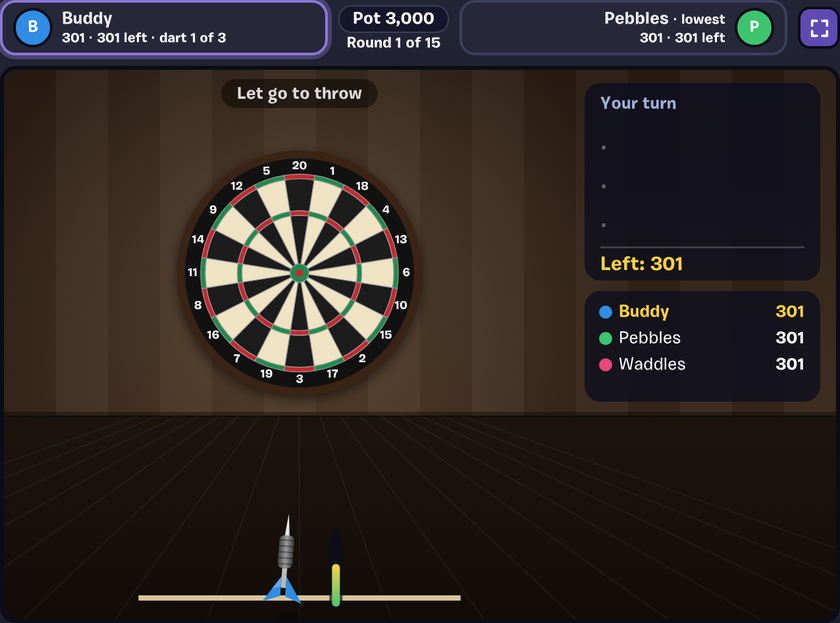
Players take turns throwing 3 darts each, counting down from 301 or 501. The first to get exactly to 0 wins the pot.
- Your dart is at the bottom. Press, pull the mouse back and let go to throw it at the board. Pull to one side to throw to the other side, pull further back to throw higher, less to throw lower. Hold it back too long and your hand starts to shake.
- The outer thin ring is double, the inner thin ring is triple, and the middle is 25 (the very center is 50).
- Going below 0 is a bust: your score goes back to where your turn started.
- After 15 rounds the lowest score left wins.
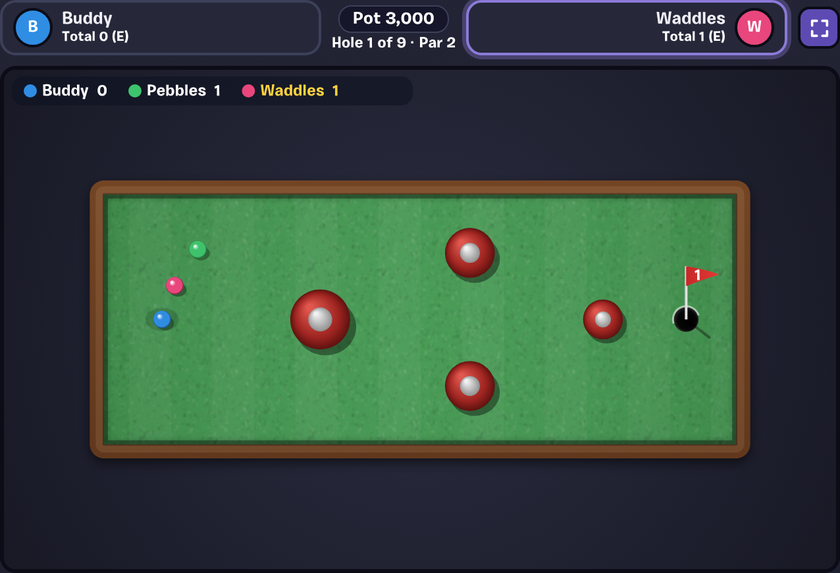
Mini Golf
Players take turns putting on each hole. Fewest strokes after the last hole wins the pot.
- On your turn, press anywhere and pull back, away from where you want the ball to go. The farther you pull, the harder you hit. Let go to putt.
- The ball bounces off the walls and the red posts. Sand slows it down a lot (no penalty). On a slope (the shaded patches with arrows) the ball speeds up going downhill, and a round bump slows it going up and speeds it up coming down.
- Land in the water and your ball goes back to where you hit it from, plus a stroke.
- 6 strokes on a hole without getting it in and you pick up with 7.
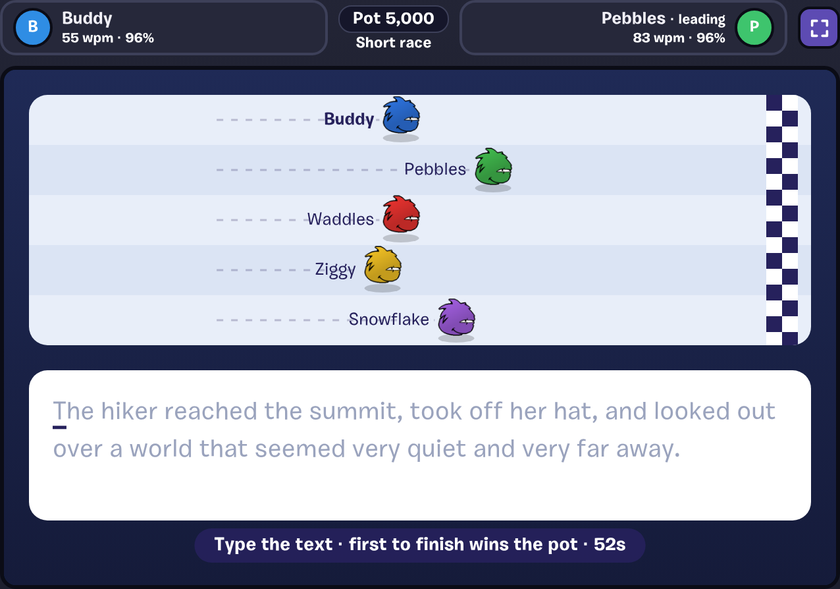
Typing Race
Players type the same text, and each player's puffle runs along its lane as they type. The first to type the whole text wins the pot.
- Click the race and start typing when it says Go.
- A wrong letter turns red. Fix it (backspace) before you can keep going.
- If nobody finishes before the time runs out, whoever got the farthest wins.
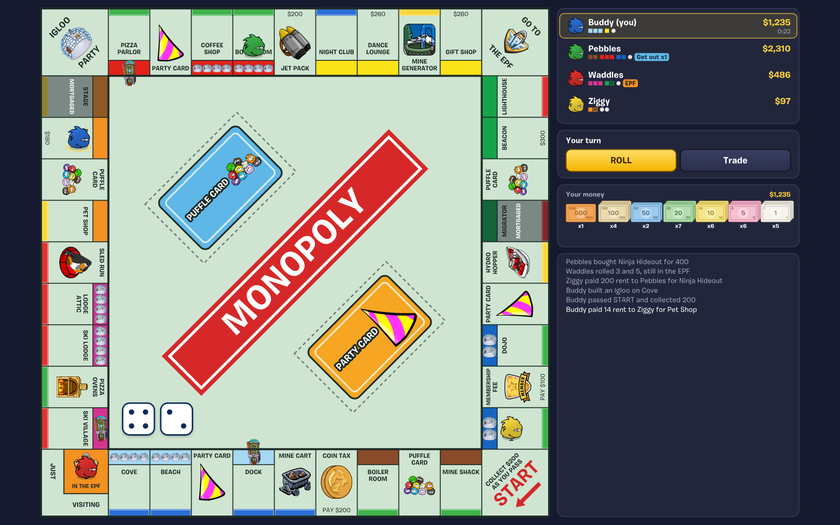
Monopoly
2 to 6 players go round a Club Penguin board with real Monopoly money and rules. Everyone starts with $1,500. Whoever can't pay what they owe is out, and the last one left wins the pot.
- Roll two dice and your puffle hops that many spaces. Doubles roll again; three doubles in a row sends you to the EPF.
- Land on a property nobody owns to buy it. Land on someone else's and you pay them rent.
- Own every property of one color to double its rent, then build igloos on it (a Puffle Hotel after 4).
- Click any space to see its card. Click your own to build, sell igloos, mortgage or pay a mortgage off.
- Party Cards and Puffle Cards can move you, pay you or make you pay.
- Trade properties and cash with other players on your turn.
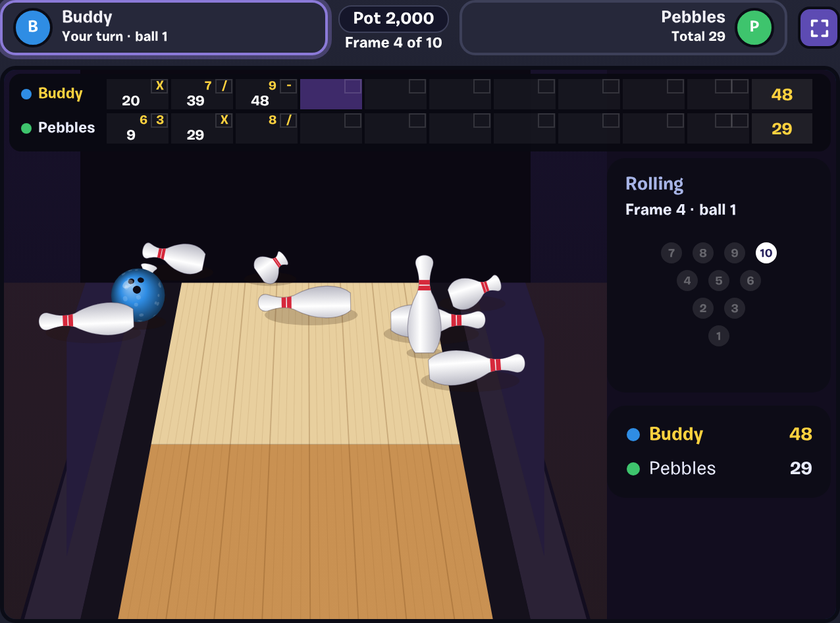
Bowling
2 to 4 players take turns bowling. Most pins wins the pot.
- Move to pick where you stand on the line, then click.
- The aim line swings side to side. Click to stop it.
- The spin bar swings too. Click to stop it and the ball goes. Spin makes the ball hook near the pins.
- Straight at the head pin often leaves a split. A little hook into the pocket gets strikes.
- Strikes and spares count the next balls too, and the last frame gives extra balls for them.
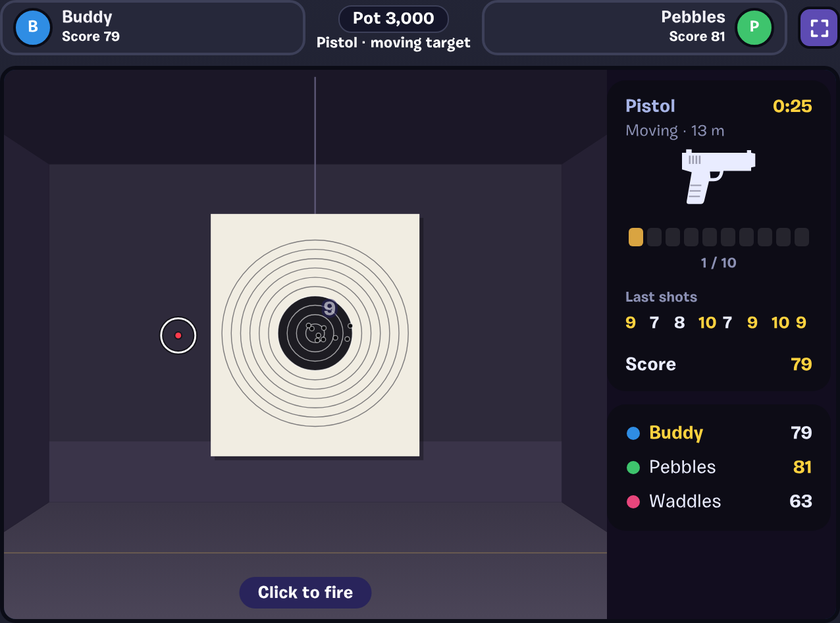
Shooting Range
2 to 4 players shoot at the same time, each in their own lane, for 30 seconds. Highest score wins the pot (a tie splits it).
- Move to aim. Your sight sways and kicks up after every shot, so let it settle.
- Pistol: 10 shots a magazine, click to fire.
- Rifle: 30 shots a magazine, hold to fire. Pull down against the kick.
- Reloading is automatic when the magazine is empty.
- The rings count 10 in the middle down to 1 at the edge.
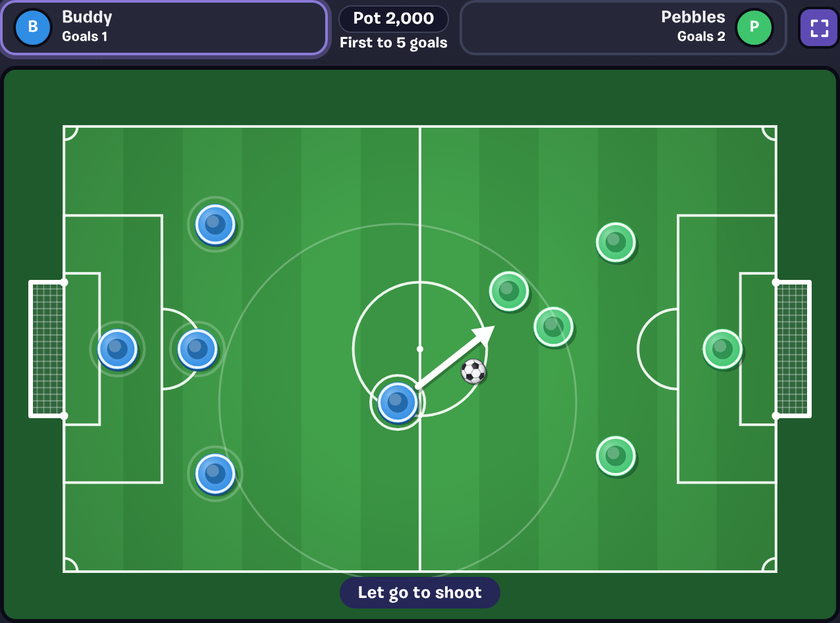
Soccer
2 players, 5 players each on a field seen from above. First to 3, 5 or 7 goals wins the pot.
- First each side picks a formation: 2-2, 3-1, 1-3 or 1-2-1. You only see theirs once both have picked.
- Take turns. Pull back on one of your players and let go to shoot it at the ball.
- Players and the ball bounce off each other, the walls and the posts.
- After a goal both sides go back to their formation and the side that let it in kicks off.
- Run out of time and the turn passes.
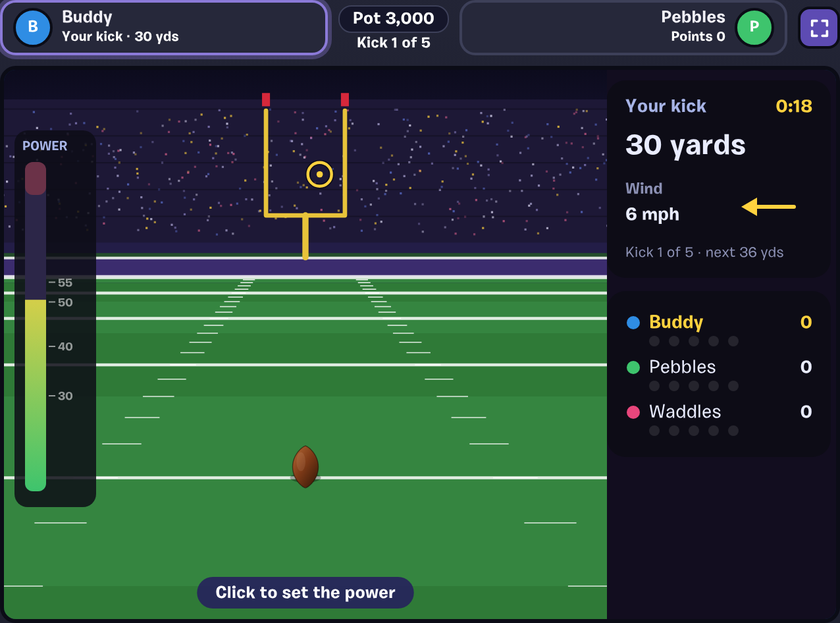
Field Goals
2 to 4 players take turns kicking field goals from 30 to 55 yards. Most points after the last kick wins the pot (a tie splits it).
- The marker slides across the posts. Click to stop it and set your aim.
- Then the power bar goes up and down. Click to stop it.
- Every kick is a bit further. The marks next to the bar show the power each distance needs.
- The red at the top of the bar is too hard and hooks the kick left.
- Wind pushes the ball. It changes each round but is the same for everyone at that distance.
- Over the bar and between the posts is 3 points.
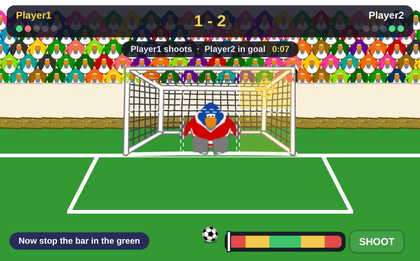
Penalty Shootout
2 players take turns shooting and keeping goal. Whoever scores more penalties wins the pot.
- 5 kicks each. Each kick, one of you shoots and the other is the keeper, and you both have 10 seconds.
- Shooting: click a spot in the goal, then press SHOOT to stop the aim bar. In the green the ball goes where you picked. In the yellow it drifts one spot over, and in the red it misses.
- Keeping: click the spot you want to dive to. You pick at the same time as the shooter, and neither of you sees the other's pick.
- If the keeper picks the same spot the ball goes to, it's saved.
- Run out of time as the shooter and the ball goes to a random spot. Run out of time as the keeper and you stay in the middle.
- Level after 5 kicks each: sudden death, one kick each until one scores and the other doesn't.
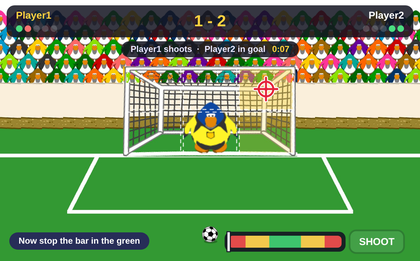
Penalty Shootout
2 players take turns shooting and keeping goal. Whoever scores more penalties wins the pot.
- 5 kicks each. Each kick, one of you shoots and the other is the keeper, and you both have 10 seconds.
- Shooting: click a spot in the goal, then press SHOOT to stop the aim bar. In the green the ball goes where you picked. In the yellow it drifts one spot over, and in the red it misses.
- Keeping: click the spot you want to dive to. You pick at the same time as the shooter, and neither of you sees the other's pick.
- If the keeper picks the same spot the ball goes to, it's saved.
- Run out of time as the shooter and the ball goes to a random spot. Run out of time as the keeper and you stay in the middle.
- Level after 5 kicks each: sudden death, one kick each until one scores and the other doesn't.
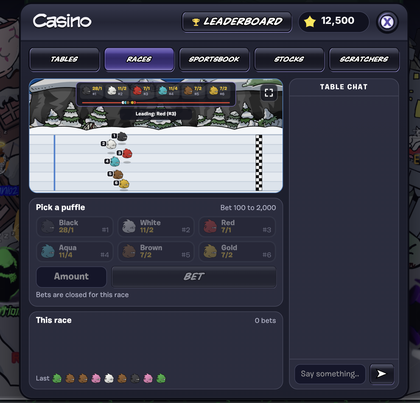
Puffle Racing
The Races tab in the casino. A new race every 30 seconds, for everyone at once: 15 seconds to bet, the race, then the results.
- Six puffles run each race. Each one has odds next to it, like 2/1 or 12/1.
- Pick a puffle, type how much you want to bet and press Bet. One bet a race.
- If your puffle wins you get the odds plus your bet back: 1,000 on a 3/1 puffle pays 4,000.
- Stay in the Races tab until your race is over. Leaving before the finish loses the bet.
Tip: the bar on top of the track shows who is ahead.
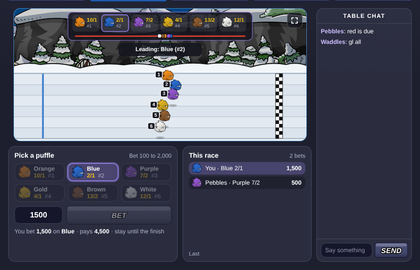
Puffle Racing
The Races tab in the casino. A new race every 25 seconds, for everyone at once: 10 seconds to bet, the race, then the results.
- Six puffles run each race. Each one has odds next to it, like 2/1 or 12/1.
- Pick a puffle, type how much you want to bet and press Bet. One bet a race.
- If your puffle wins you get the odds plus your bet back: 1,000 on a 3/1 puffle pays 4,000.
- Stay in the Races tab until your race is over. Leaving before the finish loses the bet.
- Anyone in the tab can watch and use the table chat, with or without a bet.
Tip: the bar on top of the track shows who is ahead.
Races, Sportsbook, Stocks and Scratchers
Puffle Racing
The Races tab at the top of the casino. A new race every 30 seconds, for everyone at once: 15 seconds to bet, the race, then the results.
- Six puffles run each race. Each one has odds next to it, like 2/1 or 12/1.
- Pick a puffle, type how much you want to bet and press Bet. One bet a race.
- If your puffle wins you get the odds plus your bet back: 1,000 on a 3/1 puffle pays 4,000.
- Stay in the Races tab until your race is over. Leaving before the finish loses the bet.
Tip: the bar on top of the track shows who is ahead.
Sportsbook
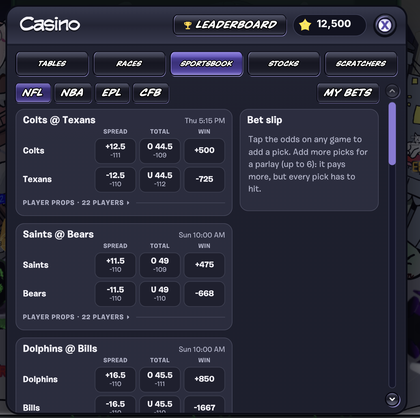
Bet credits on real games in the Sportsbook tab: NFL, NBA, the Premier League (EPL), college football (CFB) and more. Pick a league at the top.
- Each game shows the Spread, the Total (over or under) and who will Win. Player props under a game have bets on single players, like receiving yards.
- Tap the odds to add a pick to your Bet slip, type how much to bet and place it. The slip shows what it pays.
- Parlays: add more picks (up to 6) to one bet. It pays more, but every pick has to hit.
- You can only bet on games that haven't started yet. Bets are paid by themselves when the results come in.
- My bets shows your open and finished bets. You can cash out an open bet early, but only while none of its games are being played.
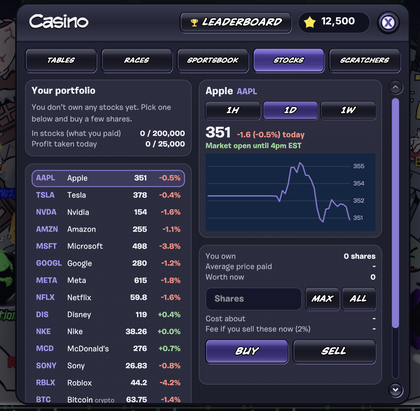
Stocks
Buy and sell real stocks and crypto with credits in the Stocks tab. 1 credit is 1 dollar, and the prices are the real ones.
- Pick a stock from the list to see its chart for the last hour, day or week.
- Type how many shares (or press MAX or ALL), then press BUY or SELL. Selling has a 2% fee.
- Stocks can only be traded while the US stock market is open. Crypto (Bitcoin and the others at the bottom of the list) can be traded any time.
- Your portfolio shows what you own, how much you can have in stocks at once and how much profit you've taken today. Both have a limit.
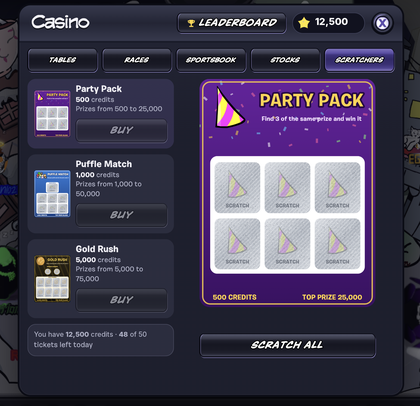
Scratchers
Buy a scratch ticket in the Scratchers tab and scratch it to see what you won.
- Party Pack (500 credits): find 3 of the same prize to win that prize.
- Puffle Match (1,000 credits): find your puffle's color to win the prize under it.
- Gold Rush (5,000 credits): match one of your numbers to a winning number to win the prize under it.
- Scratch with your mouse or finger, or press SCRATCH ALL. What you win goes on your credits right away, and a ticket you didn't finish comes back the next time you open the tab.
Leaderboards
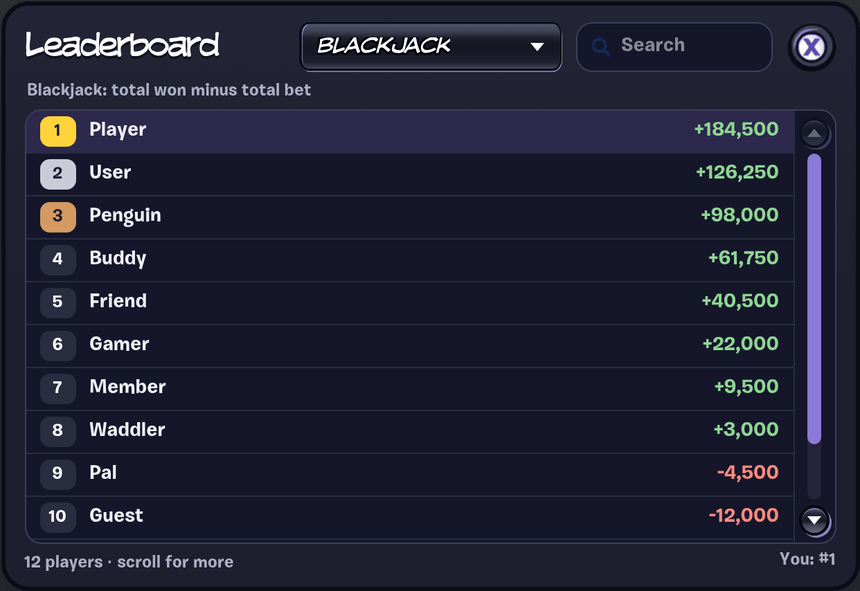
Casino leaderboard
Press Leaderboard at the top of the casino and pick a game from the list.
- House games rank everyone by how much they won minus how much they bet.
- Puffle Races, Scratchers, Sportsbook and Stocks are listed with the house games and ranked the same way. Stocks counts each sale's profit or loss, after the fee.
- In the Leaderboard app they have their own Extras tab, and in the casino's list they're under Extras. They don't count toward the Total tab.
- Multiplayer games rank everyone by wins and losses.
- Search for a name to find someone.
Sled Racing, Mancala and Find Four
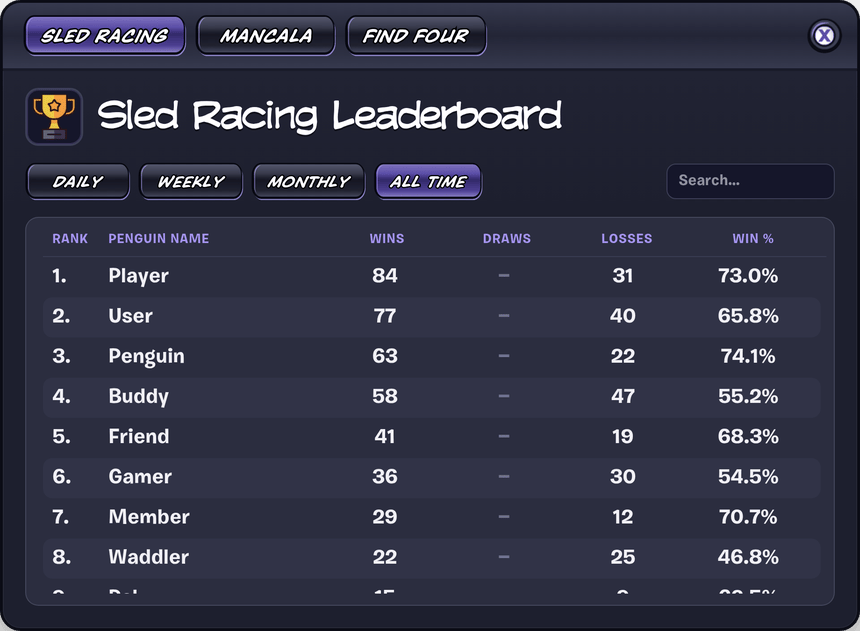
Play Sled Racing on the Ski Hill, Mancala in the Book Room and Find Four in the Ski Lodge. Click the trophy that appears on the top left of your screen to see their leaderboard, switch games with the tabs at the top and pick Daily, Weekly, Monthly or All Time.
It shows every penguin's wins, draws, losses and win %, and you can search for a name.
Play music for everyone in the game.
Turning it on
Click the jukebox  at the top right of the game to open it. Everyone in the game hears the same song at the same time.
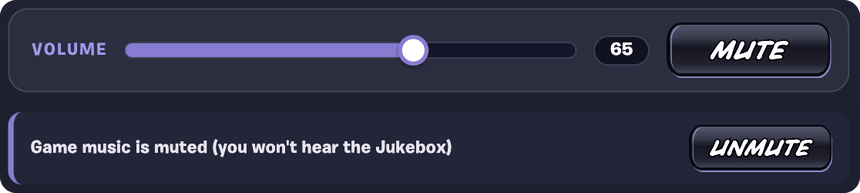
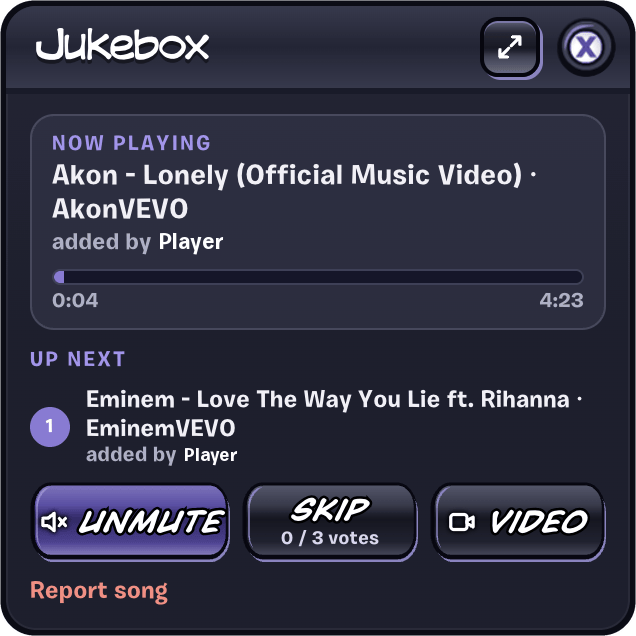
- If your game music is muted, the jukebox tells you. Press Unmute to turn your game music back on so you can hear it.
- While a song is playing, it plays instead of the room's music.
- Drag the Volume bar to make it louder or quieter, or press Mute to turn just the jukebox off.
Adding songs
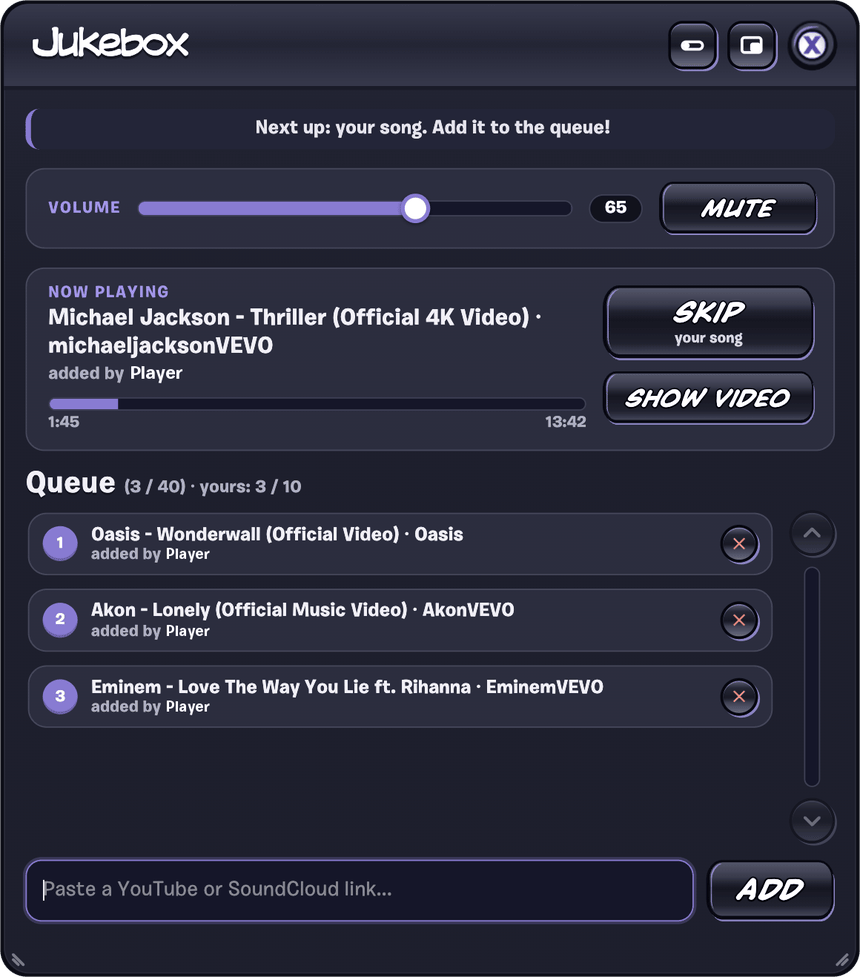
Paste a YouTube or SoundCloud link at the bottom and press Add. Your song goes to the end of the queue.
- You can have up to 10 songs in the queue at a time.
- The top of the jukebox tells you when your song is up next.
- Changed your mind? Press the X next to your own song in the queue to take it out, or press Skip while your own song is playing.
Skipping and reporting
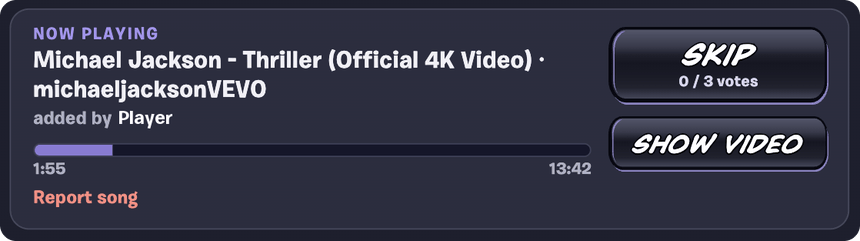
Don't like what's playing? Press Skip to vote to skip it. The button shows how many votes it has and how many it needs.
- Once enough players vote, the next song starts.
- If a song breaks the rules, press Report song.
Watching the video
Press Show Video to watch the video under the jukebox. Drag either bottom corner to make it bigger or smaller, or press the Picture in Picture button to pop it out into its own little window. You can drag either one anywhere on the page.
You can also visit the stage to watch the video together with friends. Click the icon on the top right of the screen to view in full screen.
Making it smaller
The two buttons next to the X shrink the jukebox so you can keep chatting and walking around while you keep an eye on the queue.
- The small window still shows what's playing, what's up next, and the Mute, Skip and Video buttons.
- The smallest size is a thin bar with the song and how far along it is.
- Drag either one wherever you want it, and press the arrows button to make it full size again.

Your phone has its own apps: post on Pengram, text your friends, hop in a voice call, play games and more.
Opening your phone
Click the phone  above the casino chips. Drag it by the top bar to move it anywhere on the screen.
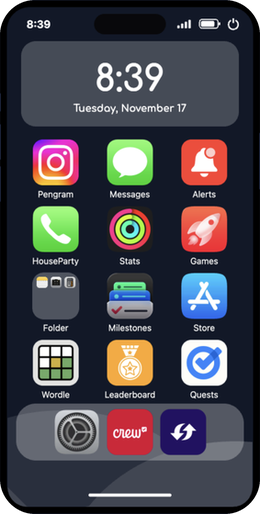
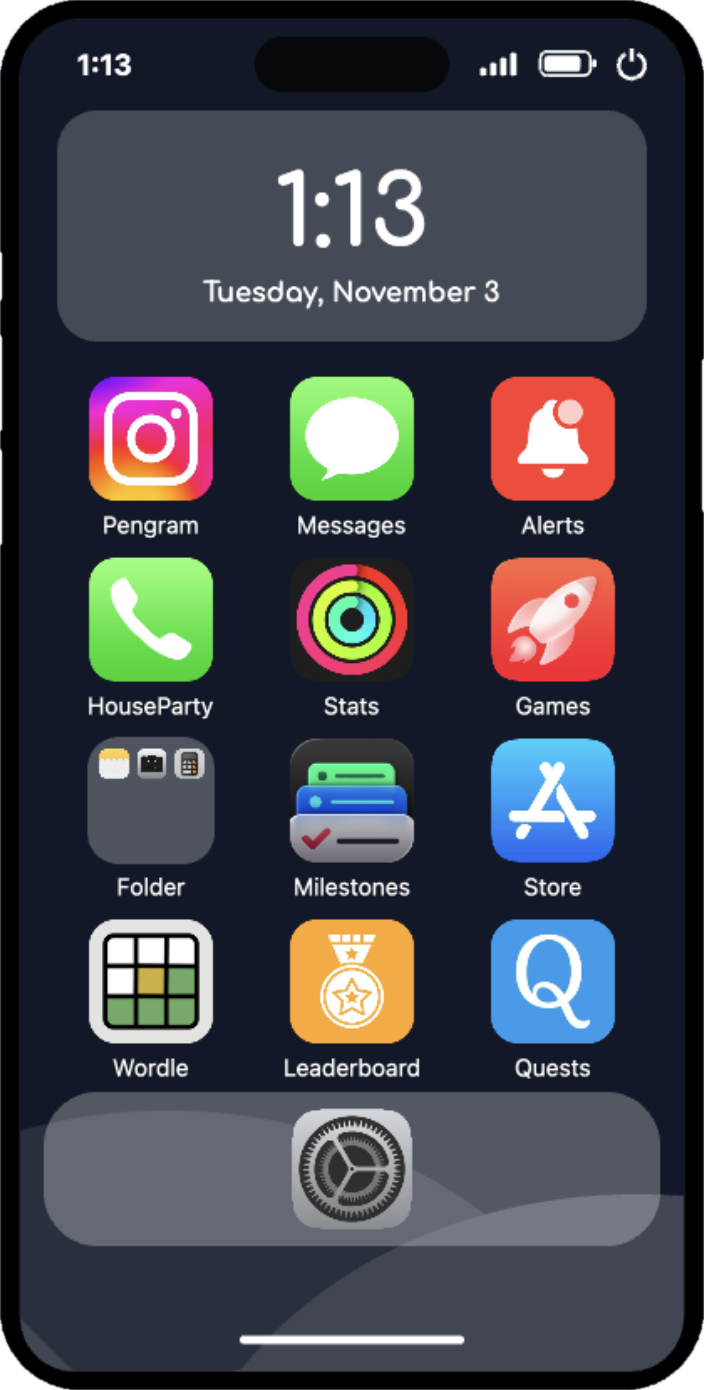
- Your apps: Pengram, Messages, Alerts, HouseParty, Stats, Games, Milestones, Store, Wordle, Leaderboard, Quests, Settings, Crews and Trade, plus Notes, Calculator and Camera in a folder.
- A red number on an app means something new is waiting for you. A green speaker on HouseParty means people are in a call.
- The power button at the top right closes your phone, and the bar at the bottom takes you back to the Home Screen.
- Press and hold an app until the apps jiggle, then drag it anywhere on your Home Screen or onto the dock at the bottom.
Opening your phone
Click the phone above the casino chips. Drag it by the top bar to move it anywhere on the screen.
- Your apps: Pengram, Messages, Alerts, HouseParty, Stats, Games, Notes, Calculator, Store, Settings, Leaderboard, Quests, Wordle, Milestones and Camera.
- A red number on an app means something new is waiting for you.
- The power button at the top right closes your phone, and the bar at the bottom takes you back to the Home Screen.
- Press and hold an app until the apps jiggle, then drag it anywhere on your Home Screen or onto the dock at the bottom.
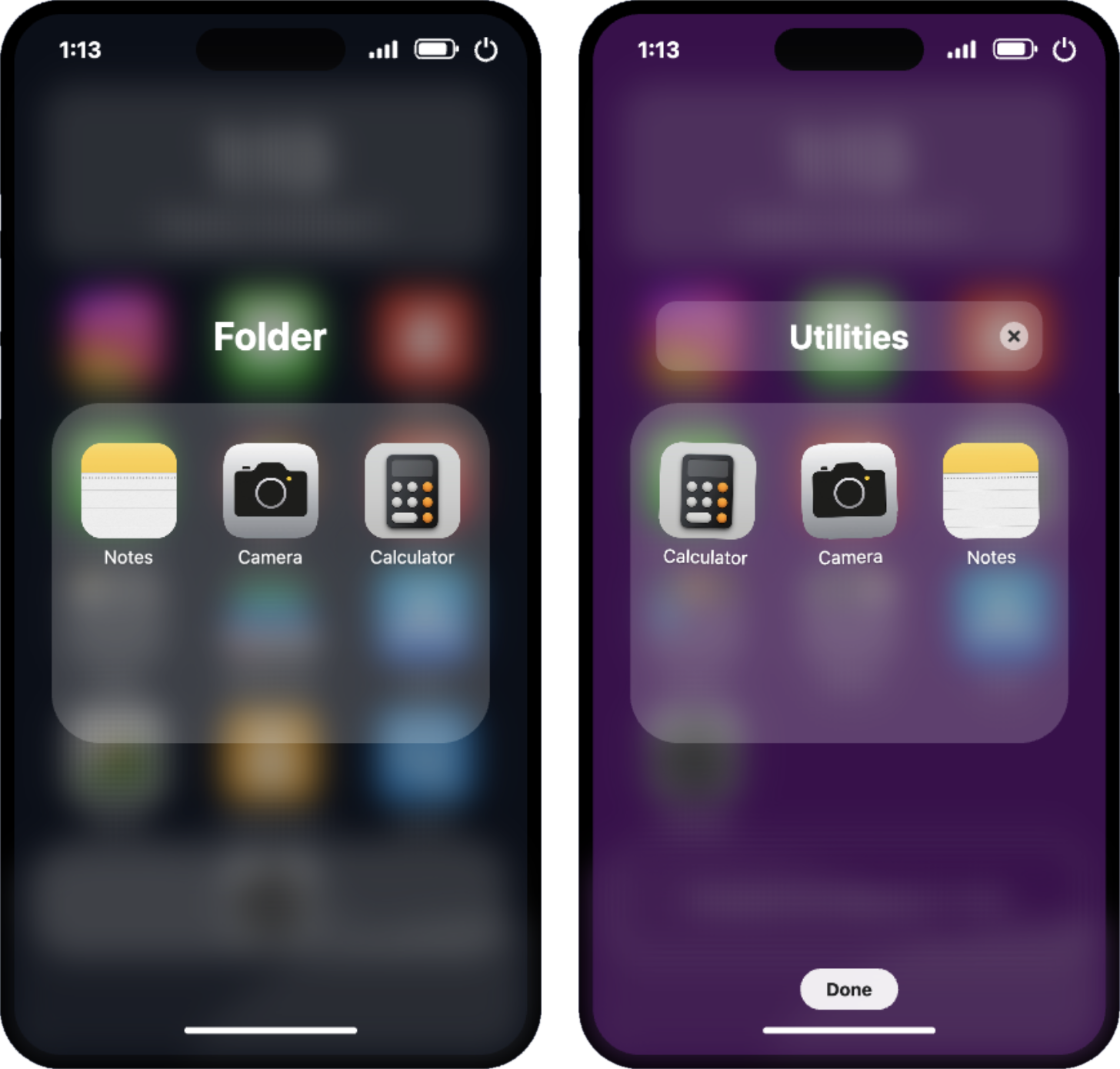
Folders
Apps can sit together in a folder.
- Click a folder to open it, then click an app to use it.
- Click anywhere outside the folder, or the bar at the bottom, to close it.
- To make your own folder, press and hold an app until the apps jiggle, then drop it right on top of another app.
- While the apps jiggle, drag an app onto a folder to put it in, or drag it out of the folder to take it out. A folder with only one app left turns back into that app.
- To rename a folder, open it while the apps jiggle and click its name.
- Press Done or the bar at the bottom when you're finished.
Pengram
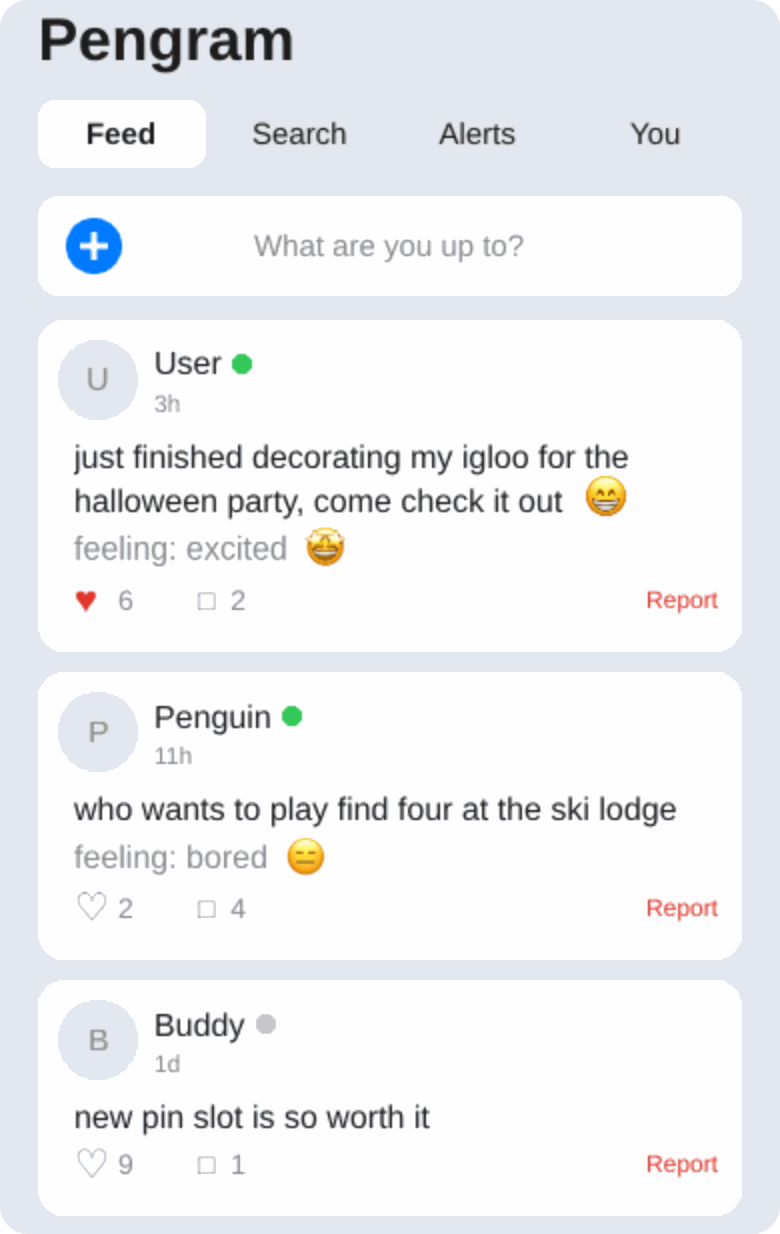
Pengram is the game's own social feed. It has four tabs at the top:
- Feed: everyone's posts. Press the heart to like a post, or the comment button to read and leave comments. You can like and reply to comments too. Use the @ symbol to tag someone on your friends list.
- Search: find any player's profile.
- Alerts: your Pengram notifications.
- You: your own profile and posts.
Making a post
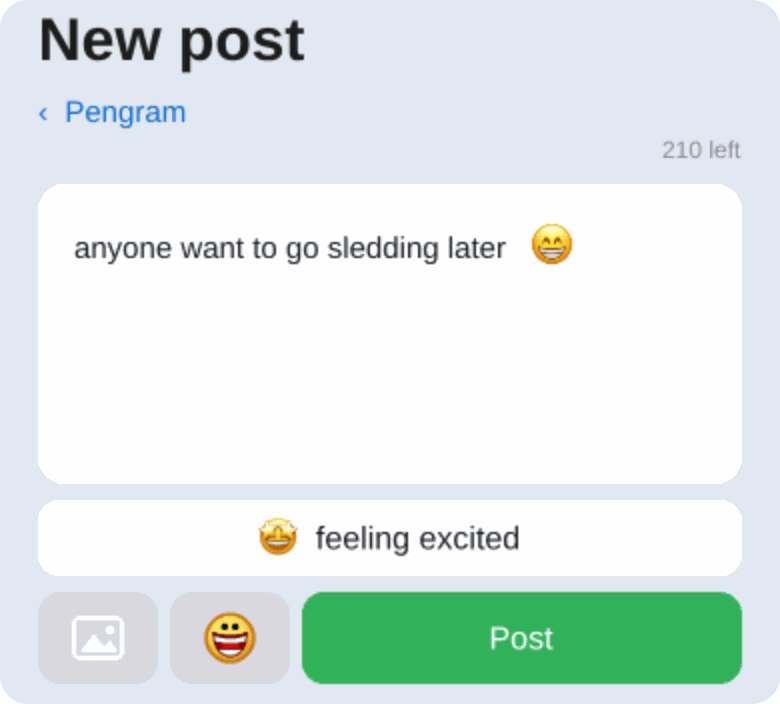
Press What are you up to? at the top of the feed.
- Type a caption.
- The emote button adds emotes to your caption, and the picture button adds a picture.
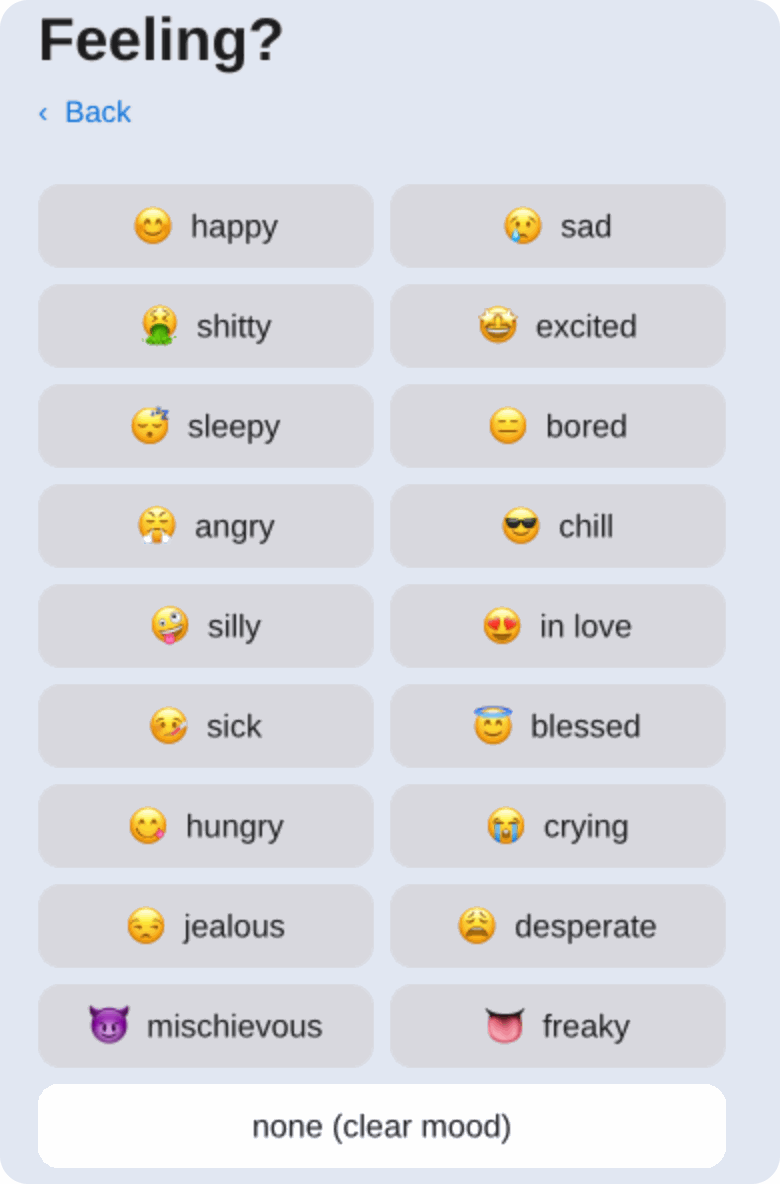
- Press + add a mood to show how you're feeling, like happy, chill or excited.
A post with a picture says Post pending approval until staff check the picture.
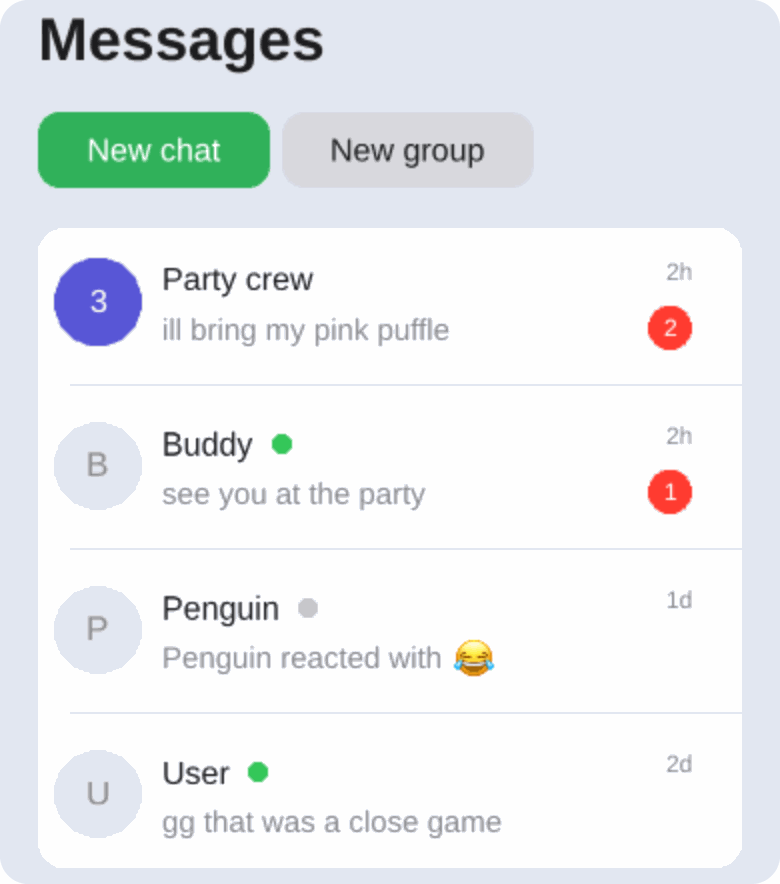
Messages
Text your friends in private chats or in groups.
- Press New chat and pick a buddy to start a chat with them.
- Press New group and pick a few buddies to start a group chat.
- In a group, Rename gives it a name and Members shows who's in it. The person who made the group can add or remove people there.
- The picture and emote buttons next to the message box send pictures and emotes.
Reacting and copying
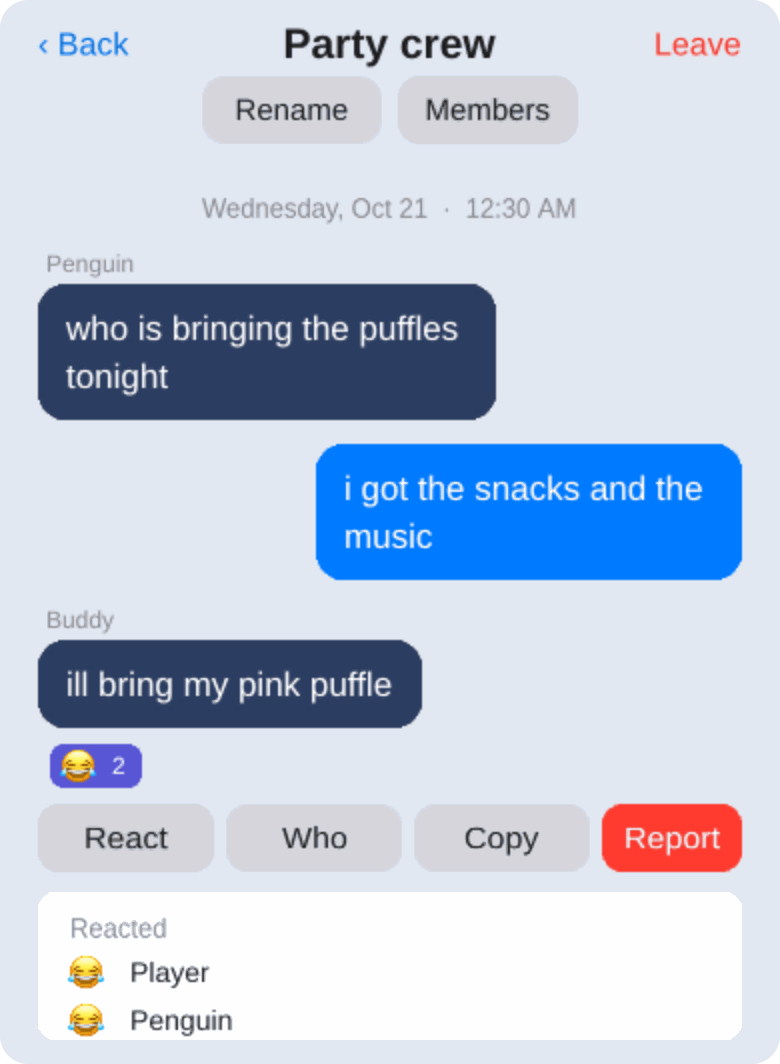
Click on any message to see what you can do with it:
- React: leave an emote on the message.
- Who: see who reacted and with what. Handy in group chats.
- Copy: copy the message that was sent.
- Report: report a message that breaks the rules.
Alerts
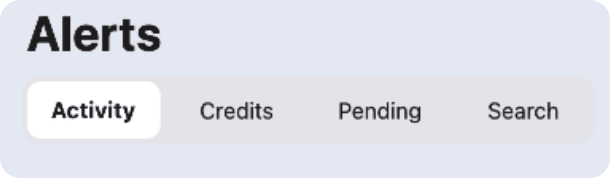
- Activity: Notifies you when a player likes your playercard, visits your igloo or likes your igloo, plus your purchases. Click a like or a visit to open that player's playercard.
- Credits: every credit you receive: the ones every 30 minutes, the ones you earn from minigames and quests, and gifts from an admin.
- Pending: buddy, marriage and BFF requests. Cancel one you sent, or accept/reject one you received.
- Search: find any player in the game to add them or view their playercard.
HouseParty
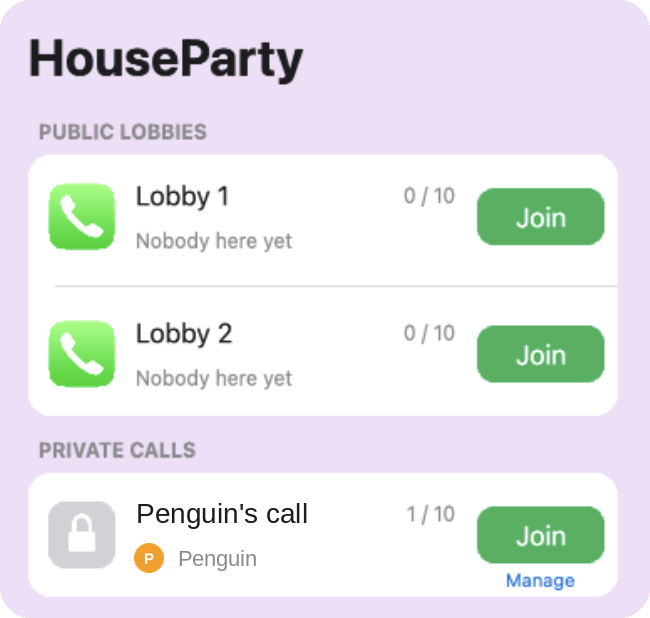
Voice calls right in the game.
- Join a public lobby. Each one holds up to 10 players.
- Press Start a private call to make your own. Invite your friends, or unlock the call so anyone can join.
- Press Minimize to keep talking with the phone out of the way, and Mute to mute yourself.
Quests
You get 3 new quests every day. Open the Quests app to see them.
- Each quest shows how far along you are.
- You receive credits as soon as you finish one. A card pops up on the right of the game and the credits show in Alerts under Credits.
- New quests refresh everyday. The top of the app shows how long until then.
Want to receive badge notifications on the app for the quests you haven't done yet? Turn on Quests under the badge switches in the Settings app.

Leaderboards
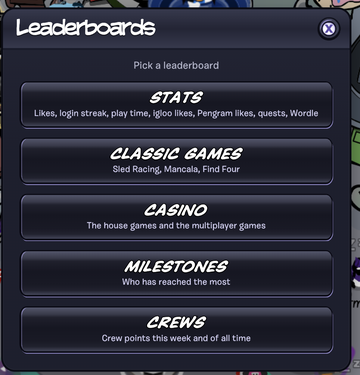
Open the Leaderboard app, or type !lb in the chat. Then pick one:
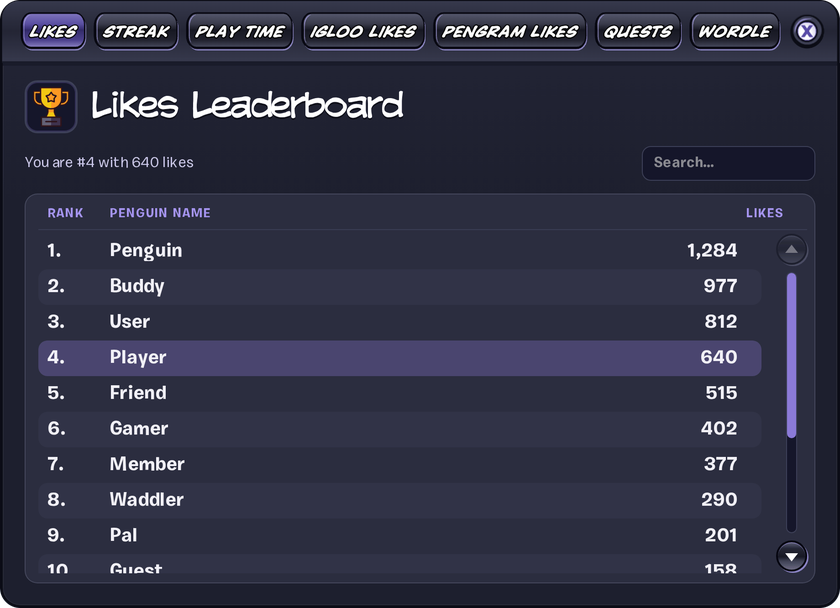
- Stats: Likes, Login Streak, Play Time, Igloo Likes, Pengram Likes, Quests and Wordle.
- Classic Games: Sled Racing, Mancala and Find Four.
- Casino: the house games and the multiplayer games.
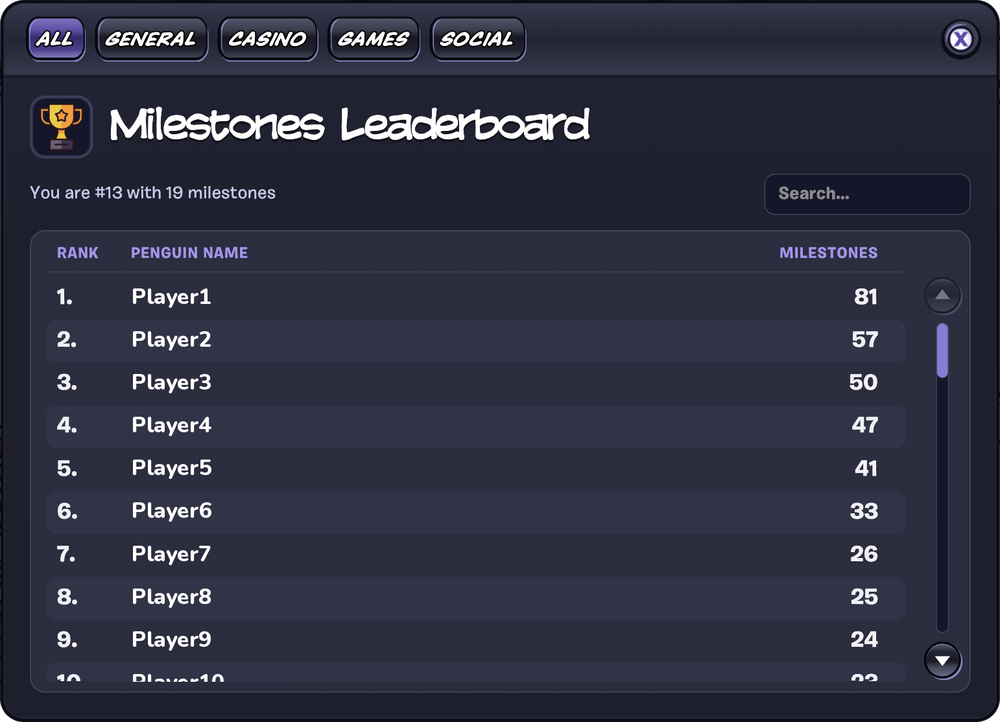
- Milestones: who has reached the most milestones. The Season Pass and Tiers tabs show who has finished the most passes and who has reached the most tiers this season.
- Crews: crew points this week and of all time.
- Your own spot shows at the top, and you can search for anyone. Click a name to open their playercard.
- Drag the window by its top bar to move it.
If you hide your login streak or play time in the Settings app, you still show up on that list, at the bottom with Hidden instead of your number.
Leaderboards
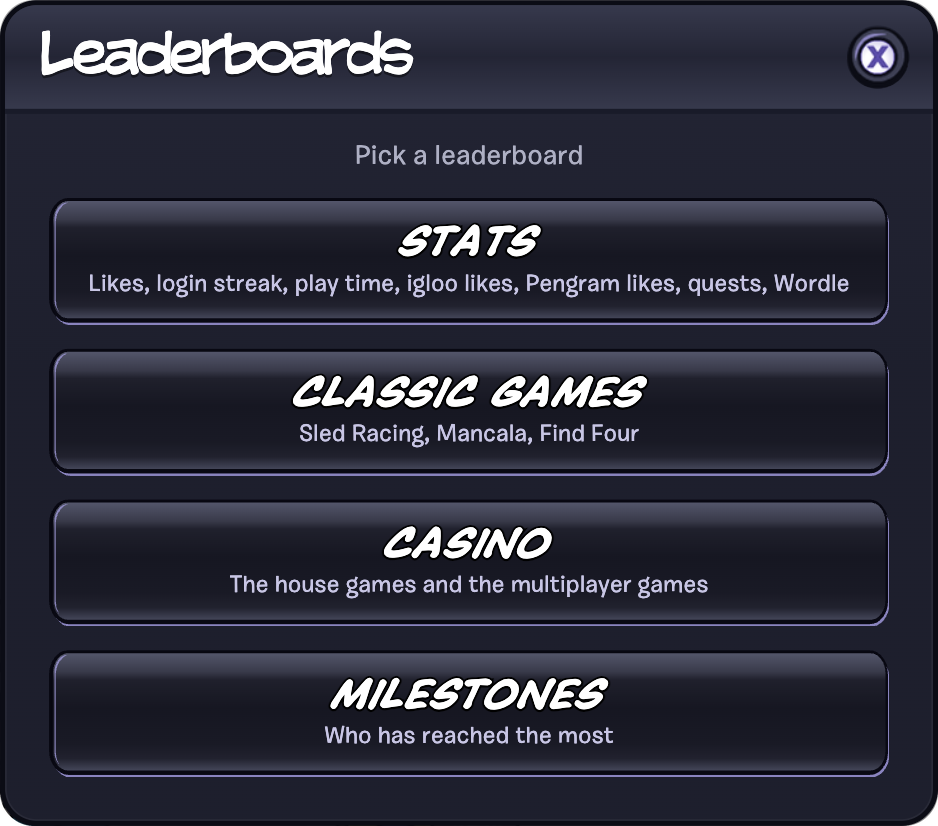
Open the Leaderboard app, or type !lb in the chat. Then pick one:
- Stats: Likes, Login Streak, Play Time, Igloo Likes, Pengram Likes, Quests and Wordle.
- Classic Games: Sled Racing, Mancala and Find Four.
- Casino: the house games and the multiplayer games.
- Milestones: who has reached the most milestones.
- Your own spot shows at the top, and you can search for anyone. Click a name to open their playercard.
- Drag the window by its top bar to move it.
If you hide your login streak or play time in the Settings app, you still show up on that list, at the bottom with Hidden instead of your number.
Stats and Games
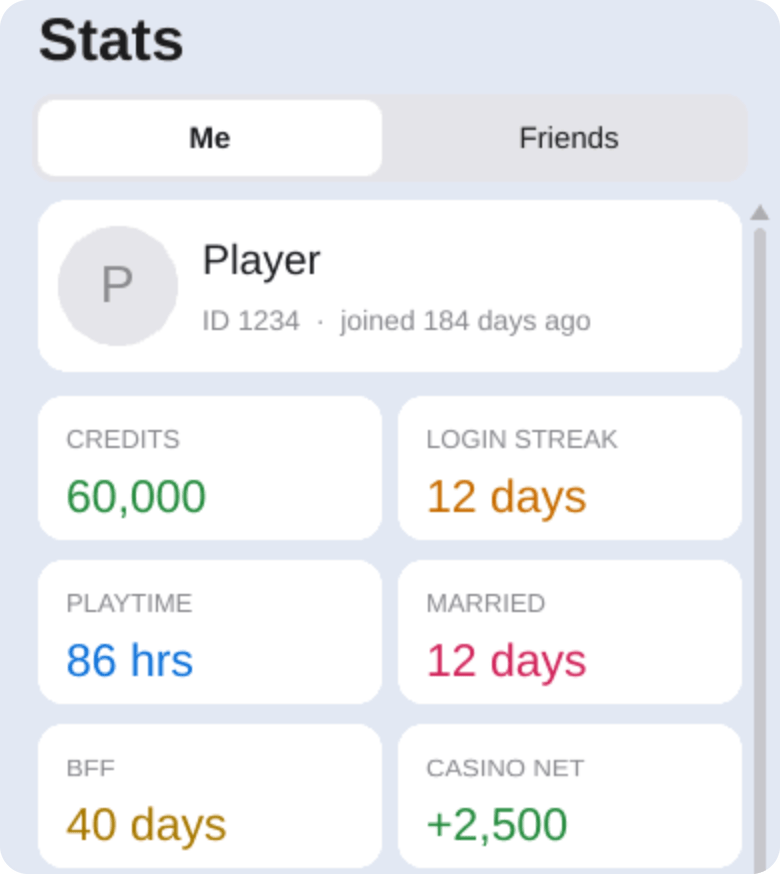
- Stats: the Me tab shows your own stats, and Friends shows your friends' stats.
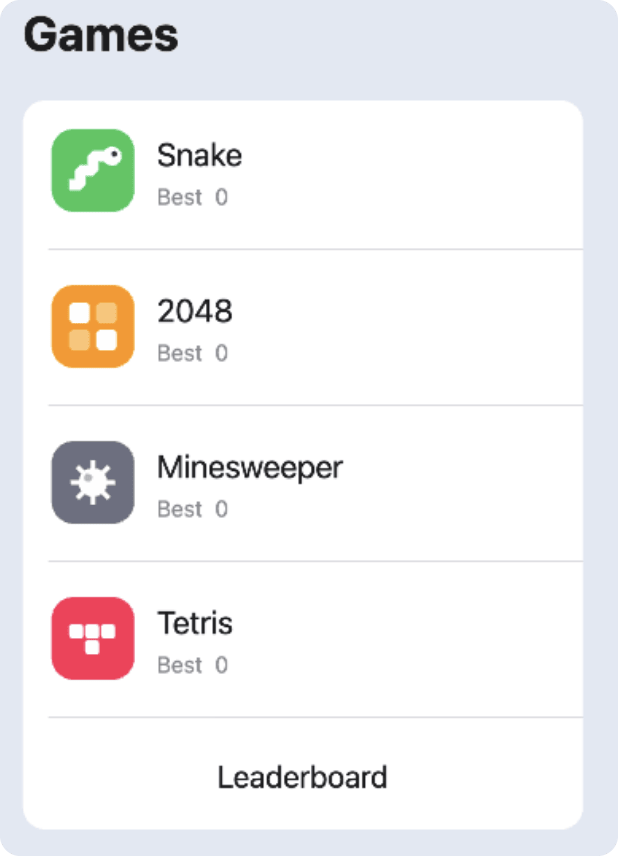
- Games: play Snake, 2048, Minesweeper and Tetris. Leaderboard shows the top 10 scores for each game.
Wordle
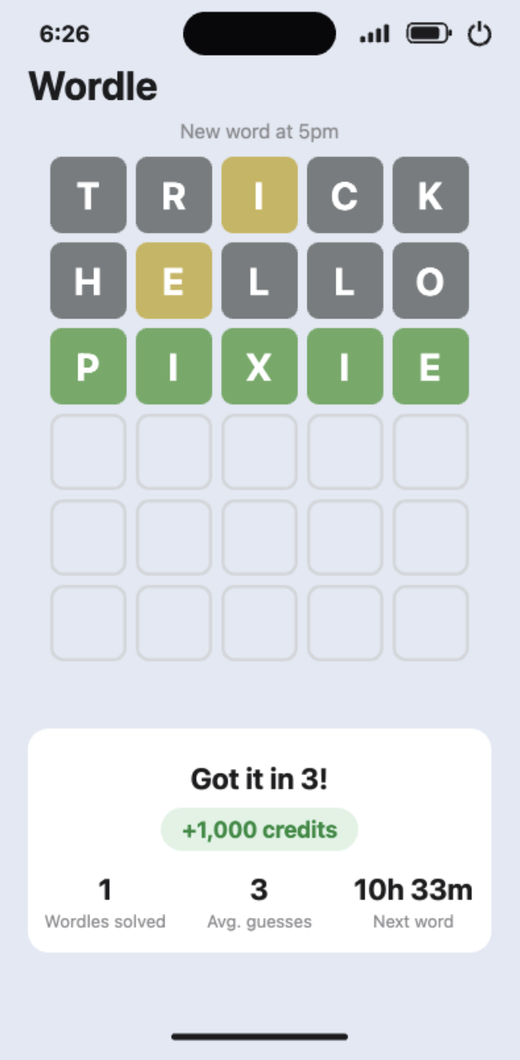
Guess the word of the day in 6 tries. Type with your keyboard or tap the letters, then press Enter.
- Green means the letter is in the right spot, yellow means it's in the word but in a different spot, and gray means it isn't in the word.
- Every guess has to be a real 5 letter word. A word that isn't on the list doesn't use up a guess.
- Solve it and you get 1,000 credits. A card pops up on the right of the game and the credits show in Alerts under Credits.
- Everyone gets the same word, and a new one comes when the quests refresh.
- Once you're done, the app shows your guesses, how many Wordles you've solved, your average number of guesses and how long until the next word.
See who has solved the most on the Wordle tab of the Stats leaderboard.
Milestones
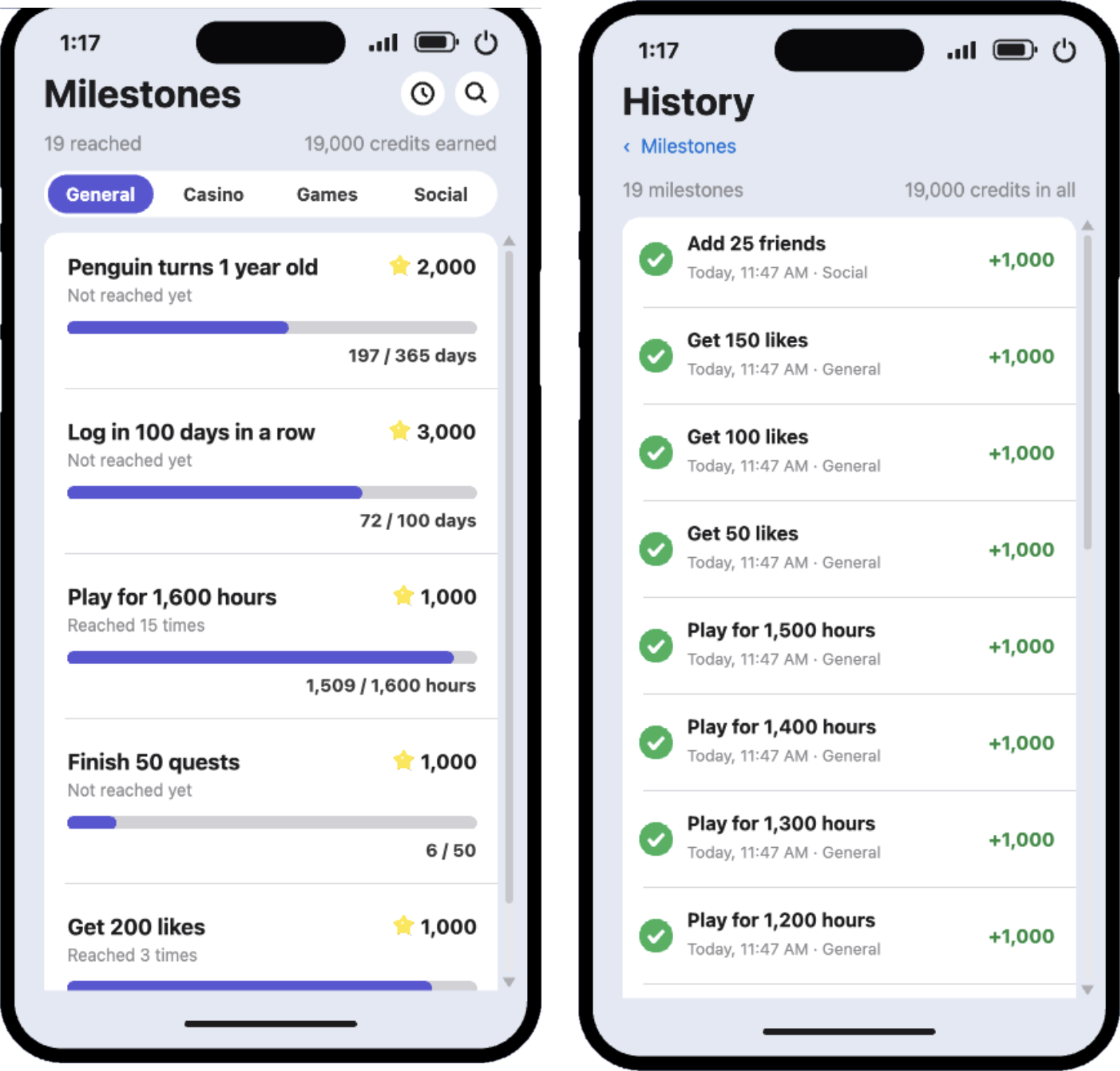
Earn credits for the things you do in the game. Open the Milestones app to see how close you are to the next one.
- Pick a tab at the top: General, Casino, Games or Social.
- Each milestone shows what it pays, how many times you've reached it and how far along you are.
- Milestones keep going: once you reach one, the next one starts. After Get 50 likes comes Get 100 likes, and so on.
- You get the credits as soon as you reach one. A card pops up on the right of the game and the credits show in Alerts under Credits.
- The clock button at the top shows your history: every milestone you've reached, when you reached it and what it paid.
The red number on the app shows the milestones you haven't looked at yet. You can turn it off under the badge switches in the Settings app.
Friends' milestones
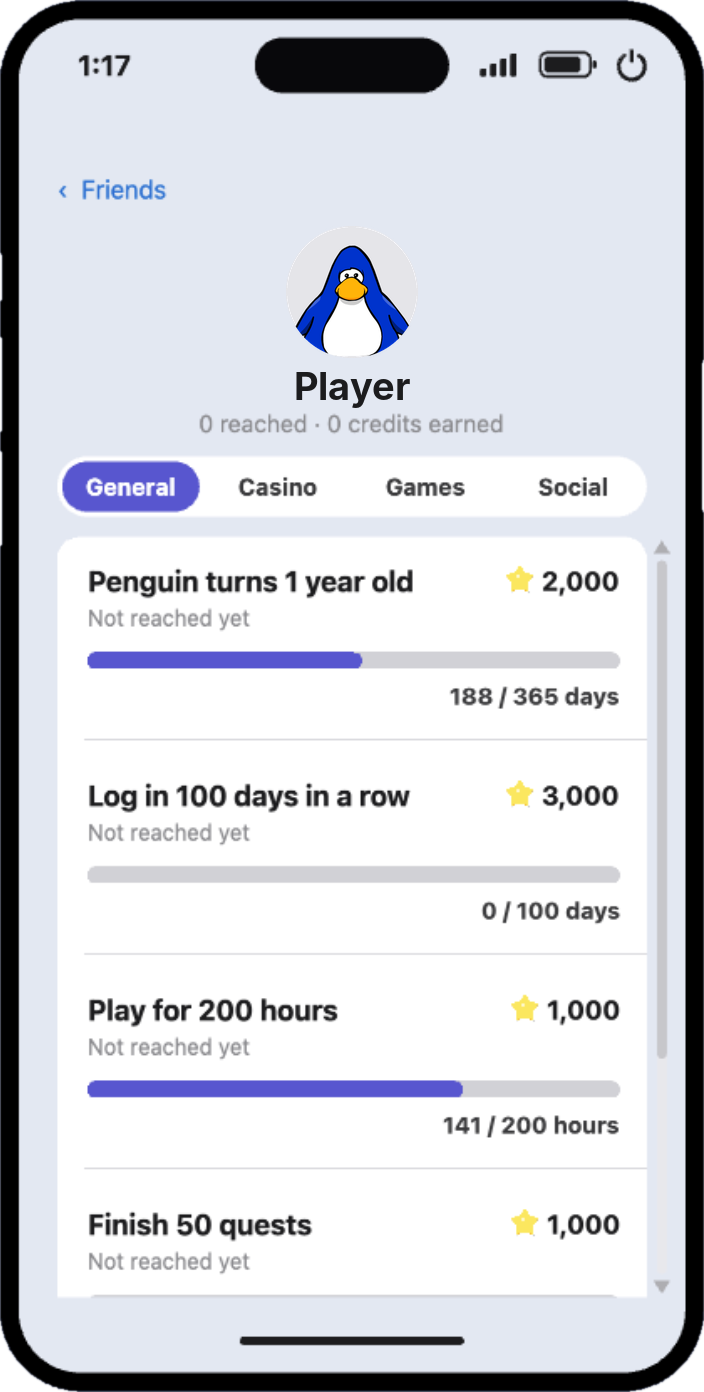
- The magnifier button at the top of the Milestones app shows your friends and how many milestones each one has reached. Click a friend to see how far along they are.
- Type
!lbin the chat, or open the Leaderboard app, and pick Milestones to see who has reached the most. The tabs at the top show each category on its own.
Want to keep your milestones to yourself? Hide them under Show/hide stats in the Settings app. Your friends see Milestones hidden, and you don't show up on the Milestones leaderboard.
Notes and Calculator
Both are in the Utilities folder.
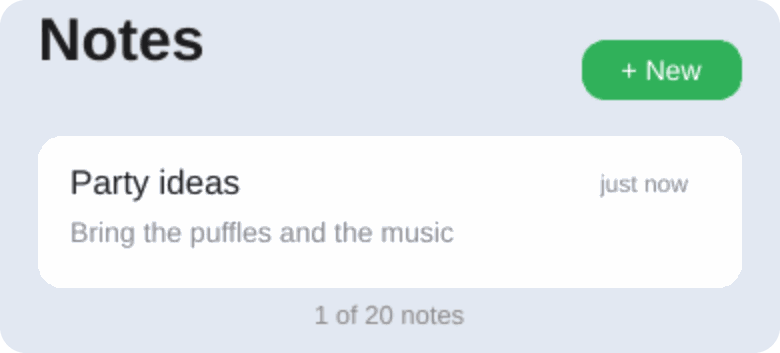
- Notes: press + New to write yourself a note.
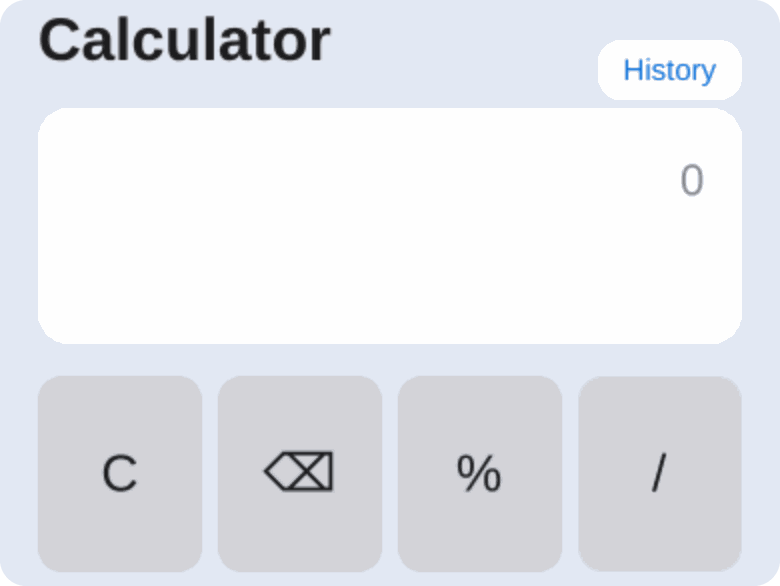
- Calculator: a normal calculator. Press History to see your past answers.
Camera
Take pictures of anything in the game. Open the Utilities folder and click Camera.
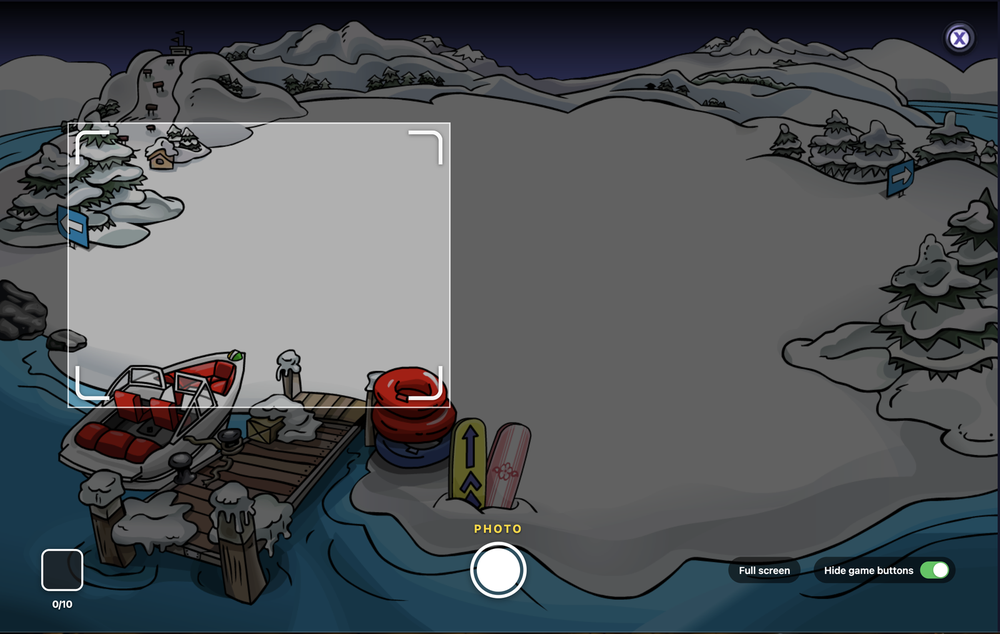
- Press the round button to take a picture.
- Drag a corner of the frame to make it smaller, then drag the frame onto whatever you want a picture of. Full screen puts the frame back over the whole game.
- Hide game buttons hides the chat bar and the game's buttons so they aren't in your picture.
- You can keep walking around while the camera is open. The X puts it away.
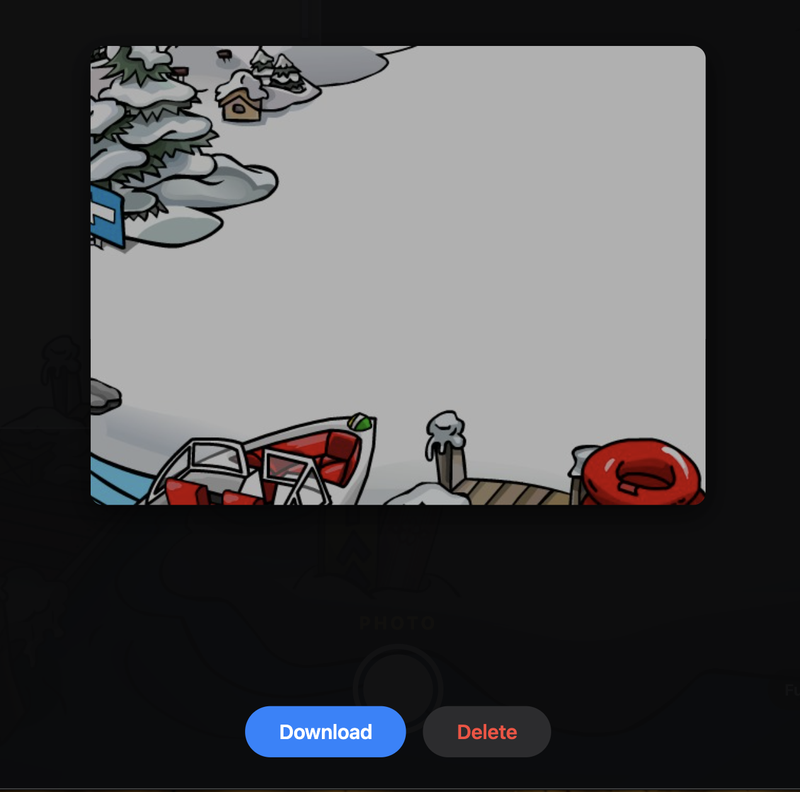
- Your pictures go in your album at the bottom left. It holds 10 pictures and is saved with your account. The number under it shows how many you have.
- In the album, use the arrows to go through your pictures, Download to save one to your computer, or Delete to make room.
When your album has 10 pictures, the camera says Camera storage full. Delete one to take a new picture.
Phone Store
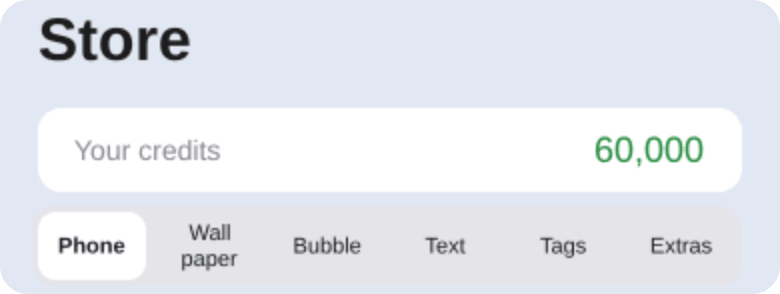
Spend your credits on phone extras:
- Phone colors, wallpapers, DM bubble colors and DM text colors.
- Tags that show next to your name in Pengram, Messages and Stats.
- Extras: pick an emote as your own icon next to your name in Pengram, Messages and Stats.
Once you buy something, turn it on in the Settings app.
Settings
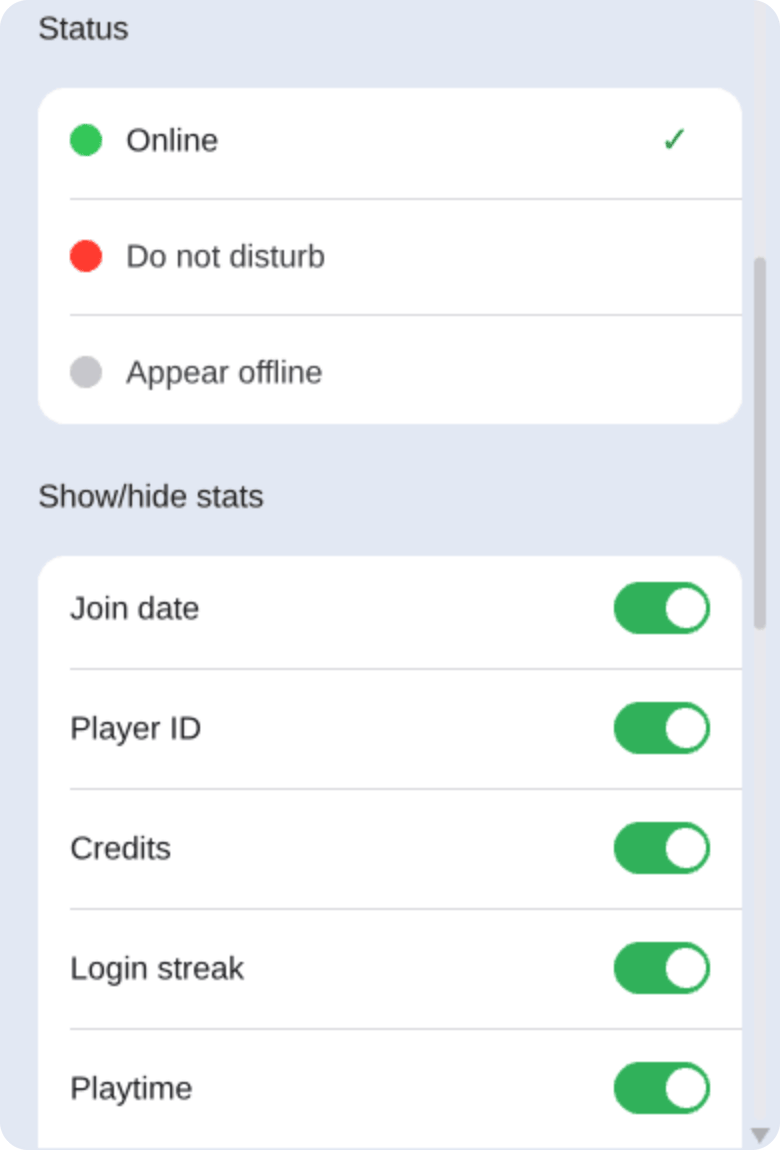
- Put on anything you bought in the Store.
- Status: how you show in Pengram and Messages: Online, Do not disturb, Custom (if you bought it) or Appear offline.
- Show/hide stats: pick which of your stats your friends can see. Hiding your login streak or play time also hides your number on the leaderboards.
- Group DMs: choose if players can add you to group chats.
- Requests: choose if players can send you Marry/BFF requests.
- Notification badges: pick which apps send you notification badges: Pengram, Messages, Alerts, Credits, HouseParty, Quests, Milestones, Crews, Trade, or all of them.
Settings
- Put on anything you bought in the Store.
- Status: how you show in Pengram and Messages: Online, Do not disturb, Custom (if you bought it) or Appear offline.
- Show/hide stats: pick which of your stats your friends can see. Hiding your login streak or play time also hides your number on the leaderboards.
- Group DMs: choose if players can add you to group chats.
- Requests: choose if players can send you Marry/BFF requests.
- Notification badges: pick which apps send you notification badges: Pengram, Messages, Alerts, Credits, HouseParty, Quests, Milestones, or all of them.
Season Pass
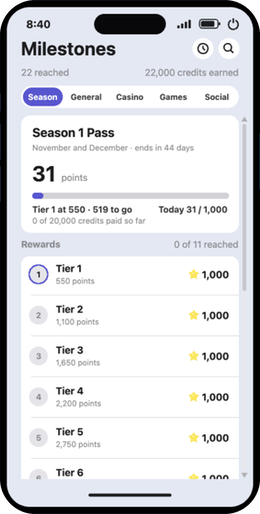
Open the Season tab in the Milestones app and buy the pass for the season. From then on you earn points as you play, and every tier you reach pays credits right away.
- You earn points from daily quests, casino wins, milestones and time online, up to 1,000 points a day.
- The bar shows how far you are from the next tier. Rewards lists every tier, what it pays and the last one's big reward.
- Some tiers give an item too.
- The top of the tab shows how long the season has left. Your points start over with the next season, and you buy the next pass then.
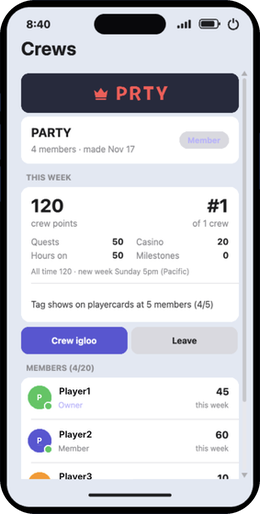
Crews
Make a crew in the Crews app, or join a friend's, and earn points together every week.
- Making a crew: pick its name and a 3 or 4 letter tag. They can't be changed later. The owner picks the tag's color and icon.
- Inviting: the owner (and officers, if the owner lets them) invite friends from the app. Invites show in Alerts and in the Crews app. A crew holds up to 20 players, and you can be in one crew at a time.
- Points: everyone earns points for the crew from quests, casino wins, milestones and time online, up to 1,000 a day each.
- Crew tag: once a crew has 5 members, its tag shows on your playercard. You can turn yours off in the app.
- Crew igloo: the owner's igloo. Every member can go in any time.
- See how your crew ranks on the Crews leaderboard.
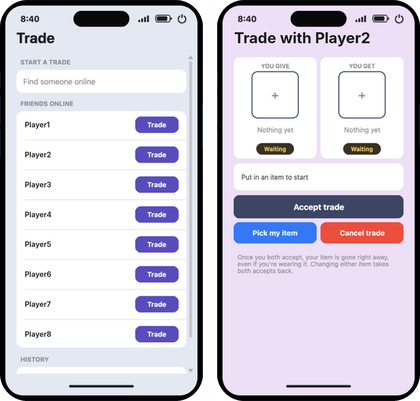
Trade
Swap items with a friend in the Trade app. They have to be online.
- Press Trade next to a friend, or search for someone online, to send them a trade.
- You each put in one item with Pick my item. Store items can only be traded for store items with the same price.
- When you both press Accept trade, the items swap right away.
- History shows your past trades.
Decorate your igloo, pick its music, and save your favorite igloos and outfits.
Your igloo
In your own igloo:
 Edit: decorate your igloo.
 Lock: open or close your igloo so other players can visit it from the map.
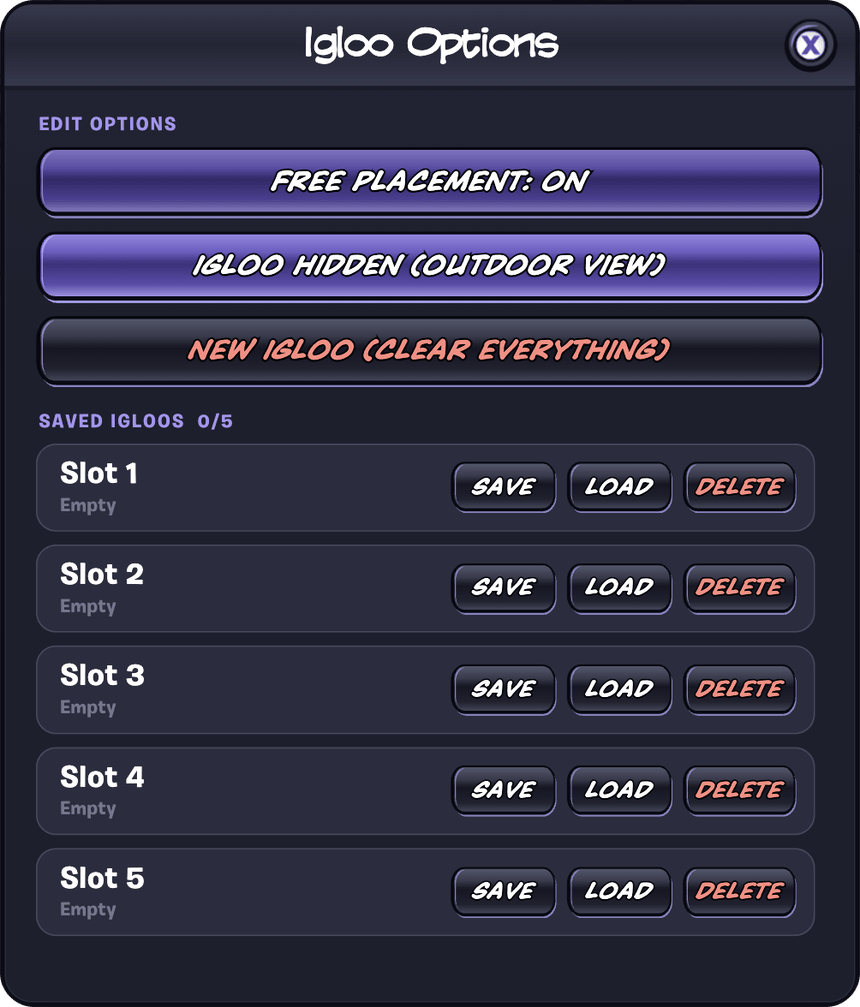
 Igloo options: your igloo settings, saved igloos and more.
Igloo options
- Free Placement: turn it on to place furniture anywhere in your igloo.
- Igloo Hidden (Outdoor View): hides the igloo.
- New Igloo (Clear Everything): starts over with an empty igloo.
- Saved Igloos: save, load and name igloos. The first 5 slots are free, and you can buy more in the credit store, up to 100.
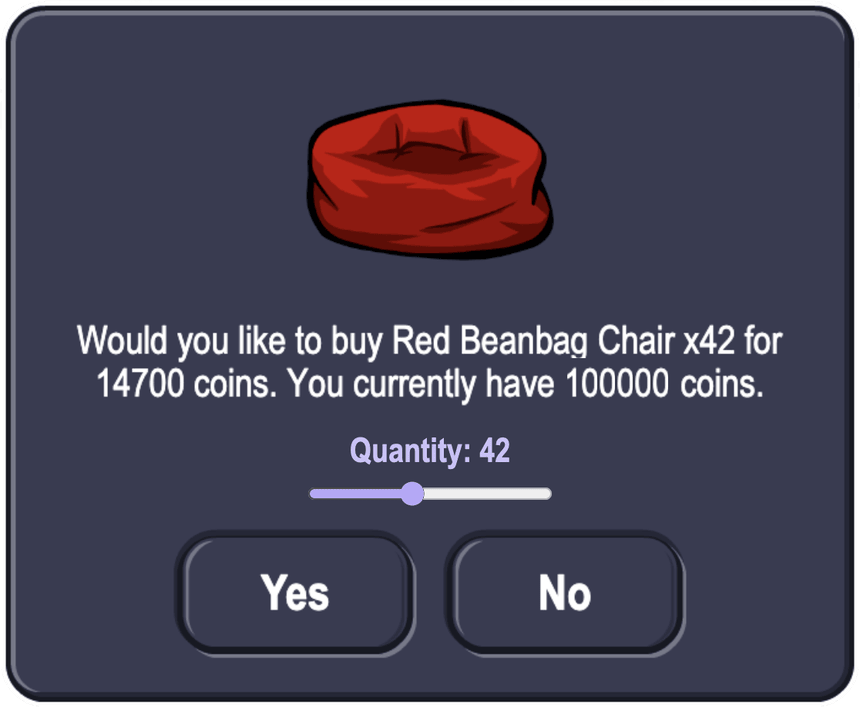
Buying furniture
Add furniture to your inventory from the Item Chest. Drag the Quantity slider to buy more than one at once.
- Once you own it, open your furniture inventory in edit mode to put it in your igloo.
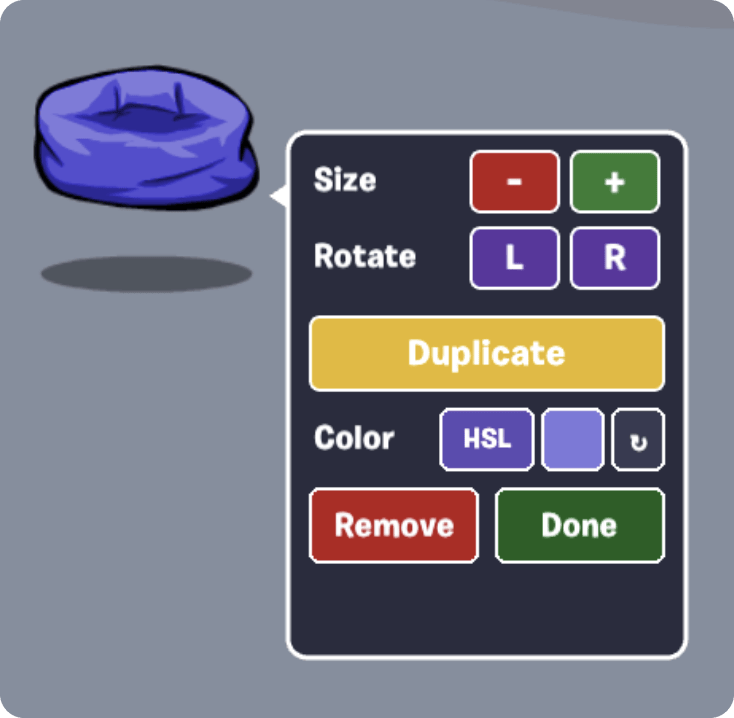
Moving and editing furniture
In edit mode, drag furniture to move it, and click it to open its menu:
- Size: make it smaller or bigger with - and +.
- Rotate: turn it left or right with L and R.
- Duplicate: puts down another one. You need more than one in your igloo inventory.
- Color: change its color with HUE or HSL. The arrow puts the original color back.
- Remove takes it out of the igloo, and Done closes the menu.
Igloo music
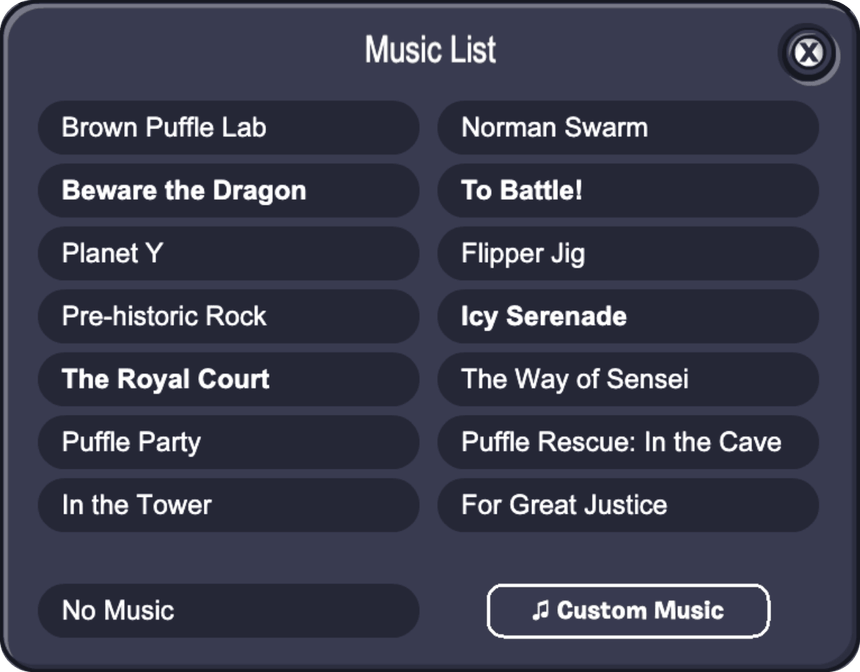
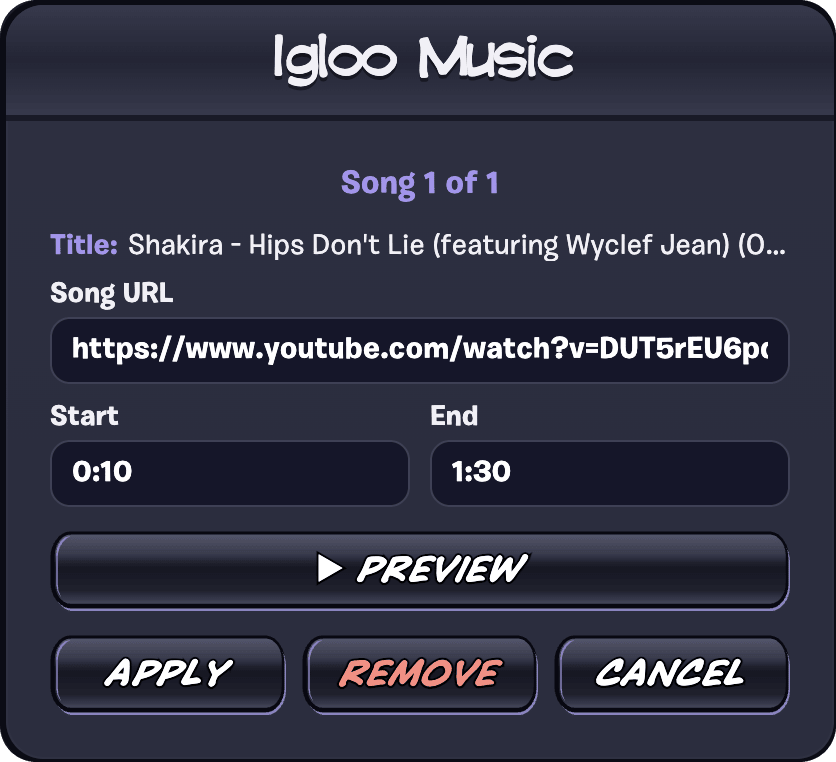
Pick a song from the Music List, or press Custom Music to play your own.
- Paste a YouTube or SoundCloud link.
- Set Start and End to choose which part of the song plays, and press Preview to hear it.
- Press Apply to put it on, or Remove to take it off.
- Your first custom song is free. Buy more slots in the credit store, up to 10.
Liking igloos
Visiting an igloo you like? Press Like. It turns green and shows how many likes the igloo has.
Outfits
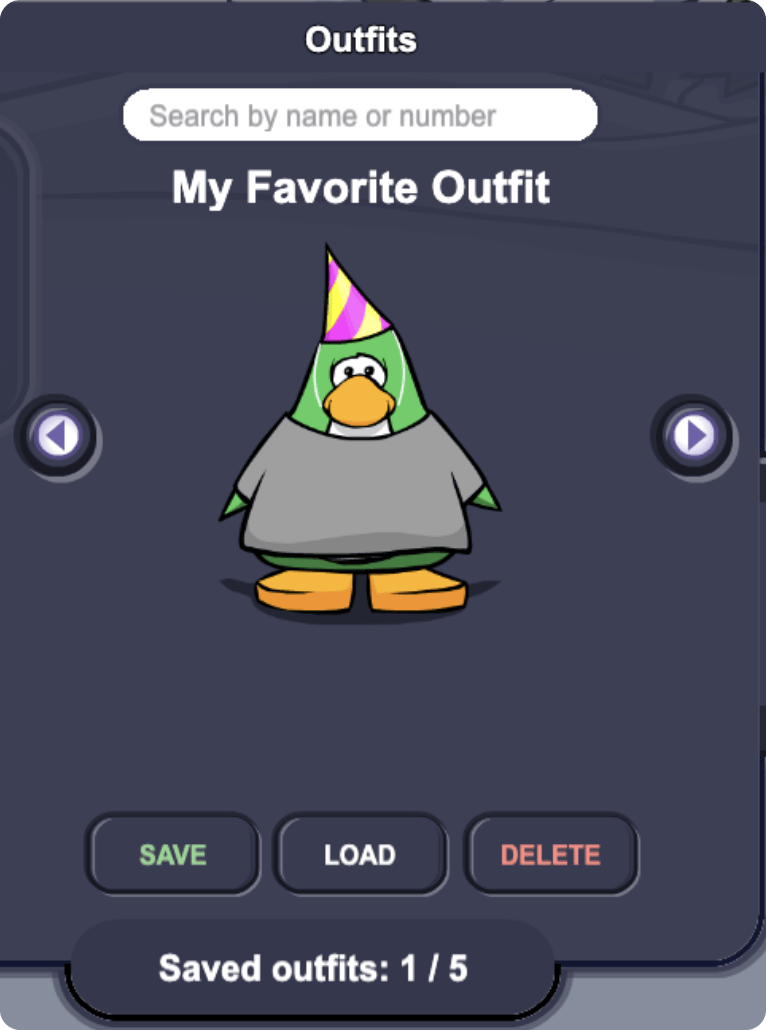
Open your own playercard and your Outfits sit right next to it.
- Save what you're wearing, Load an outfit to put it back on, or Delete one. You can set a name for them too.
- Use the arrows to flip through them, or search by name or number.
- Check Save my status when you name an outfit to keep your status with it. Loading that outfit puts the status back, and outfits saved without it leave your status alone.
- Loading an outfit puts your whole look back: your items and their colors, chat bar color, snowball color, fonts, name glow and everything else.
- The first 5 outfit slots are free. Buy more in the credit store, up to 100.
Item favorites
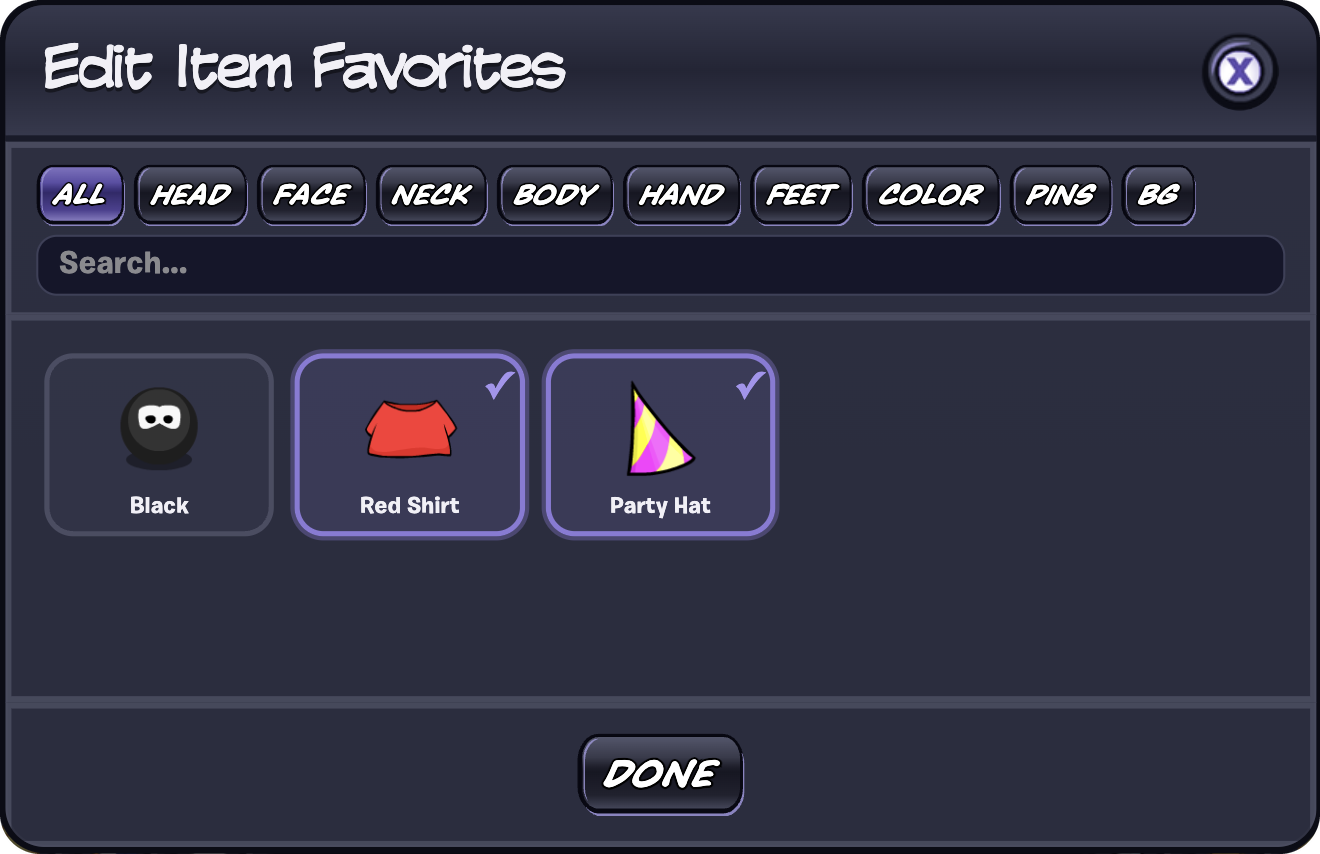
Buy Item Favorites in the credit store to keep the items you use the most in one spot.
- In your inventory, click the + under the down arrow in the Favorites category to open Edit Item Favorites.
- Click items to select or unselect them, then press Done. The tabs at the top and the search bar help you find things faster.
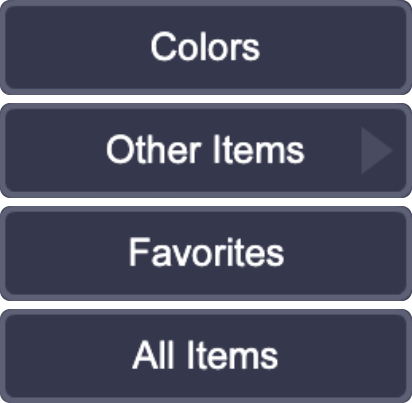
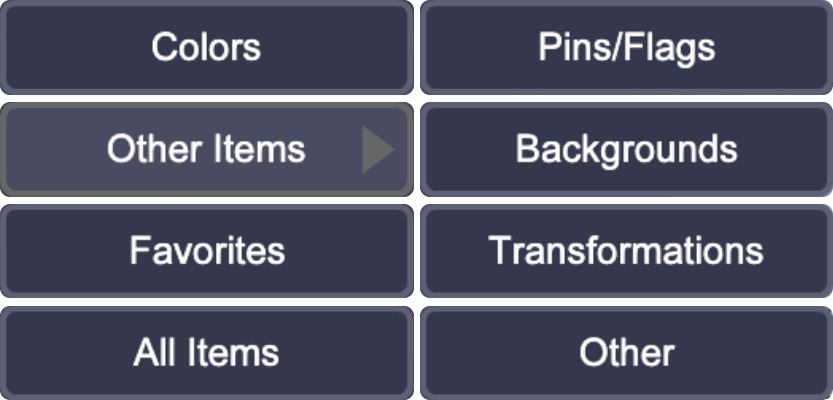
- Your favorites show up in the Favorites category of your inventory, right below Other Items.
Transformations
You can buy Transformations in the credit store.
- To find yours, open your inventory, click Other Items, then Transformations. It's right under Backgrounds.
- You can color your transformation in the Items tab of your customization menu.
Spend your credits on new looks, items and extras.
Opening the store
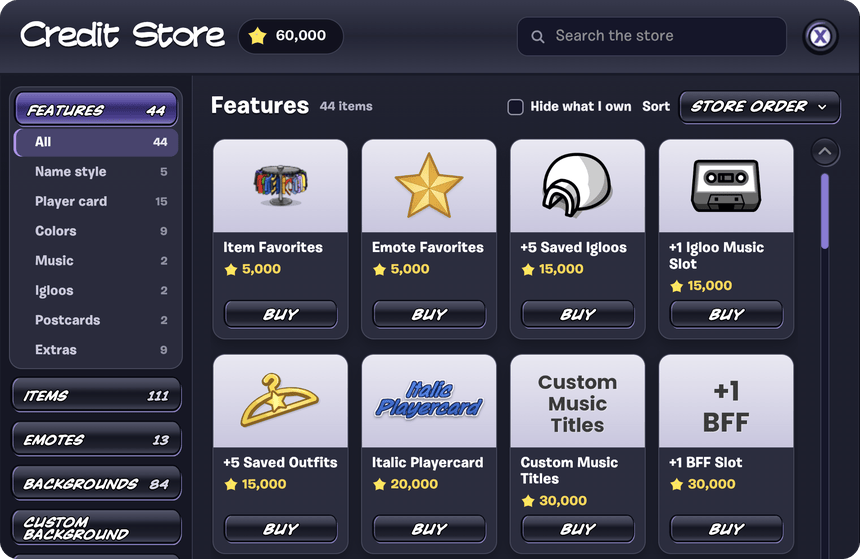
Click the credit bag  at the top right of the game, just to the right of the jukebox. Your credits show at the top next to the star.
- Press Buy on anything you want. It's yours right away, no re-log needed.
- Not enough credits yet? The Credits tab shows every way to earn them.
Finding things
- Search the store at the top finds anything by name.
- Tick Hide what I own to only see things you don't have yet.
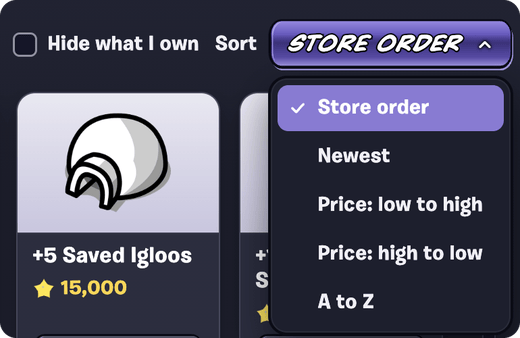
- Use Sort to order things by Store order, Newest, Price: low to high, Price: high to low or A to Z.
What's in the store
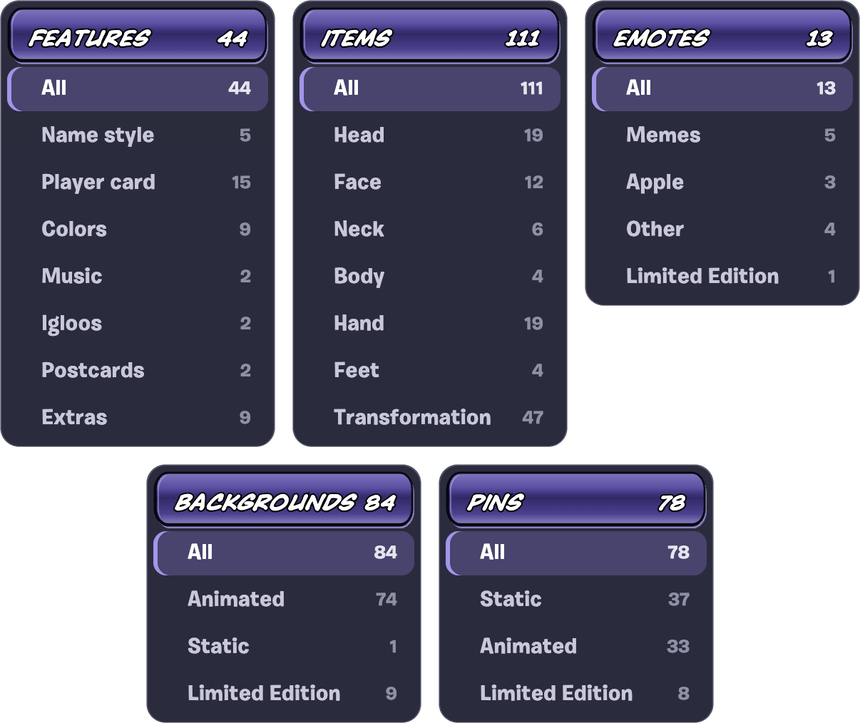
Pick a section on the left and it opens up into smaller groups.
- Features: name styles, playercard looks, blinkies, colors, music, igloo and postcard extras and more.
- Items: clothing items and transformations.
- Emotes: emote packs, like memes, GIFs, and more.
- Backgrounds and Pins: animated, still and limited edition ones.
- Custom Background and Furniture.
Previews
Backgrounds, pins, emote packs, font packs, playercard packs, snowball packs, postcard packs and Blinkies Packs have a Preview button. It shows you exactly what you're getting before you buy it, moving just like it does in the game.
Custom Background
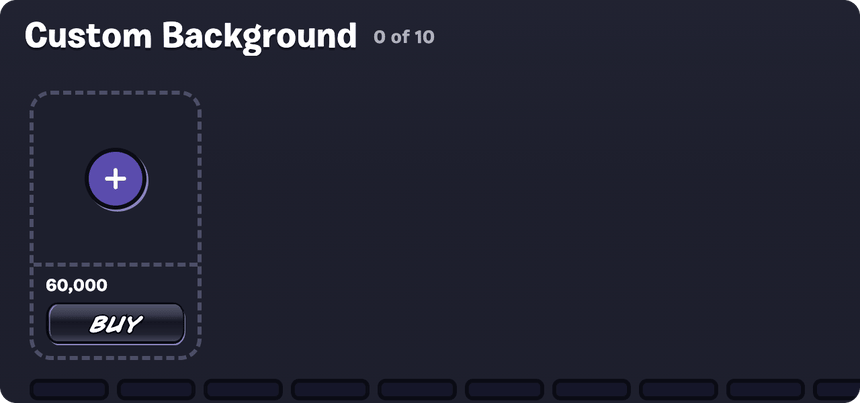
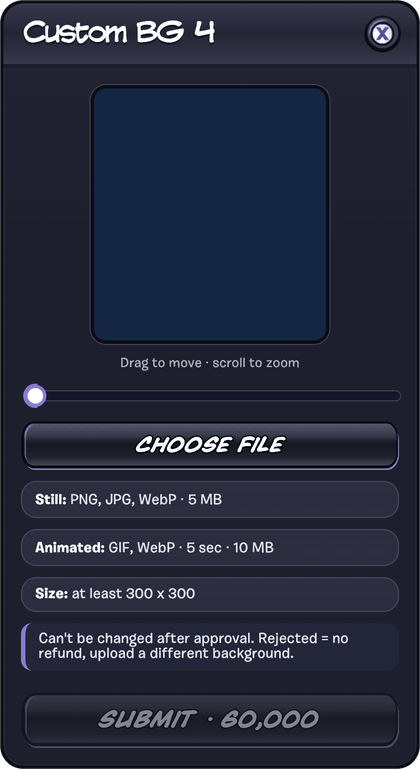
Make your own playercard background. Press Buy on an empty spot, choose a picture, then drag it to move it and scroll (or use the slider) to zoom.
- Still: PNG, JPG or WebP, up to 5 MB.
- Animated: GIF or WebP, up to 5 seconds and 10 MB.
- It has to be at least 300 x 300.
- You can purchase up to 10 custom backgrounds.
Staff check every background before it shows. Once it's approved it can't be changed. If it's rejected, the credits aren't given back, so upload a different background.